From the dock to the office. All together.
Driver uploads stay with their load. Review BOLs and PODs, sign rate confirmations inside Frontier, and keep accepted paperwork ready for billing.
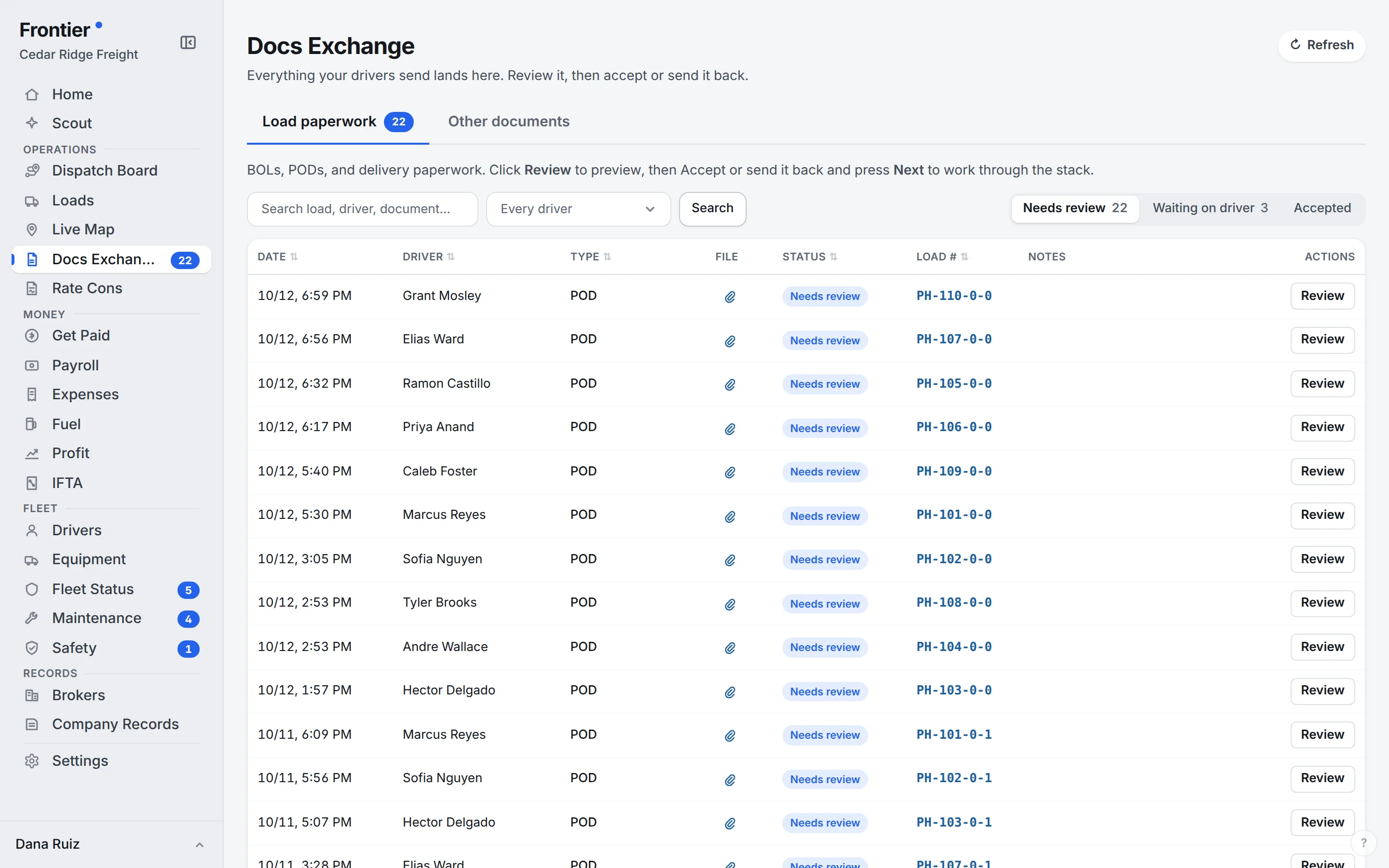
Real app screen · sample company data
The load’s document file
A home for
every handoff.
- Rate confirmation
- Bill of lading
- Proof of delivery
- Receipts & attachments
Scan the whole document from the road.
On supported iPhone and Android app builds, drivers can scan multiple pages, review the crop, and submit one PDF. Browser users can upload files or use the browser scanner. Keep the pages together instead of sending a separate message for each photo.
The office gets a review queue.
The driver uploads a BOL, POD, or receipt against the assigned load. Docs Exchange receives the submission with that load and driver attached. Open it, check that the pages are readable and complete, then accept it or return it with a note. The driver does not need to bring the paper back just to start the office review.
The signature stays with the paperwork.
Sign the rate confirmation inside Frontier and keep the signed copy with the load. Accepted BOLs and PODs remain on that same record. Billing can use those files to build the invoice packet without finding a rate con in an email, printing it, pairing it with a paper BOL, and scanning the stack again.
From paperwork to billingYes. Docs Exchange separates paperwork that needs review, items waiting on a driver, and accepted documents.
Start with one truck. It’s free.
Unlimited users on every plan. A real person walks you through setup.