Run a hybrid
Haul your loads.
Broker the rest.
One account for a trucking company with its own broker authority. Same login, same team, same books.
Free for one truck · Brokering free in early access · See pricing
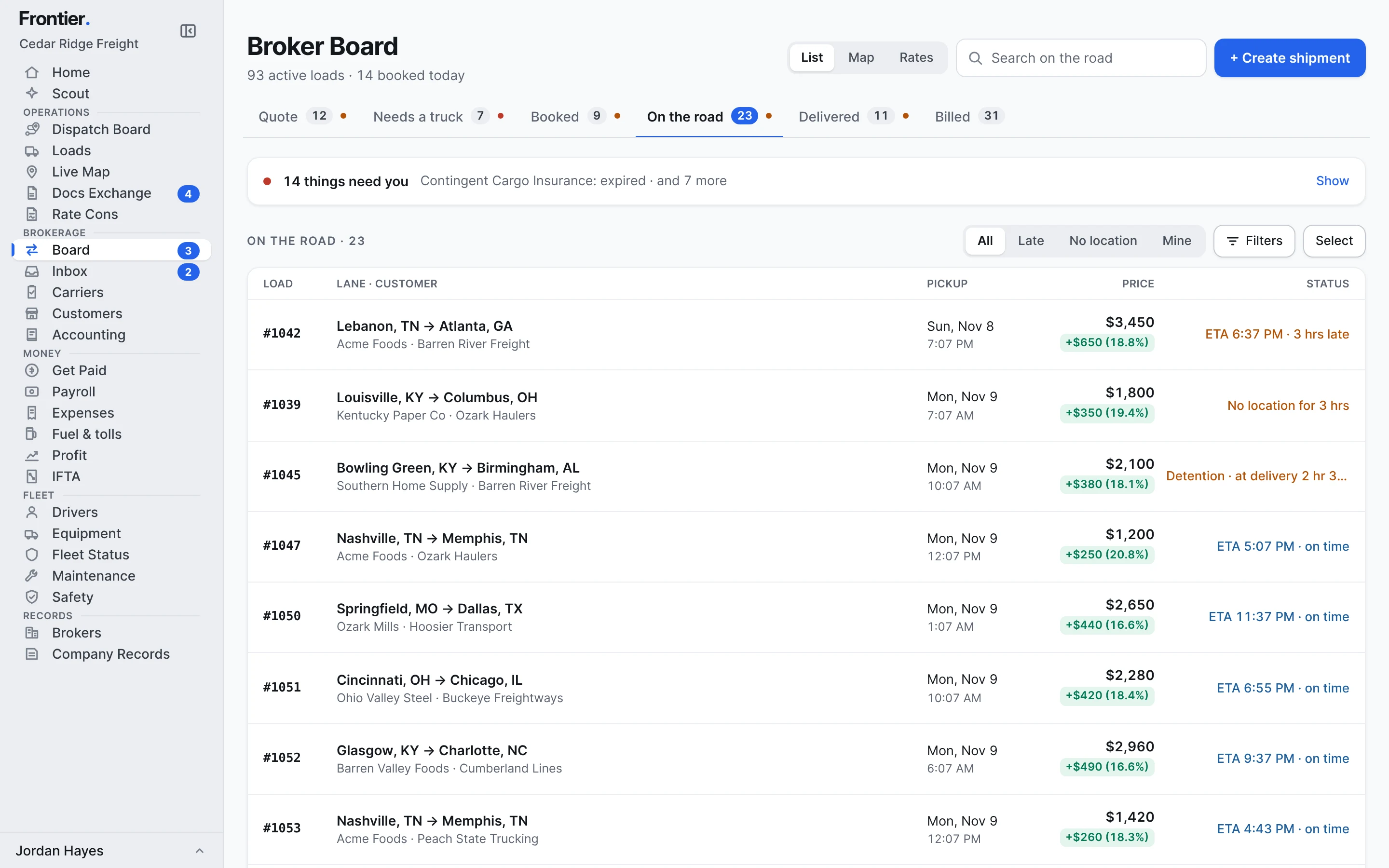
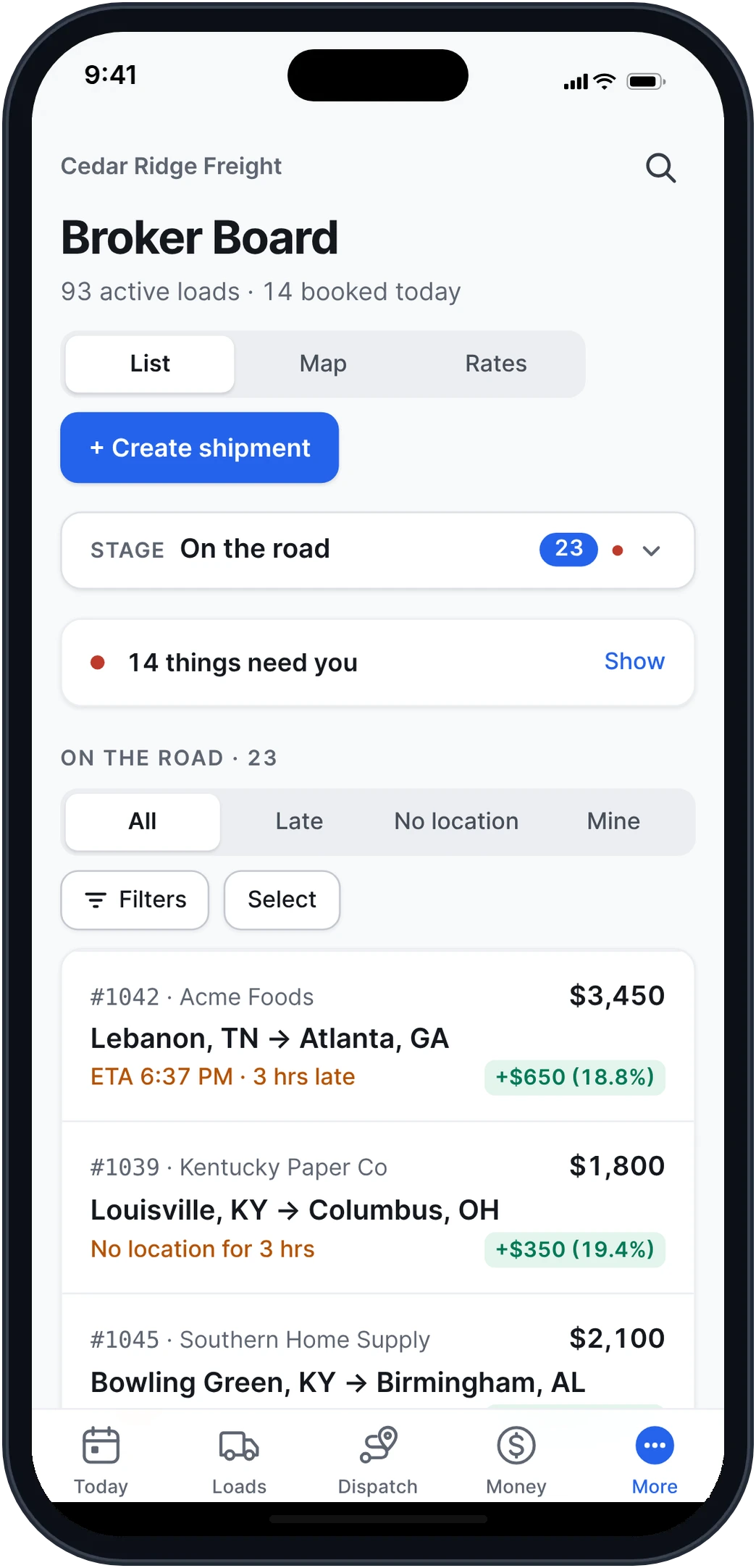
Real app screens · sample company data
How it works.
Three steps, and no second system.
- 1
Start with your trucking company.
Your trucks, drivers, loads and pay in Frontier for Carriers. Free for one truck.
- 2
Turn on brokering.
An owner or admin turns it on in Settings and adds the broker MC. Nothing about your trucks, drivers or loads changes.
- 3
Run both from one sidebar.
A Brokerage section appears: the Broker Board, the Inbox, Carriers, Customers and Accounting, next to Dispatch and Money.
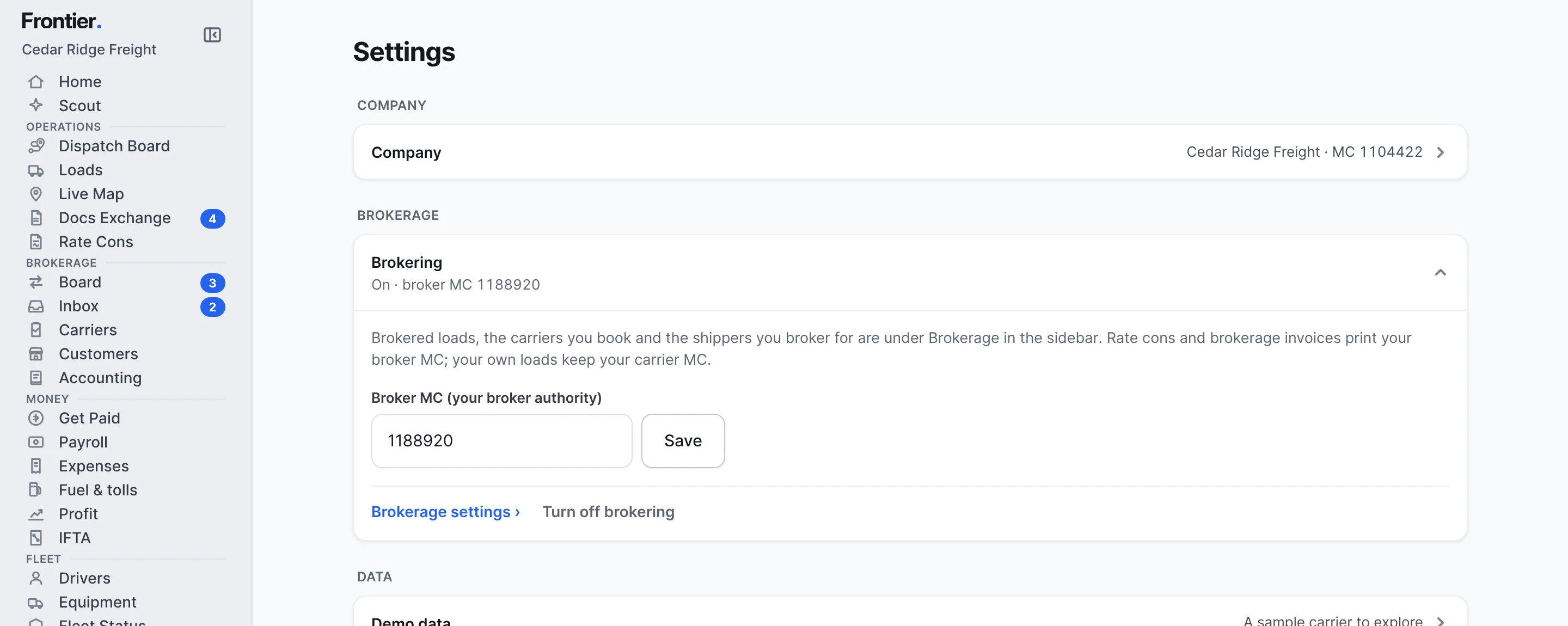
One company. Two kinds of freight.
What the two sides share, and what stays apart.
Shared
- One login and one team, each person with the screens for their job
- Expenses marked Trucks, Brokerage or Both, with shared costs counted once
- One Profit page: each side, what they share, and what the company made
- Both plans on one billing page and the same card
Kept apart
- Your broker MC prints on rate cons, brokerage invoices and emails
- Your carrier MC stays on your own loads' paperwork
- Your own loads on the Dispatch Board, brokered loads on the Broker Board
- Drivers never see the broker side: customers, carriers, rates or margins
See what the whole company made.
Trucking and brokerage side by side, the costs they share counted once.
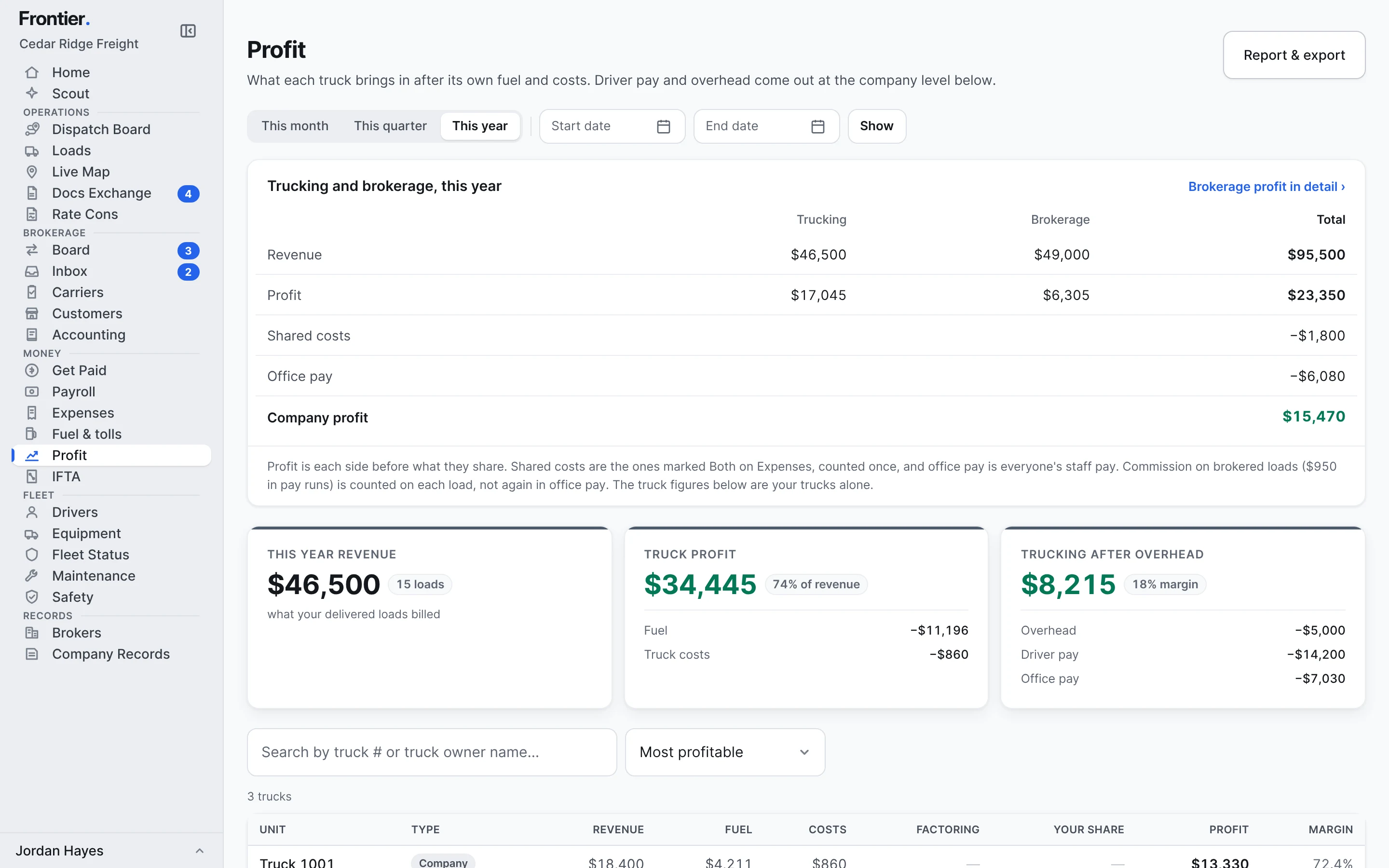
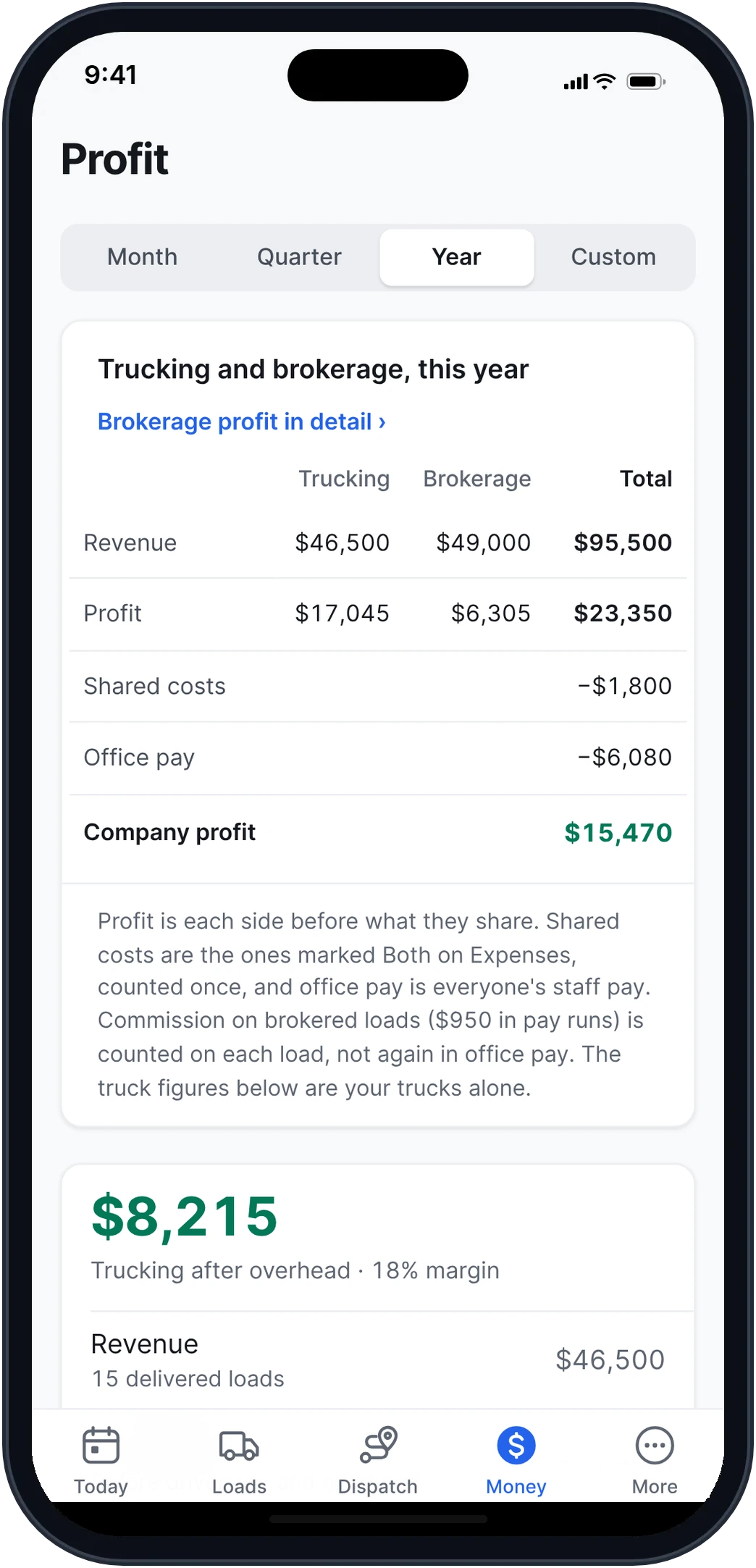
Real app screens · sample company data
Both products. Every feature.
Everything in Frontier for Carriers and everything in Frontier for Brokers.
Frontier for Carriers
Dispatch, paperwork, invoicing, factoring, driver pay, fuel, IFTA and the driver app.
See everything Your brokered loadsFrontier for Brokers
Quotes from email, carrier emails and bids, carrier checks, rate cons, tracking, the customer portal and accounting.
See everythingStart with your trucks.
Turn on brokering when you’re ready.
Want to see the broker side first? Try a sample brokerage
Do I need two accounts?
No. Brokering turns on inside the trucking company you already run. One login, one team, one set of books, and one sidebar with both sides in it.
Which MC prints where?
Your broker MC goes on rate cons, brokerage invoices and the emails Frontier sends for brokered loads. Your own loads keep your carrier MC. Leave the broker MC empty and your company MC prints on both.
Will my drivers see the brokered loads?
No. The broker side is for the office. Drivers keep seeing their own loads, documents and pay, the same as today.
How do the books work?
Mark each expense Trucks, Brokerage or Both. Profit shows trucking and brokerage side by side, the costs they share counted once, office pay, and the company's profit.
What if the brokerage is its own LLC?
Then set it up as its own company, with its own books, Board, carriers and customers. You switch between the two from the menu, with the same login.
Can I turn brokering off later?
Yes. An owner or admin turns it off in Settings once no brokered load, invoice or carrier bill is still open.
What does it cost?
Your trucks stay on your carrier plan, billed by trucks in service. Brokering is free during early access. After that it's its own line on the same card, by brokered loads a month: free up to 10, then from $199. Want one price for both? Book a call and we'll work it out with you.