A portal your shippers will actually use.
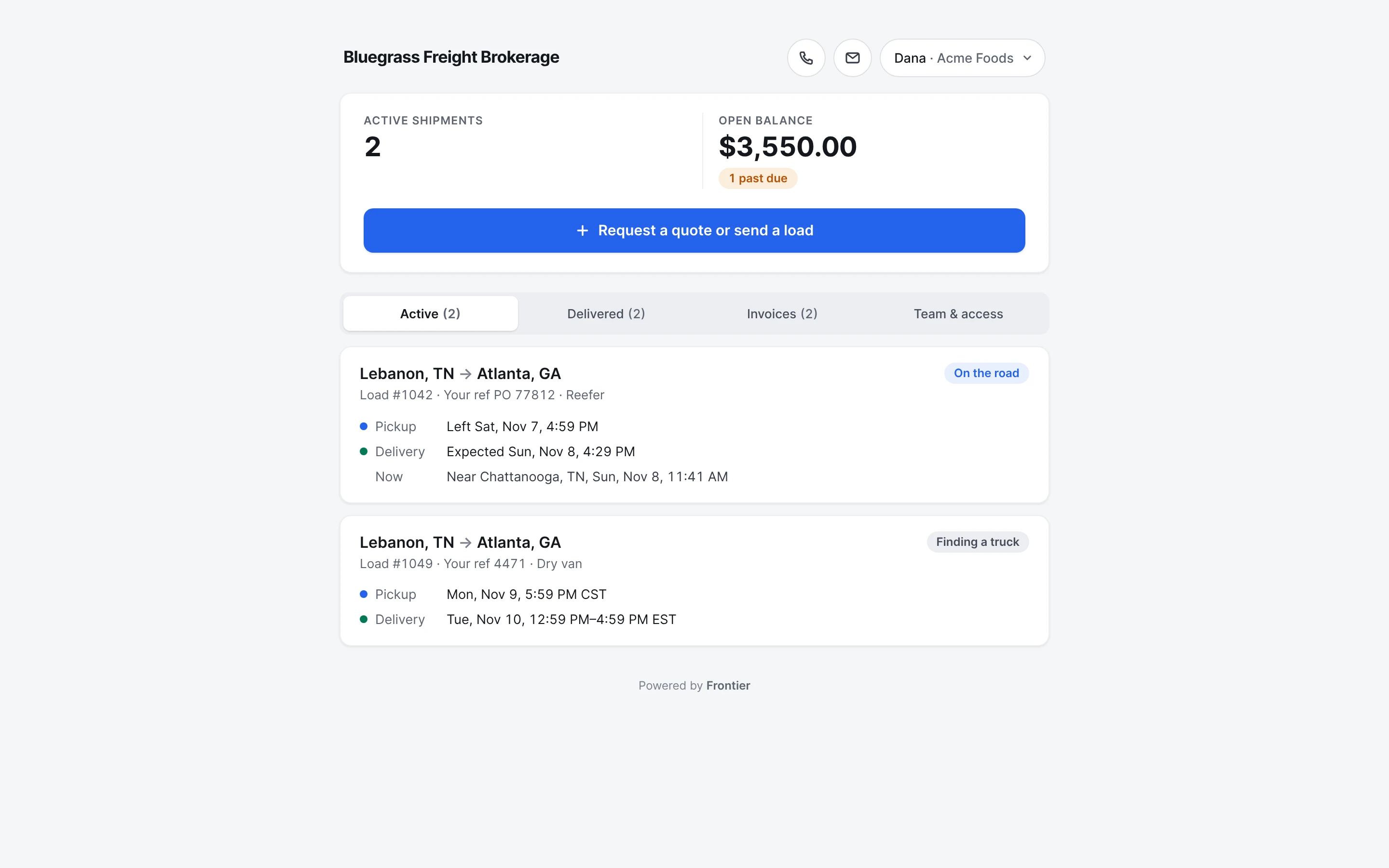
Each customer gets a private page with their loads, where each one is, the PODs and the invoices. They send you the week's loads from it, and never see your carriers or what you pay them.
Free early access. No card, no load limit.
Real app screens · sample brokerage data
How it works, step by step.
Real app screens · sample brokerage data
- Step 1
Turn it on for a customer.
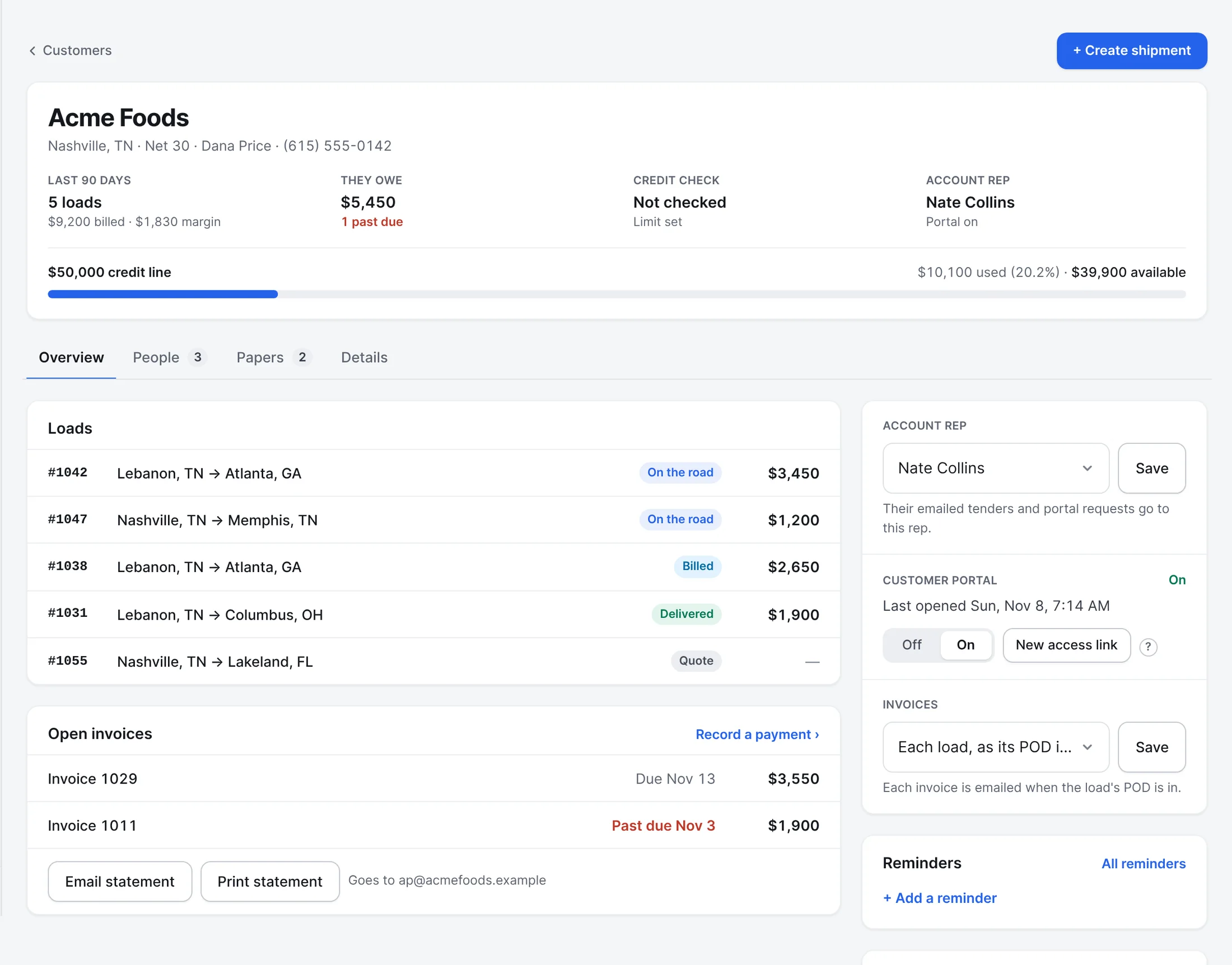
On the customer's page in Frontier, switch the portal on and send them their link. You see their loads, what they owe, their credit line, their rep, and when they last opened the portal. A new link stops the old one.
- Step 2
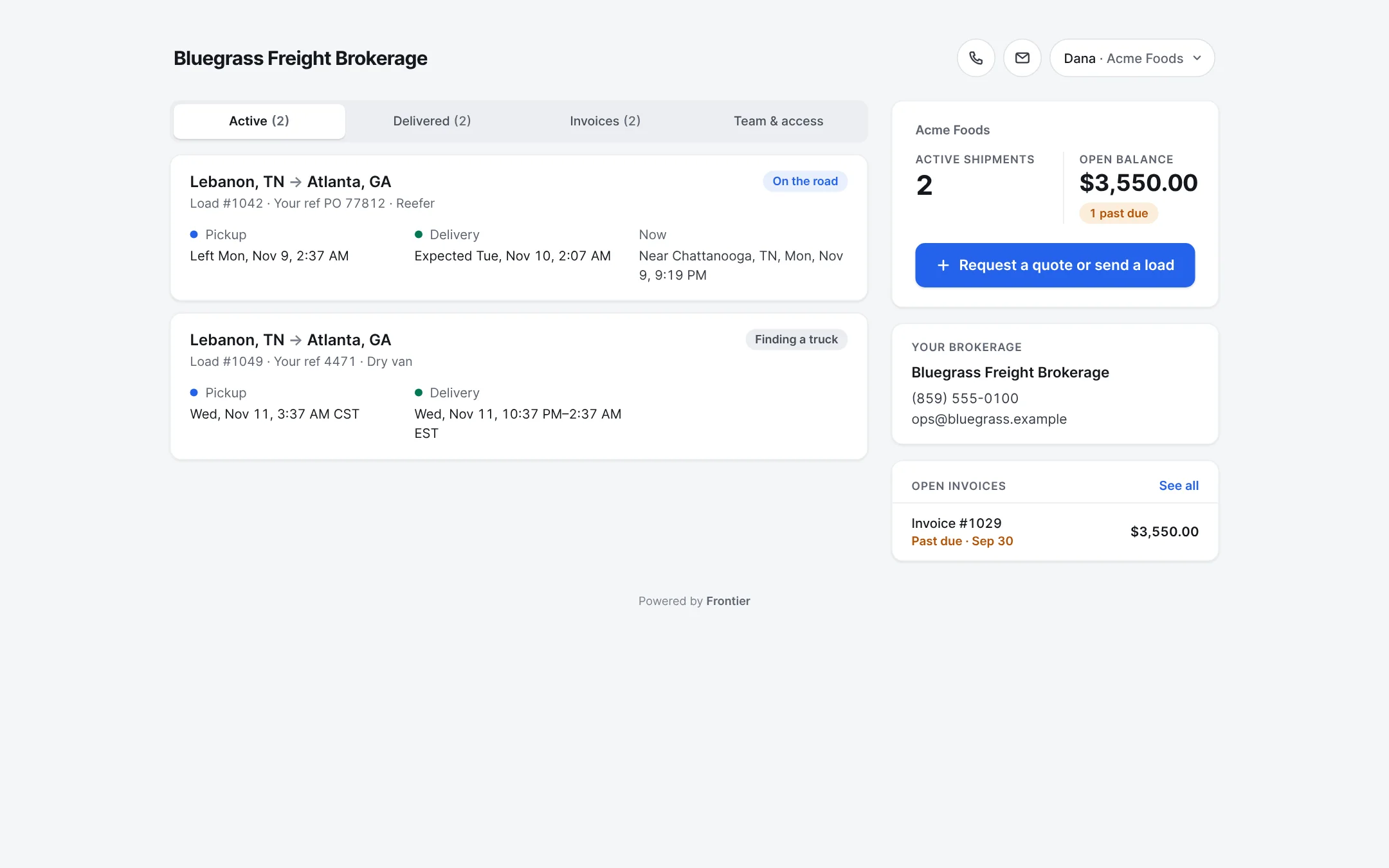
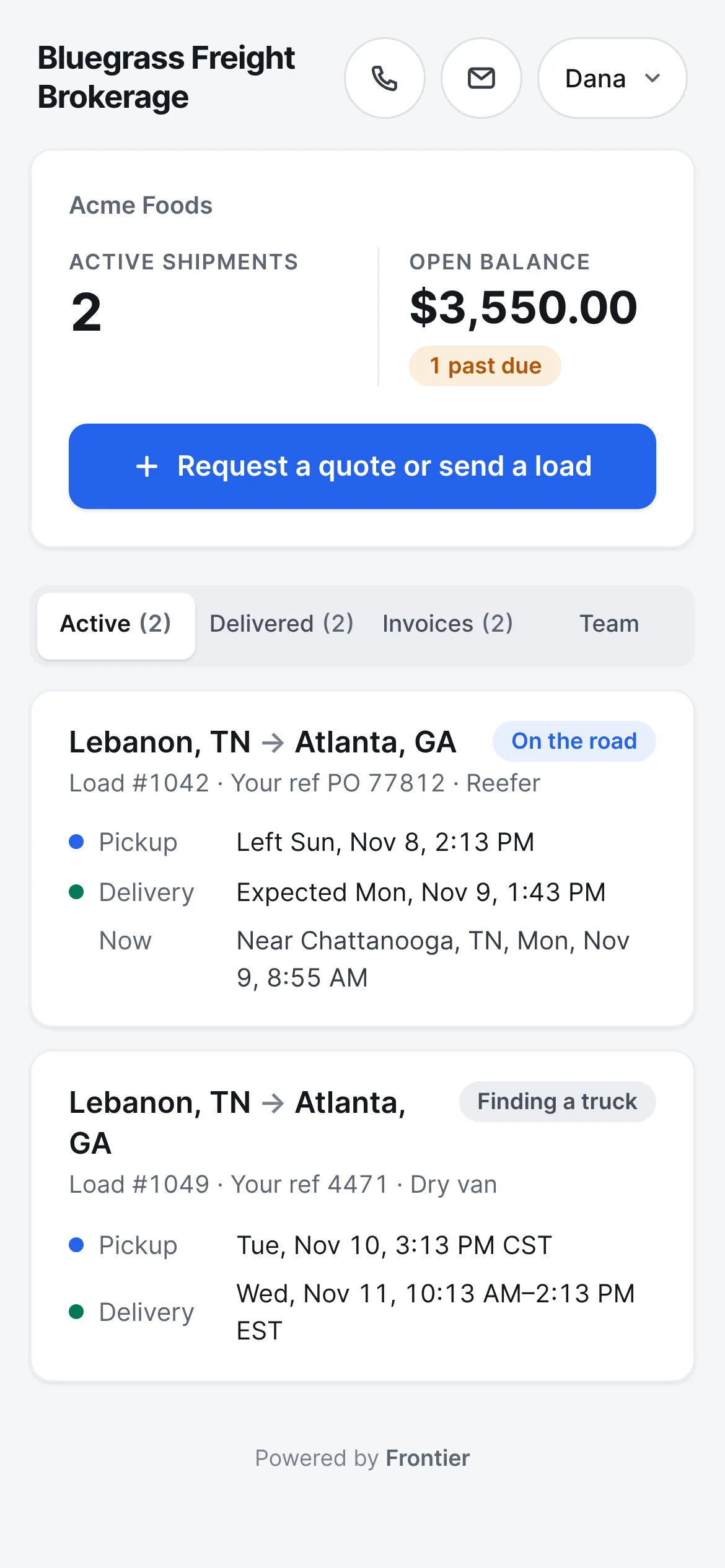
Their loads, on a page with your name on it.
Each customer gets a private page with their active shipments, what they owe, and every load with where it stands. It opens with a code sent to their work email. No password to remember.
What the shipper sees - Step 3
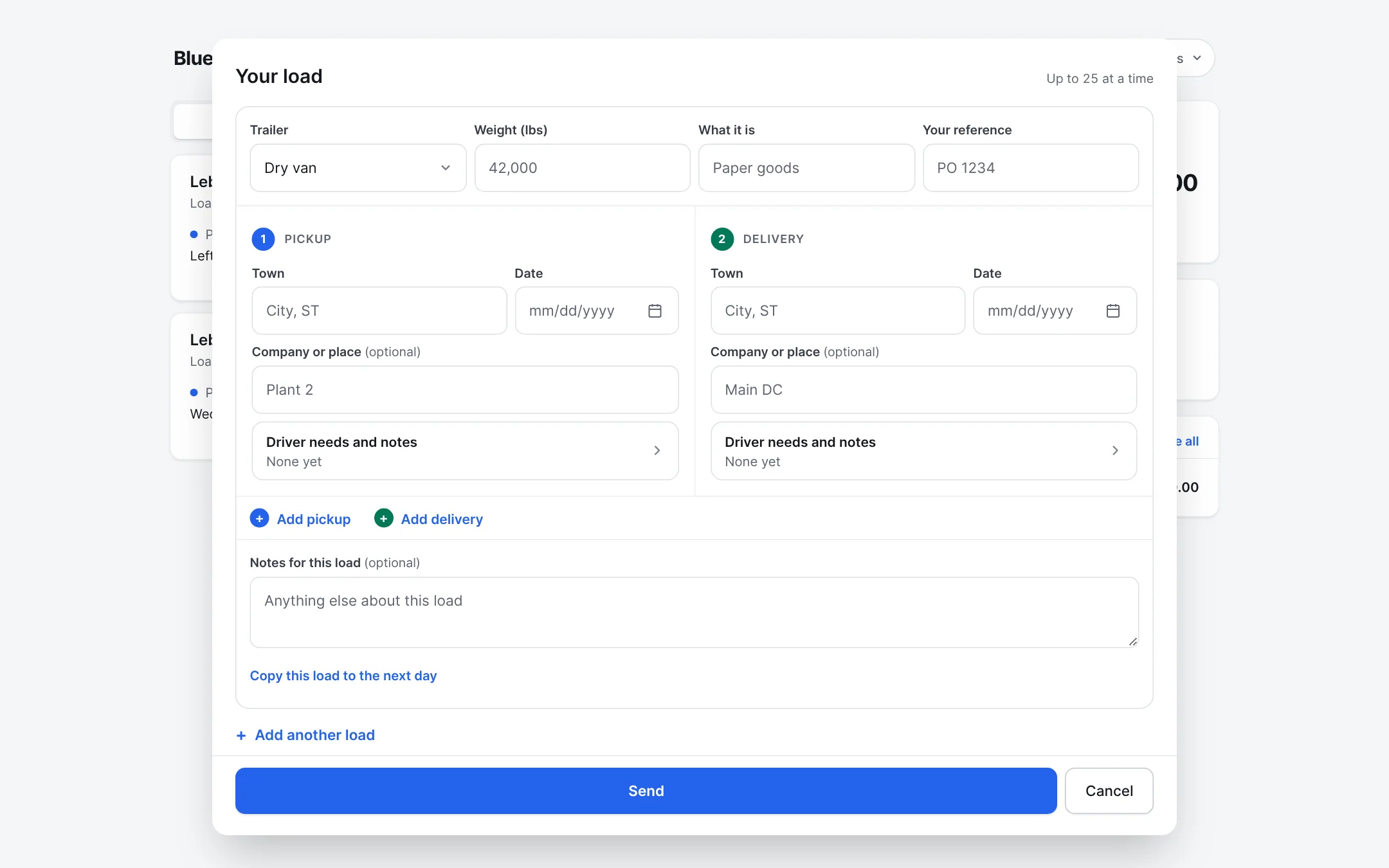
They send you the week's loads in one go.
The trailer, weight and reference once, then each pickup and delivery with the town, the date, the place and what the driver needs. Copy a load to the next day, or add up to 25. Each one lands on your Board as a quote.
What the shipper sees - Step 4
On their phone, too.
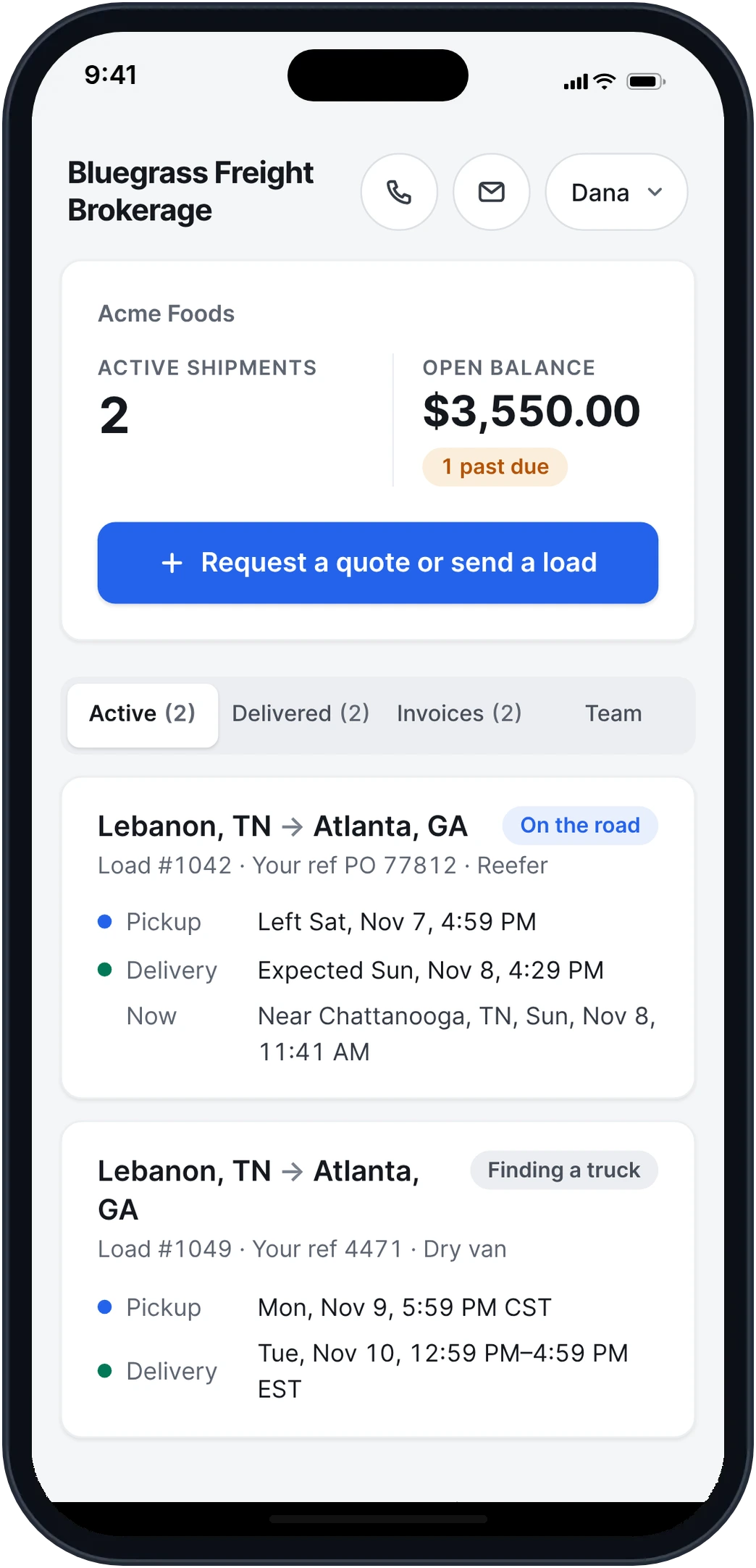
The same portal on any phone, with your phone number and email at the top of every page.
What the shipper sees - Step 5
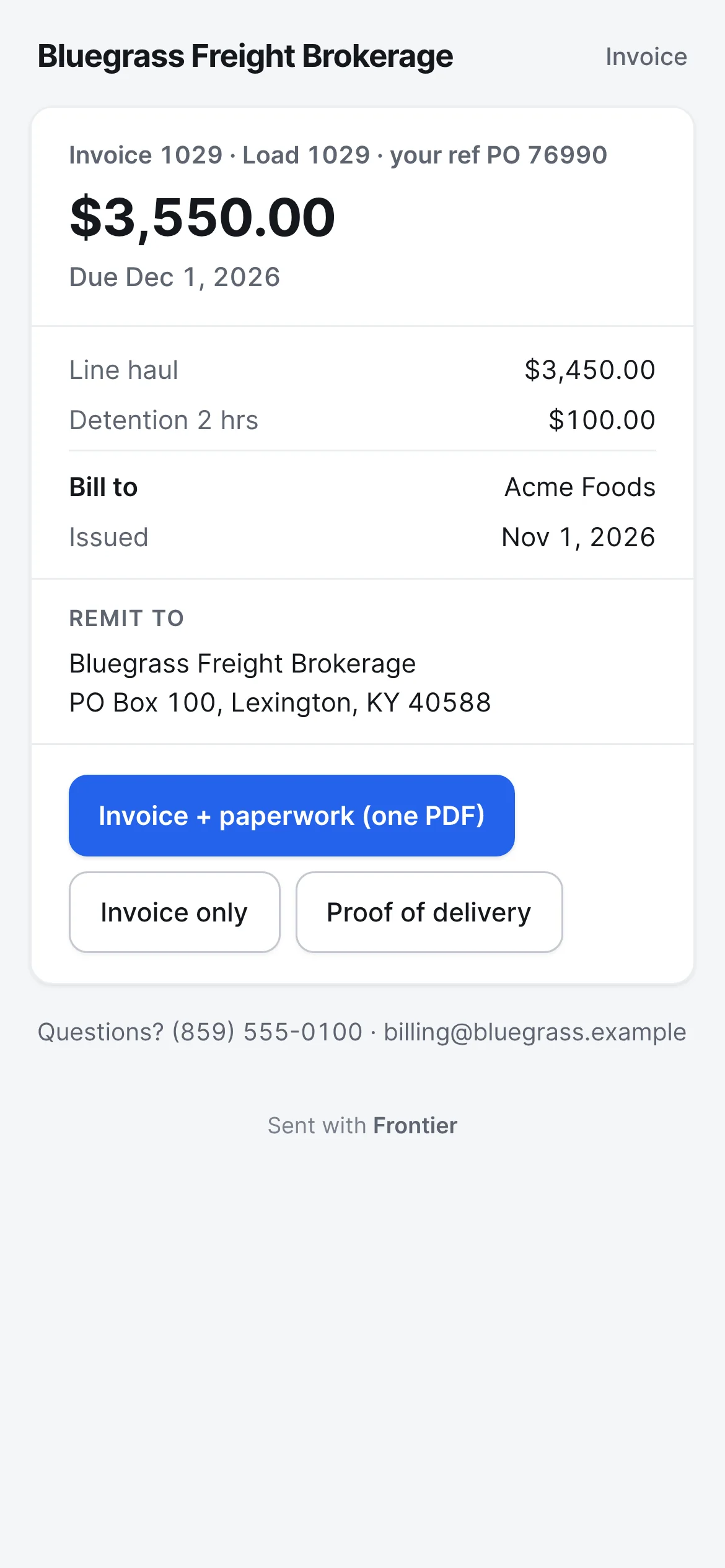
Invoices with the POD inside.
Every invoice opens with its charges, the due date, where to pay, and the proof of delivery. One PDF with both, or each on its own.
What the shipper sees - Step 6
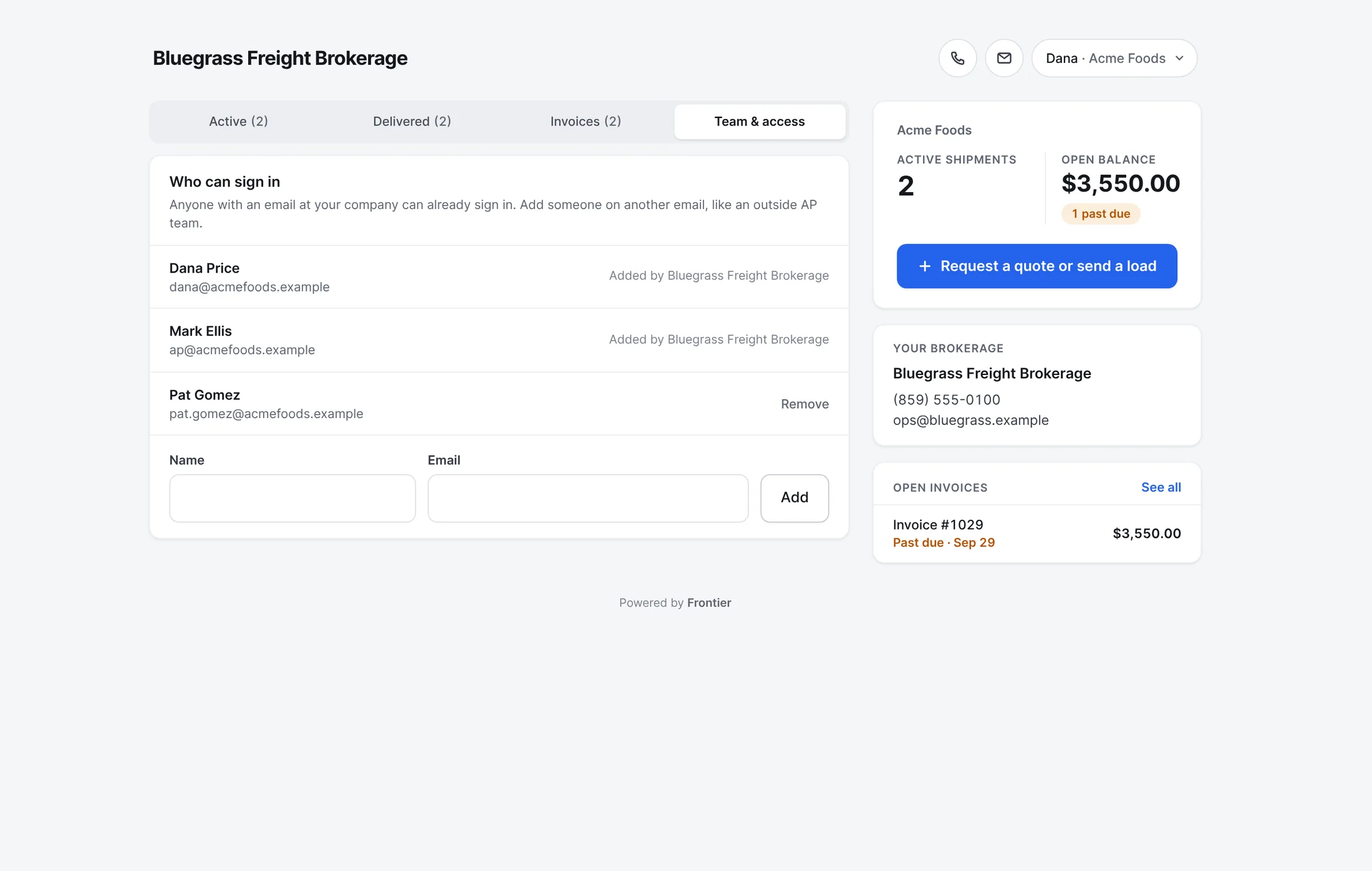
They manage their own people.
Your customer adds the people at their company who can sign in, and takes them off when they leave. You see who was added, and by whom.
What the shipper sees
Also built in.
Their own team
They add the people at their company who can sign in, and take them off when they leave.
Never your carrier
The portal never shows who's hauling the load or what you pay them.
You're one tap away
Your phone number and email sit at the top of every page.
Driver needs and notes
Each stop carries the place, the date, what the driver needs and any notes, the way they'd put it on a tender.
Status emails too
Picked up and delivered emails go to the people you list for each customer. They can stop them with one tap.
A new link anytime
Send a new link and the old one stops working. A link nobody uses for 90 days stops on its own.
Does my customer need an account?
No. They open their link and type the code Frontier emails to an address on their customer record. There's no password and no app to install.
More of Frontier for Brokers.
Try it on your own loads.
It’s free in early access.
Free early access. No card, no load limit.