The broker TMS
that does the busywork.
Quotes from email, rate cons signed on a phone, invoices with the POD attached. Free early access. No card, no load limit.
Unlimited users · No card needed · Try a sample brokerage · See pricing
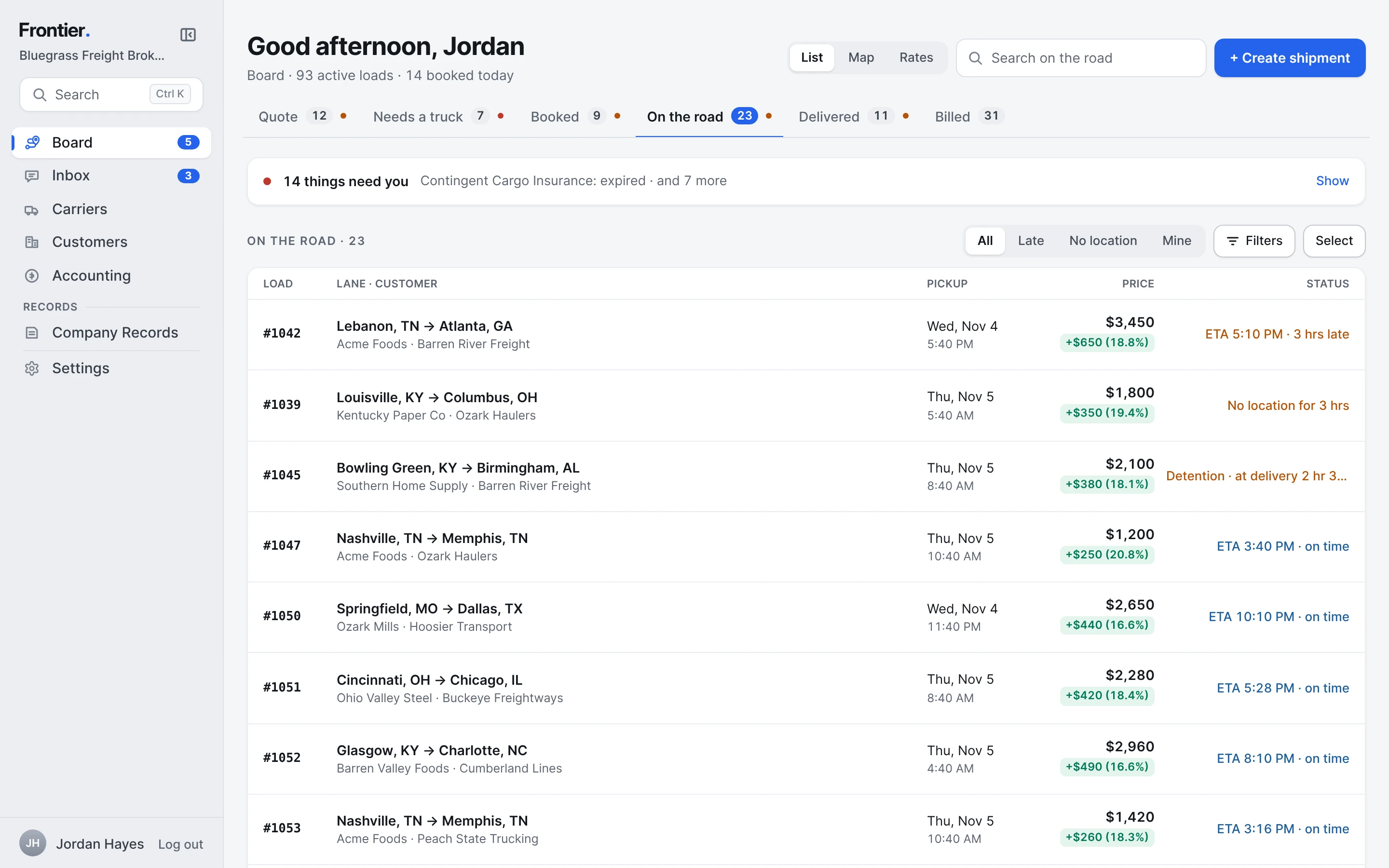
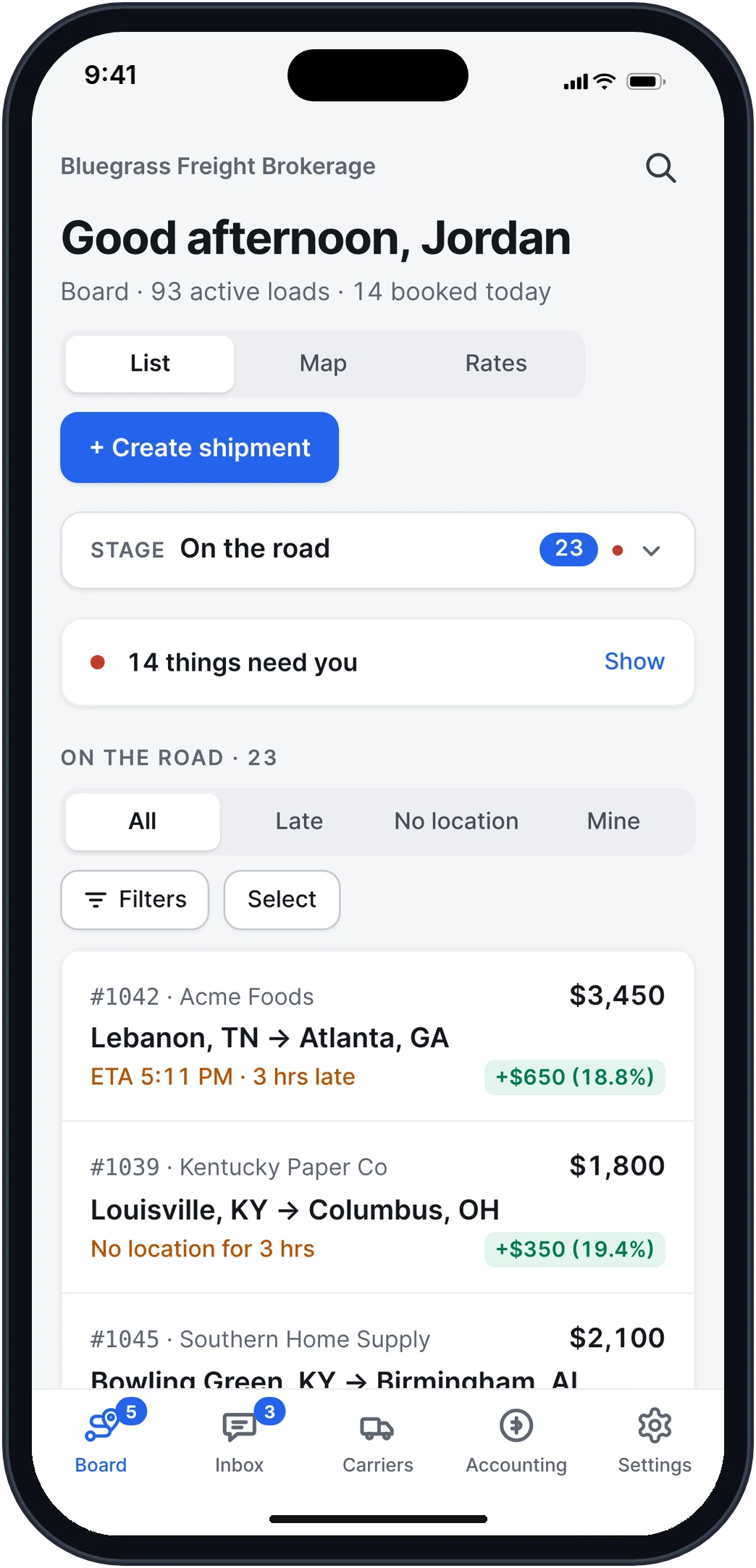
Real app screens · sample brokerage data
Everything a brokerage runs on.
Open any part for how it works, step by step, with the real screens.
- Quotes & the inboxEvery request answered.
- Carrier emails & bidsOne email chain per carrier.
- Carriers & checksKnow who you're booking.
- Rate cons & paperworkSigned from a phone.
- Tracking & updatesNo app for the driver.
- Customer portalShippers see their own loads.
- AccountingBill shippers, pay carriers.
- Claims, EDI & reportsEverything around the load.
How Frontier helps a brokerage.
Less time keeping track. More time moving freight.
Nothing typed twice.
The shipper's email becomes the quote, the quote becomes the load, and the load fills in the rate con, the BOL and the invoice. One record from the first email to paid.
Nothing slips.
Late loads, missing PODs, unsigned rate cons, expiring insurance and emails nobody took rise to the top of the Board, with what to do about each.
Nobody needs an account.
Carriers sign rate cons and send PODs from a link. Drivers follow their stops from a link. Shippers open their invoices and their portal from a link.
Your whole team, one price.
Reps, dispatch and accounting each get their own login and the screens for their job. Every feature on every plan, with no per-seat fees.
Carrier emails, the way you already work.
Fifty carriers answer your post. Frontier sorts it out before you open your inbox.
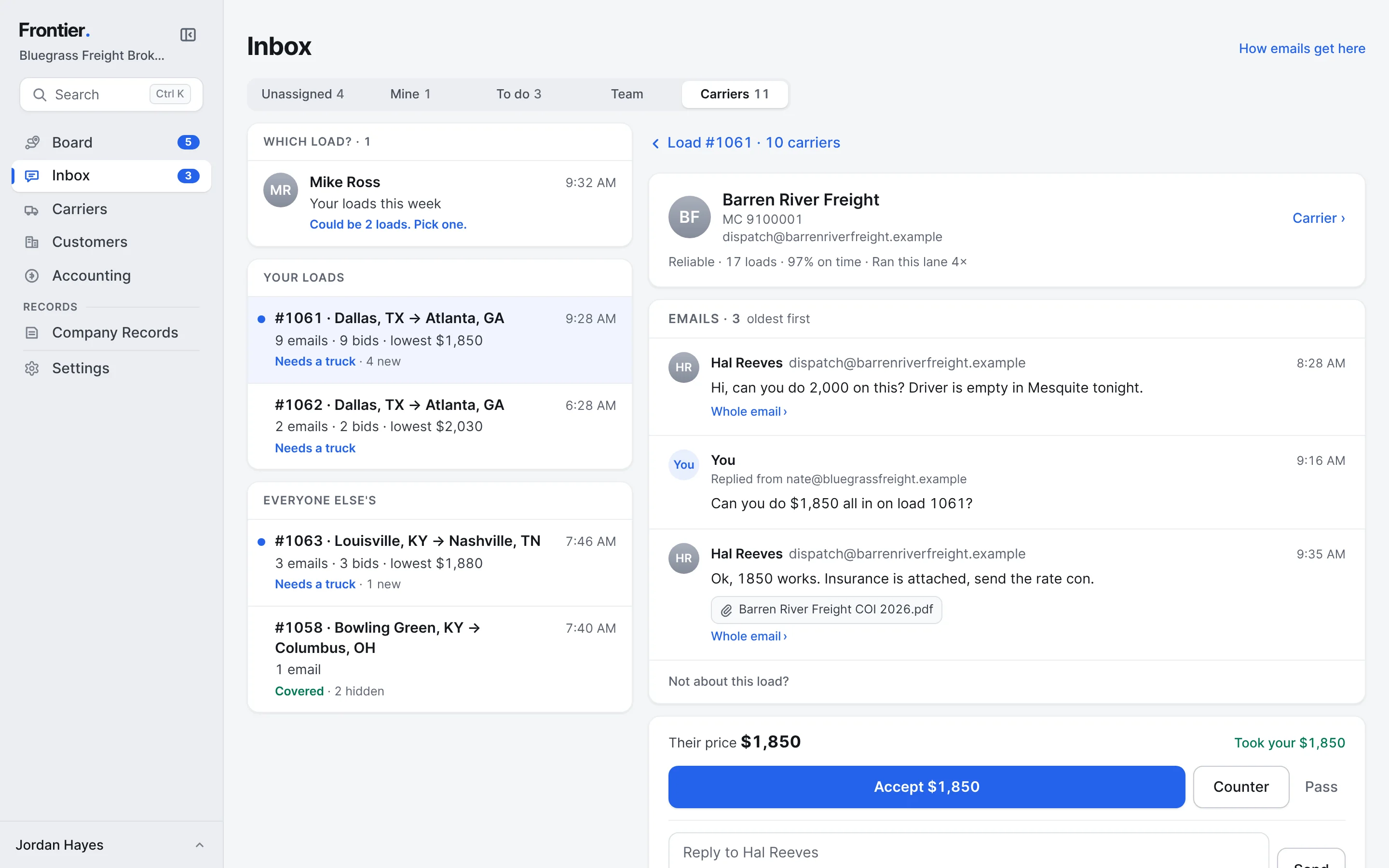
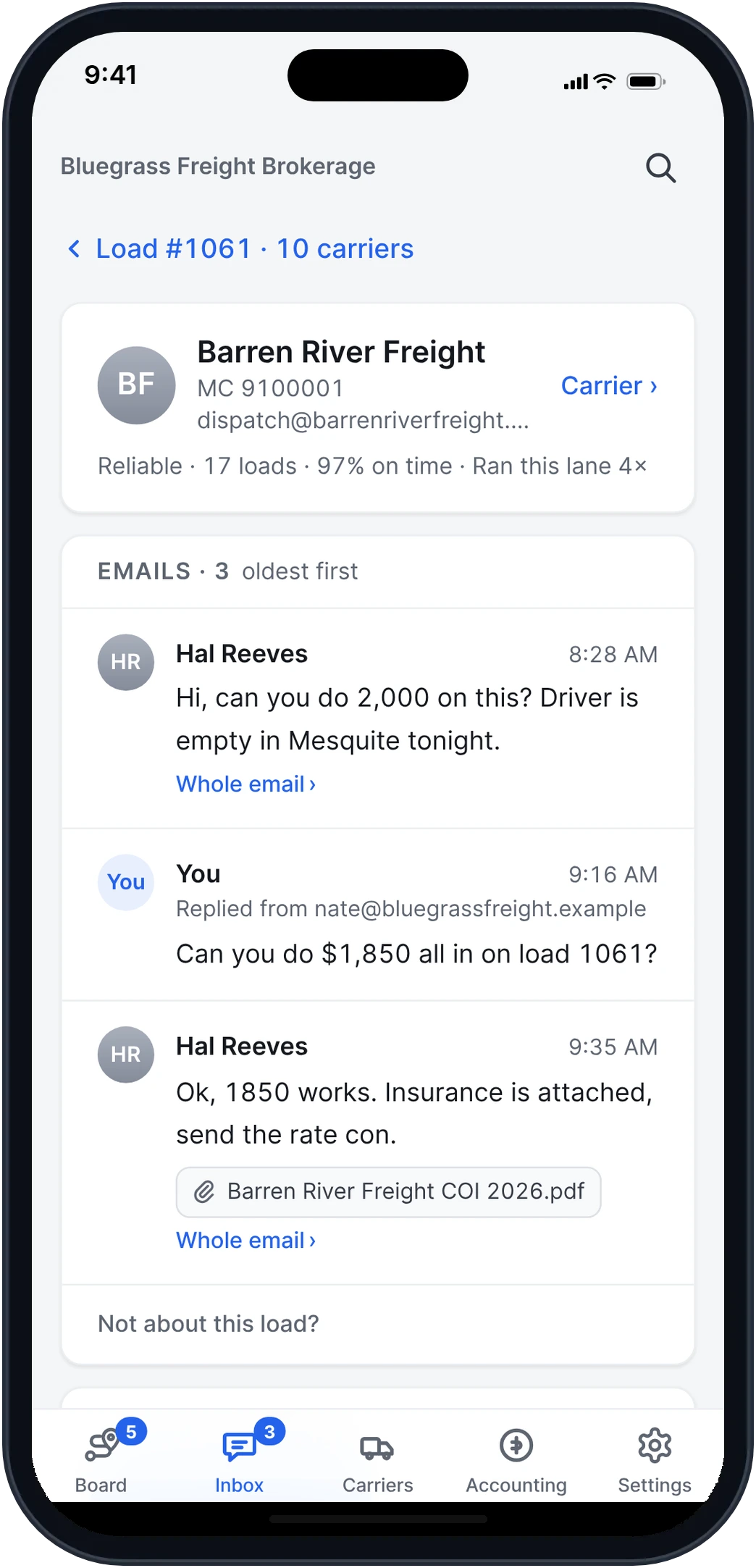
Real app screens · sample brokerage data
Every email finds its load.
By load number, the email chain or the lane. "NC to KY" works. When it could be two loads, you pick with one tap.
One chain per carrier.
Their price, your counter and their "when does it pick up?" stay together, in order, like a thread in Mail.
Accept, Counter or Pass.
Your counter goes as a reply in their email. When they say yes, their new price is ready to accept. Nothing books until you press Accept.
From your own mailbox.
Replies go from your Outlook, in the carrier's own email chain. Once the rate con is signed, the other carriers' emails fold away.
Follow one load.
From the shipper’s email to the carrier’s payment.
- 1
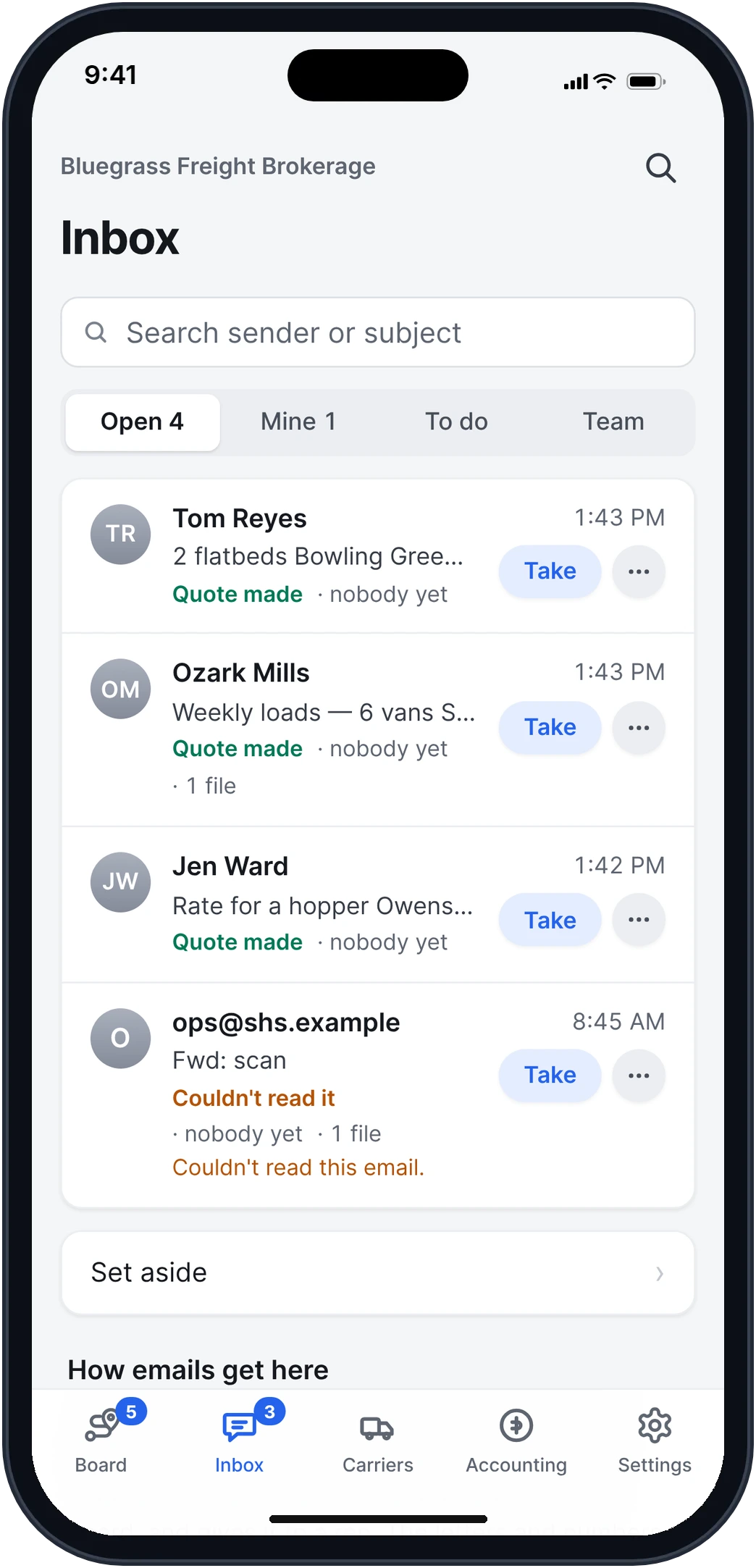
Quote requests become quotes.
Shippers email their loads to your brokerage's address, the way they do now. Frontier reads each email and its tender, drafts the quote with a suggested price, and a rep takes it with one tap.
How it works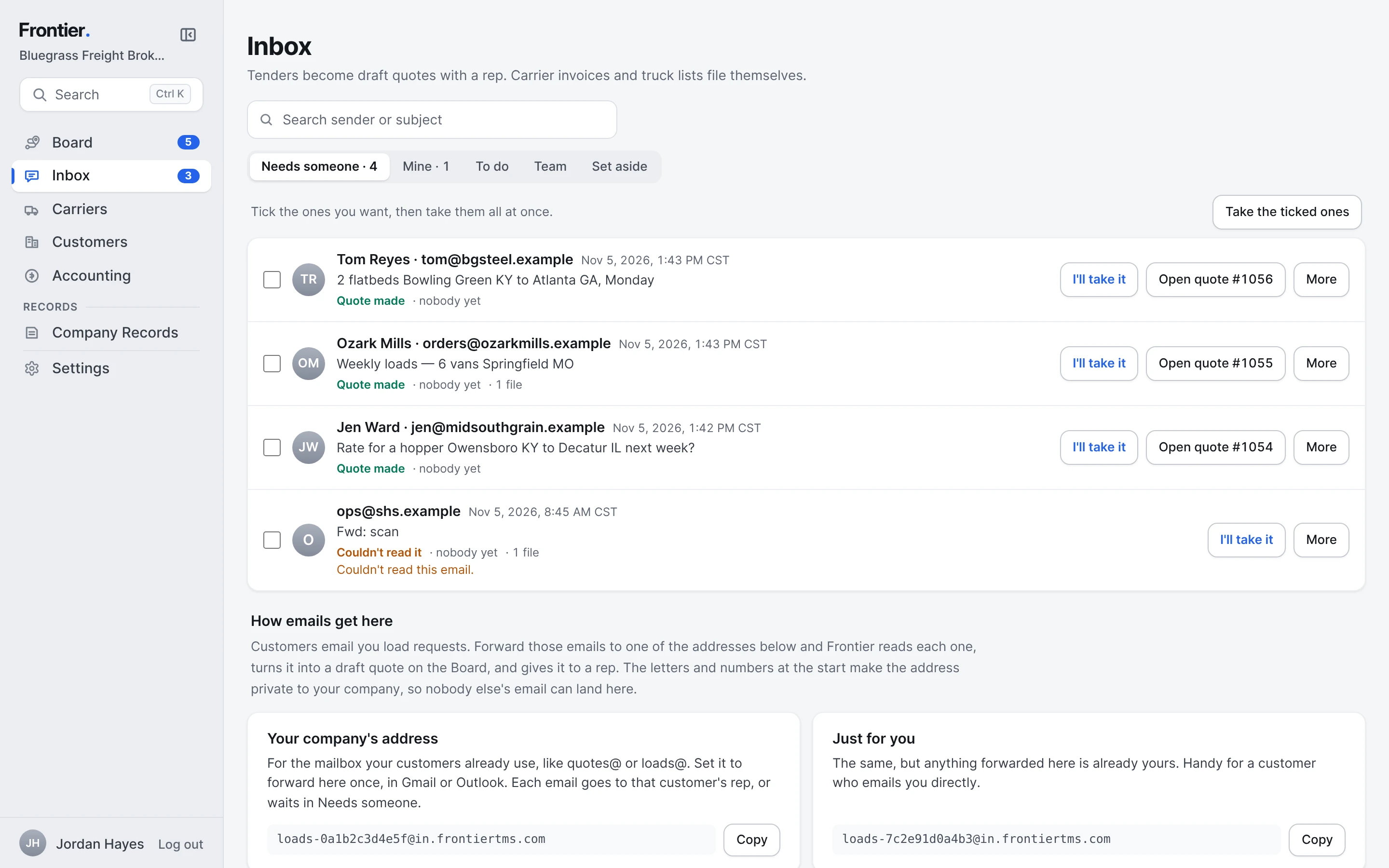
- 2
Ask carriers for a price.
When the shipper says yes, the quote becomes a load that needs a truck. Ask the carriers who know the lane, or Select all, and the bids come in on the load, best match first, with your margin at each price.
How it works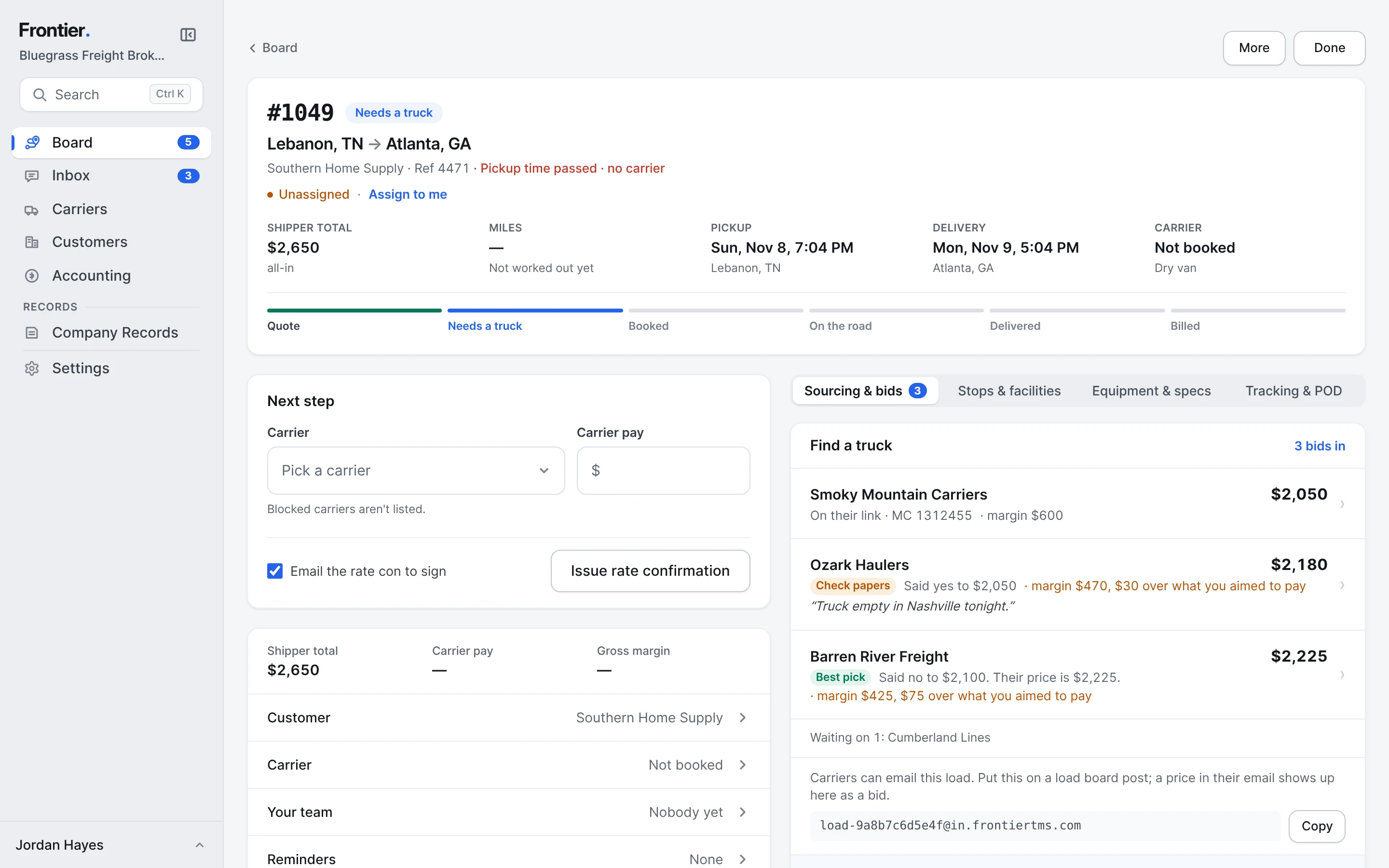
- 3
Every carrier, one email chain.
Carriers answer by email. Each carrier's emails, your replies and your counter sit together like a thread in Mail. Accept their price, counter it as a reply in their email, or pass.
How it works - 4
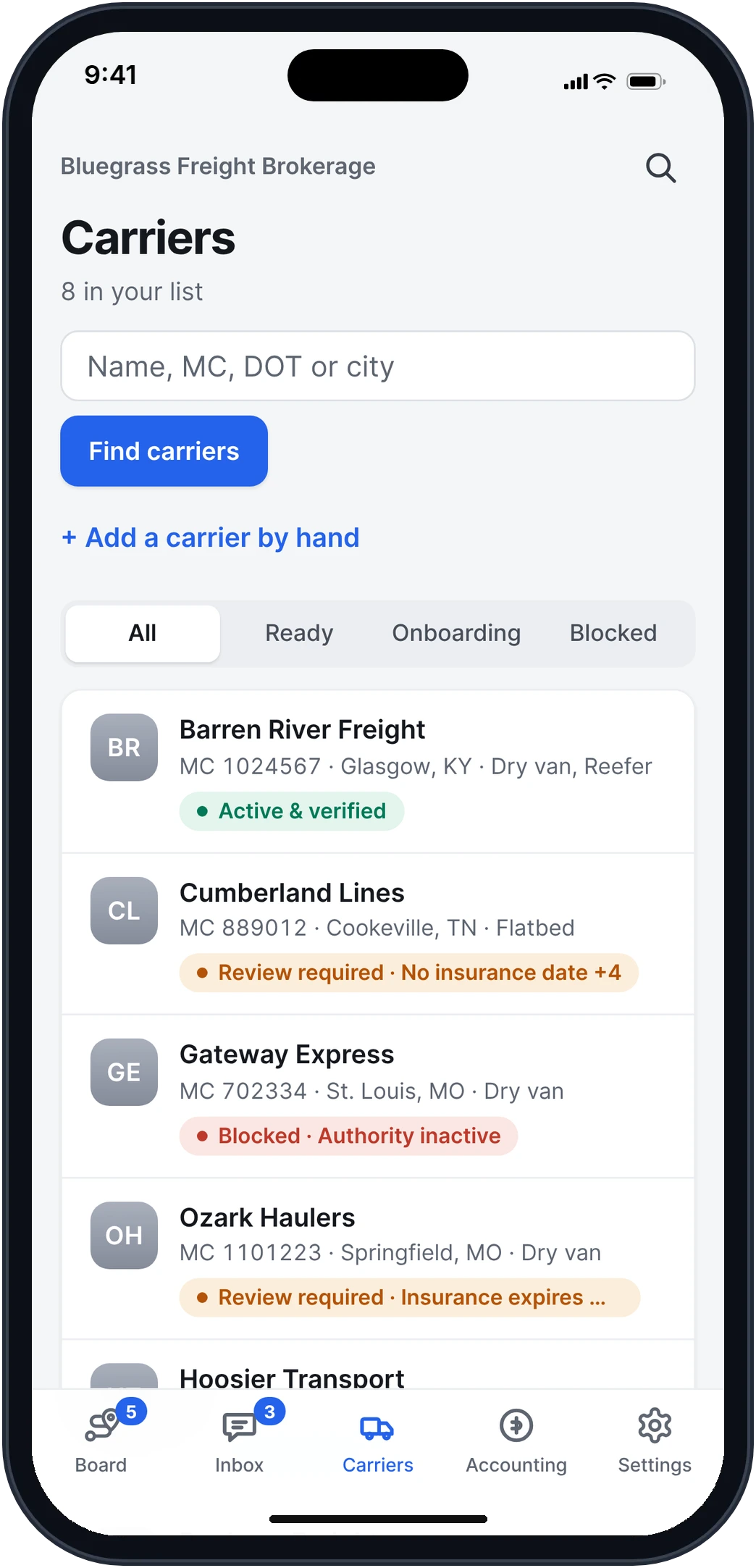
Know the carrier before you book.
Their authority and insurance from FMCSA, their W-9 and agreement from one setup link, and how they've done for you. A carrier who isn't ready gets a warning before you book.
How it works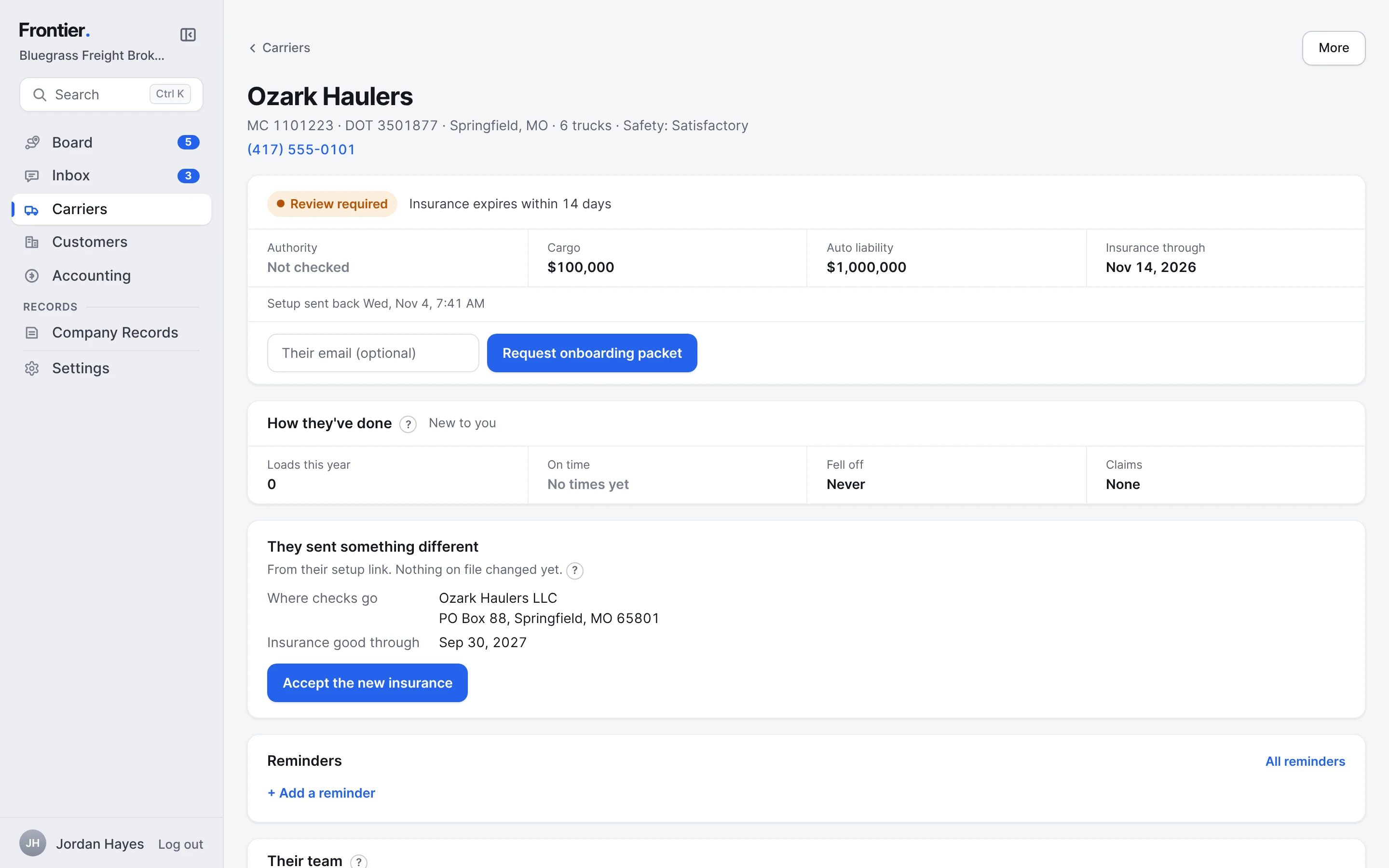
- 5
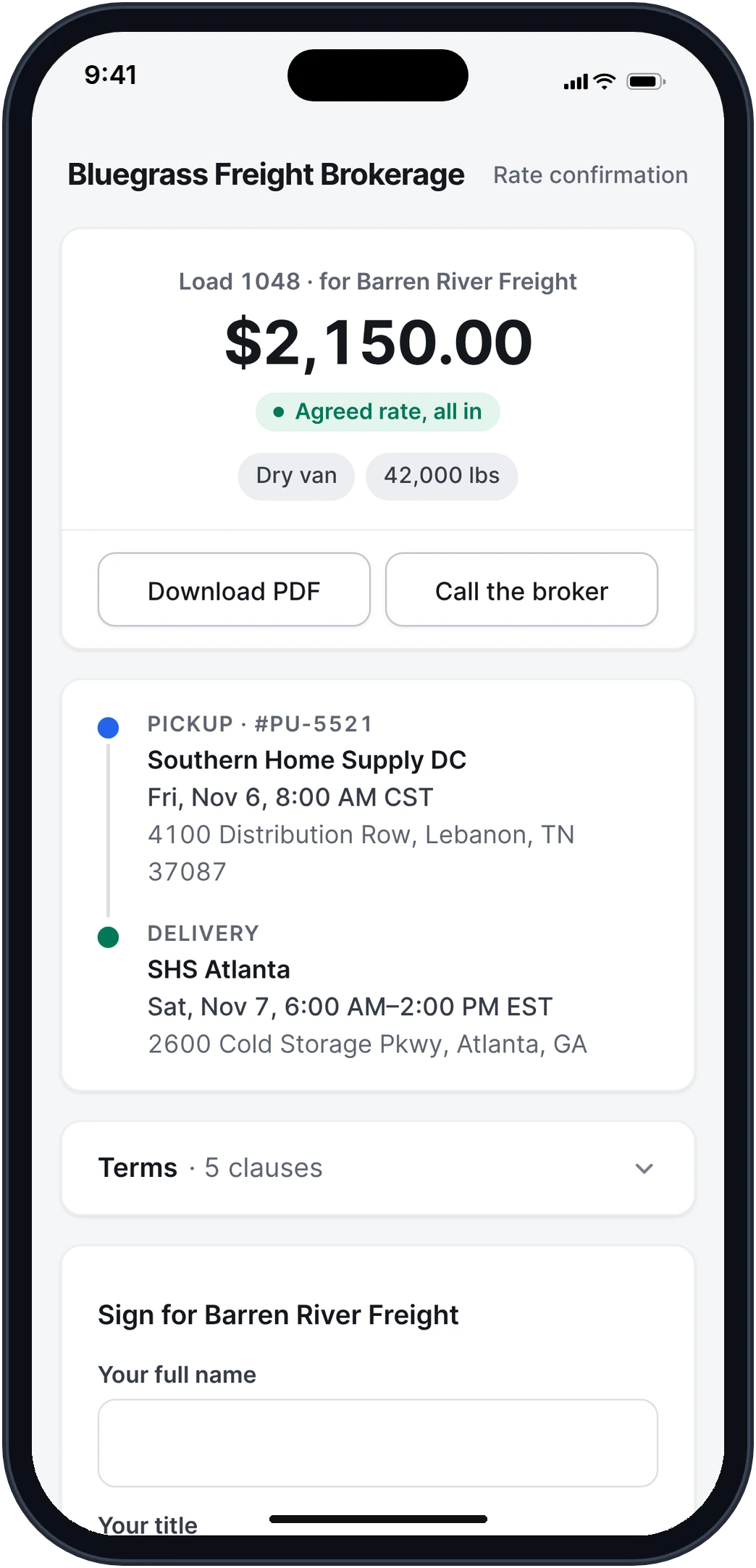
They sign the rate con on their phone.
Press Accept and the rate con goes out by email with the PDF attached. The carrier signs from their phone with no account, and the signed copy comes back to them and to you.
How it works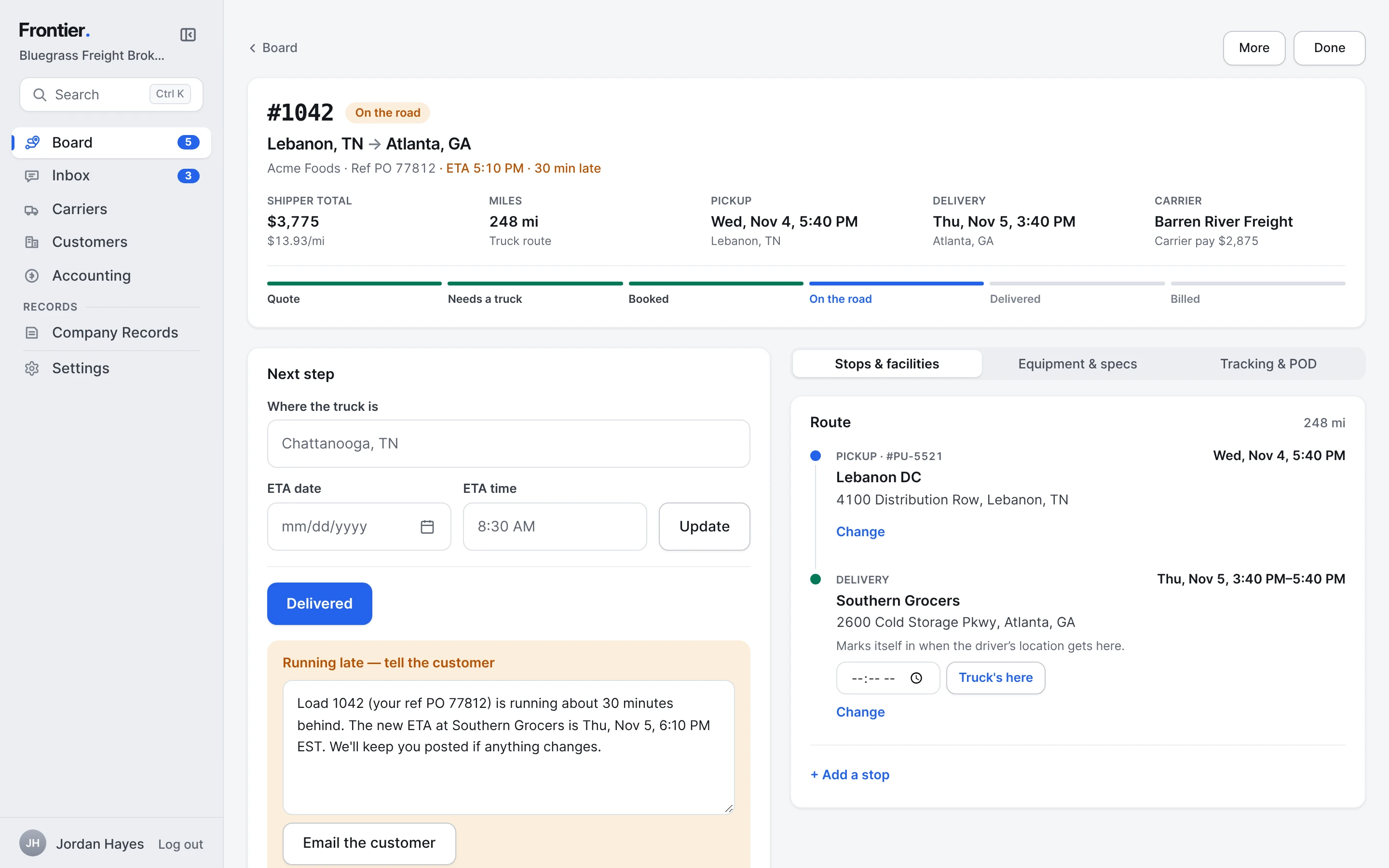
- 6
Know where it is.
The driver follows the stops from a link, with no app. Late loads rise to the top of the Board with the ETA. Your shipper gets an email at pickup and delivery, and the running-late note is one tap away.
How it works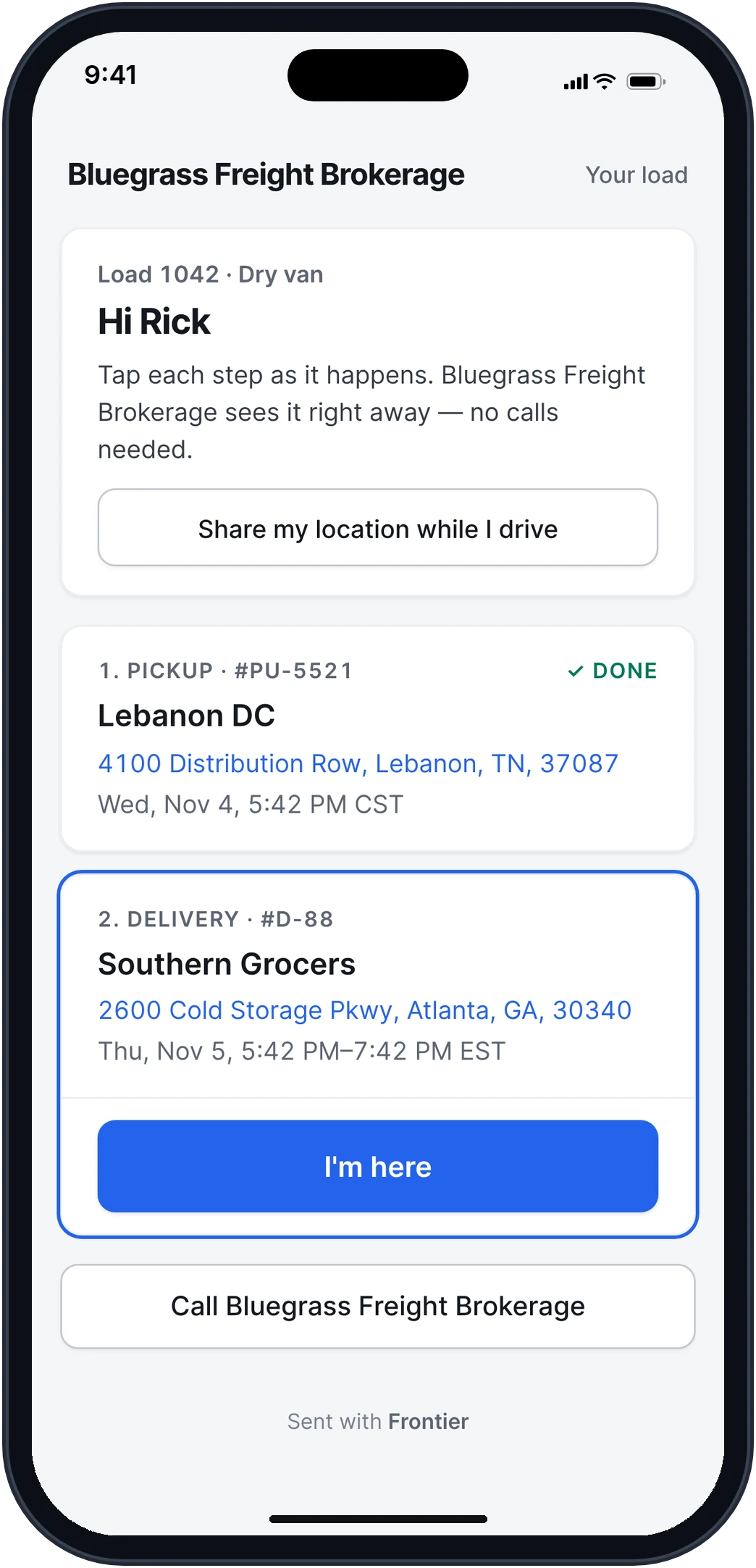
- 7
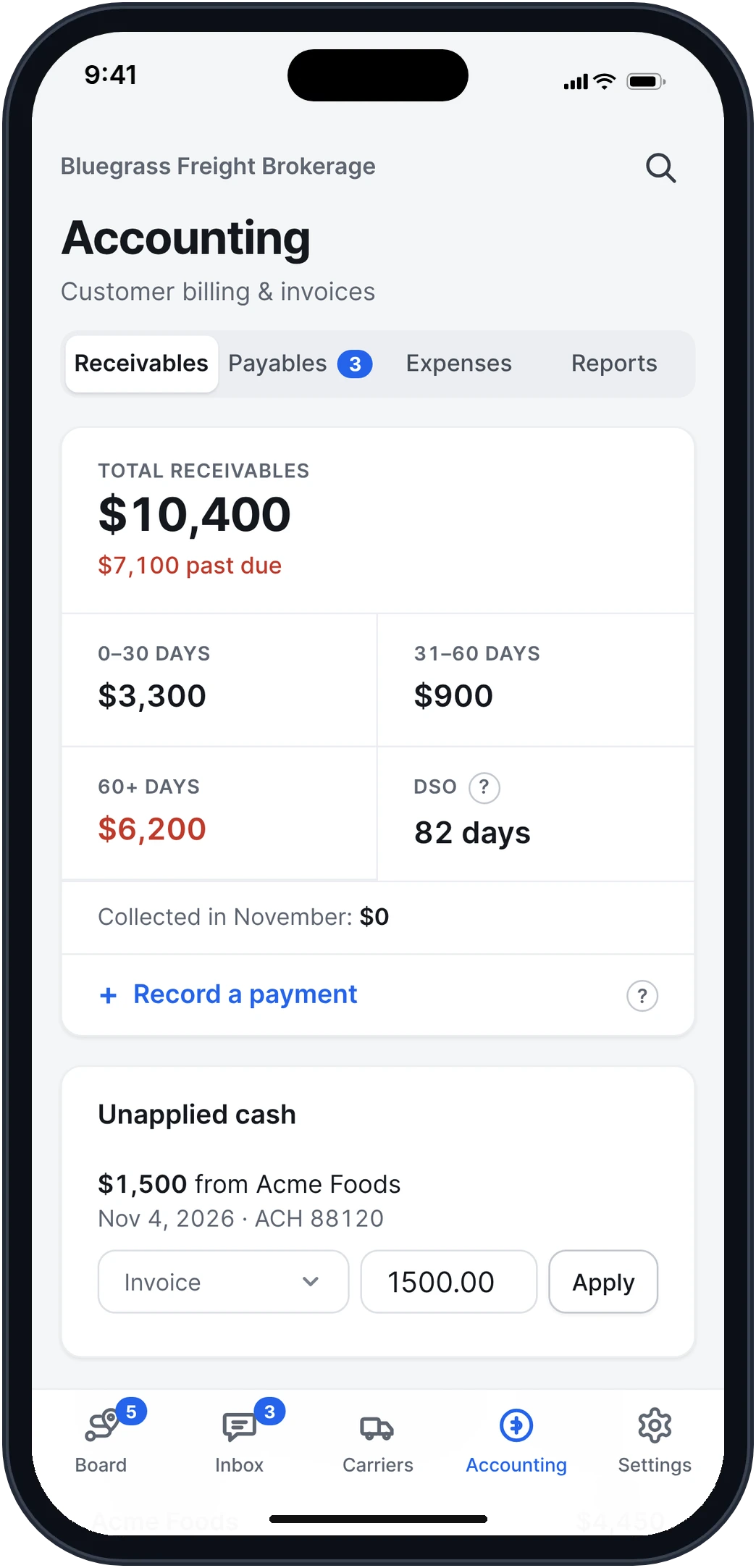
Bill the shipper.
The invoice goes out when the POD is in, with the POD attached. See what's owed, what's late and what came in, customer by customer.
How it works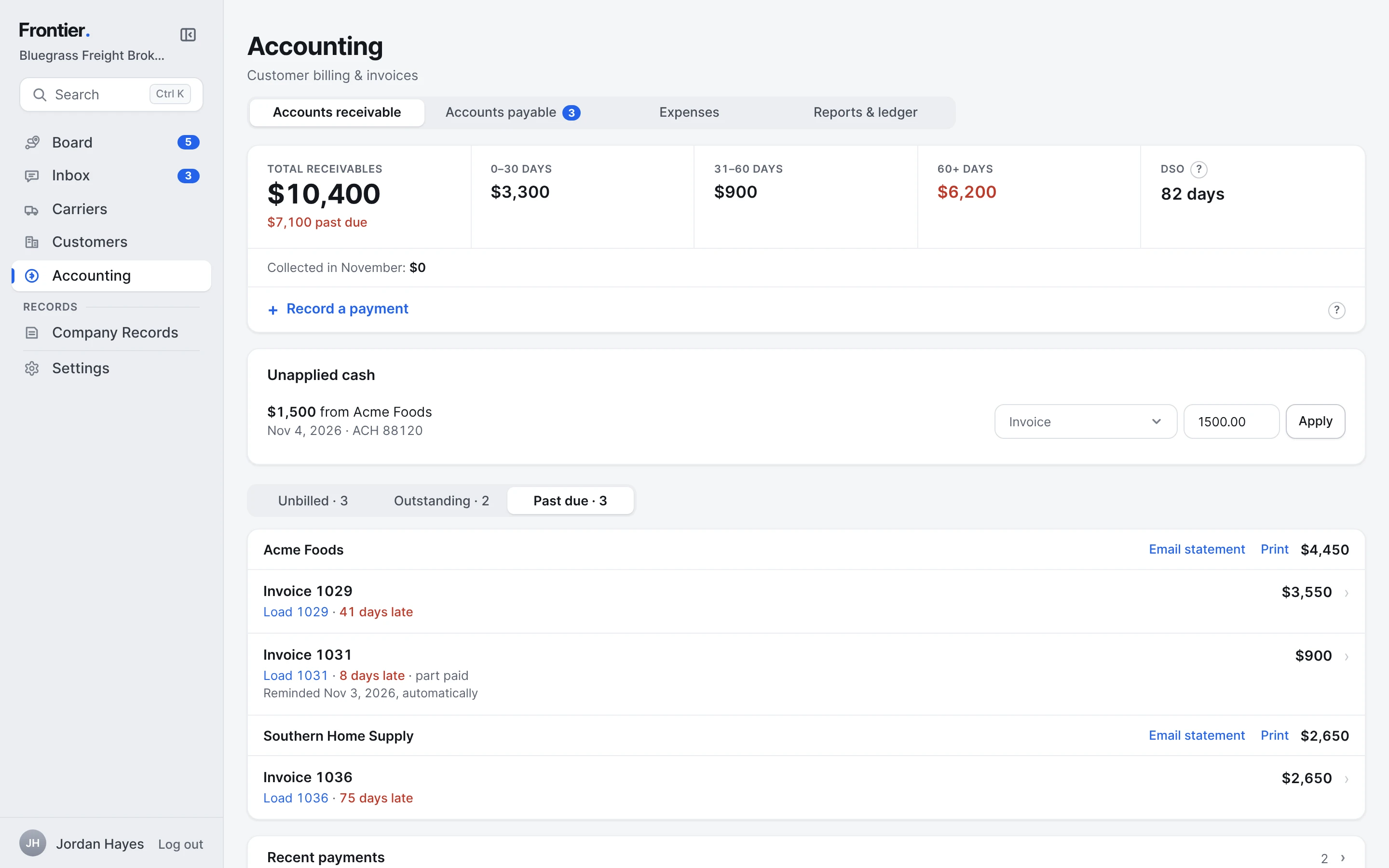
- 8
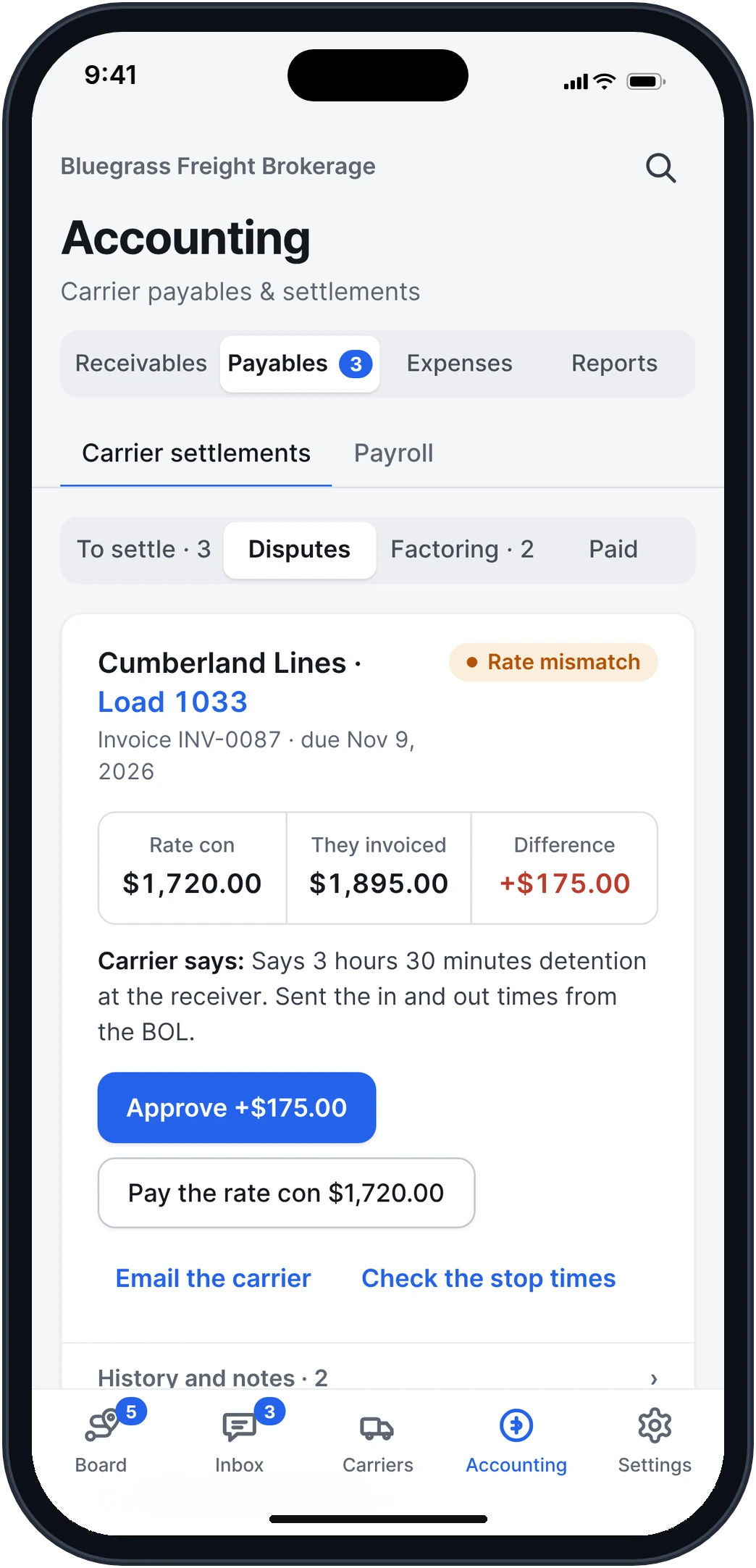
Pay carriers right.
Carrier bills are matched to their load and checked against the rate con. The ones that don't match wait, with the difference and the reason.
How it works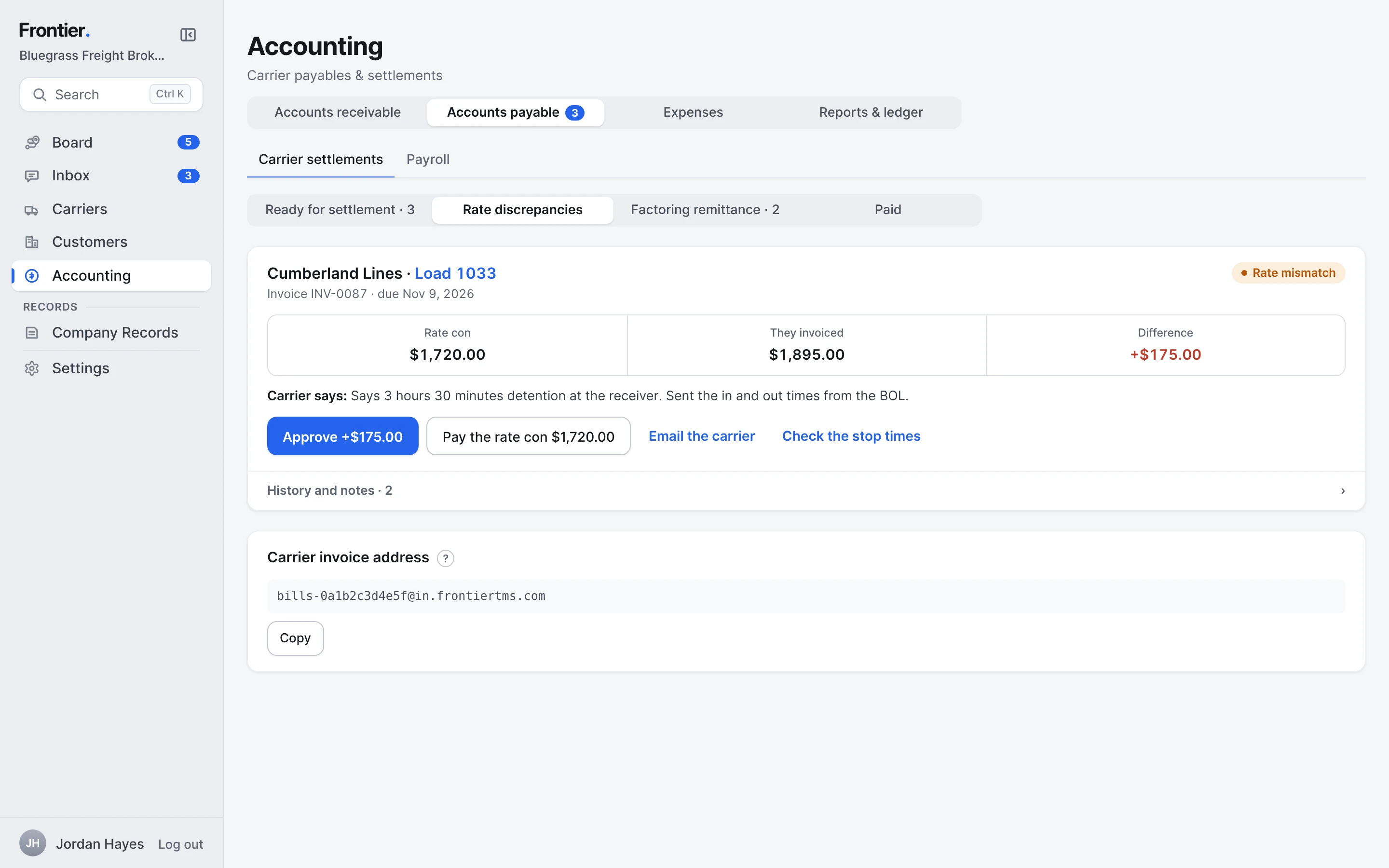
Real app screens · sample brokerage data
What your carriers and shippers see.
Clean pages they open from a link. No app, no account, no password.
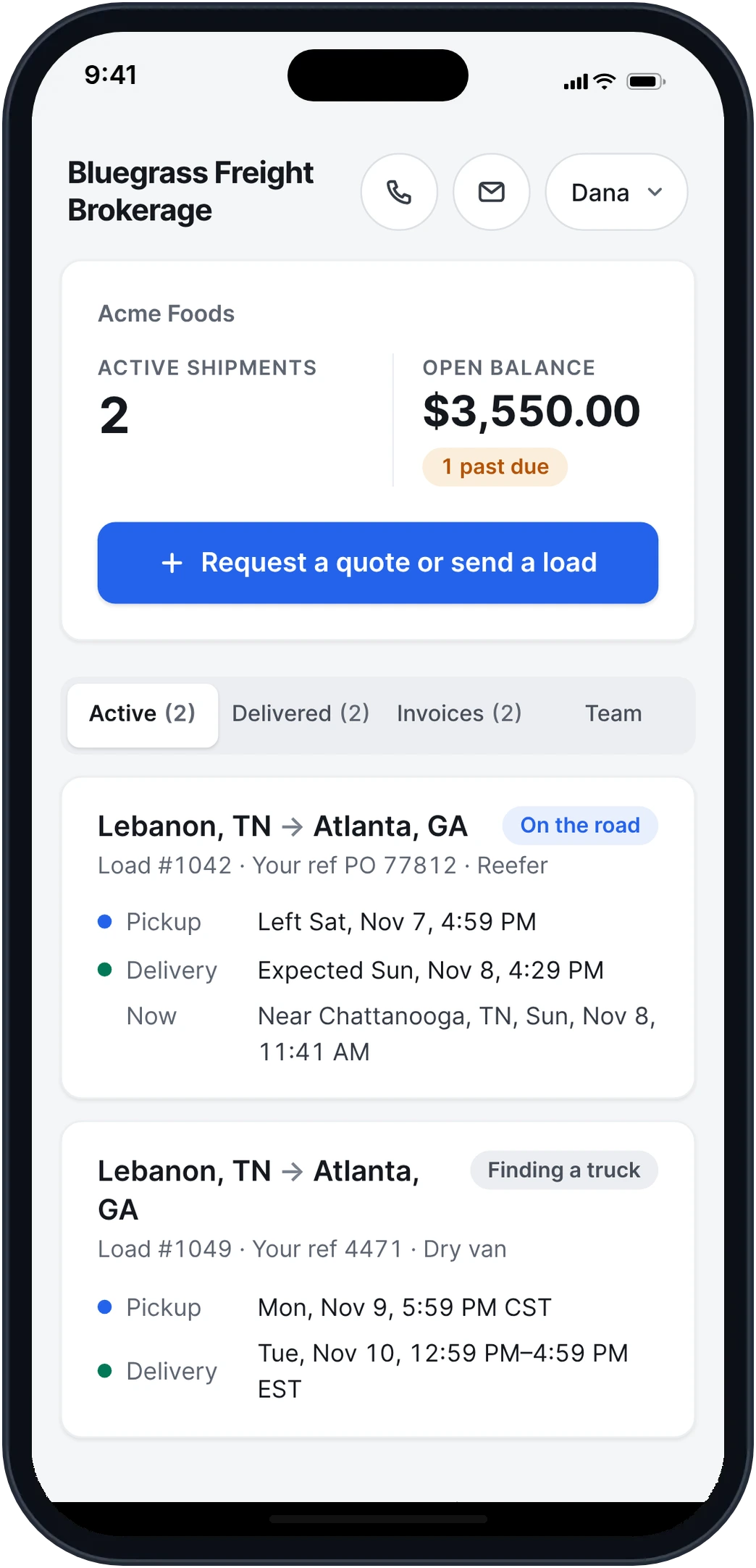
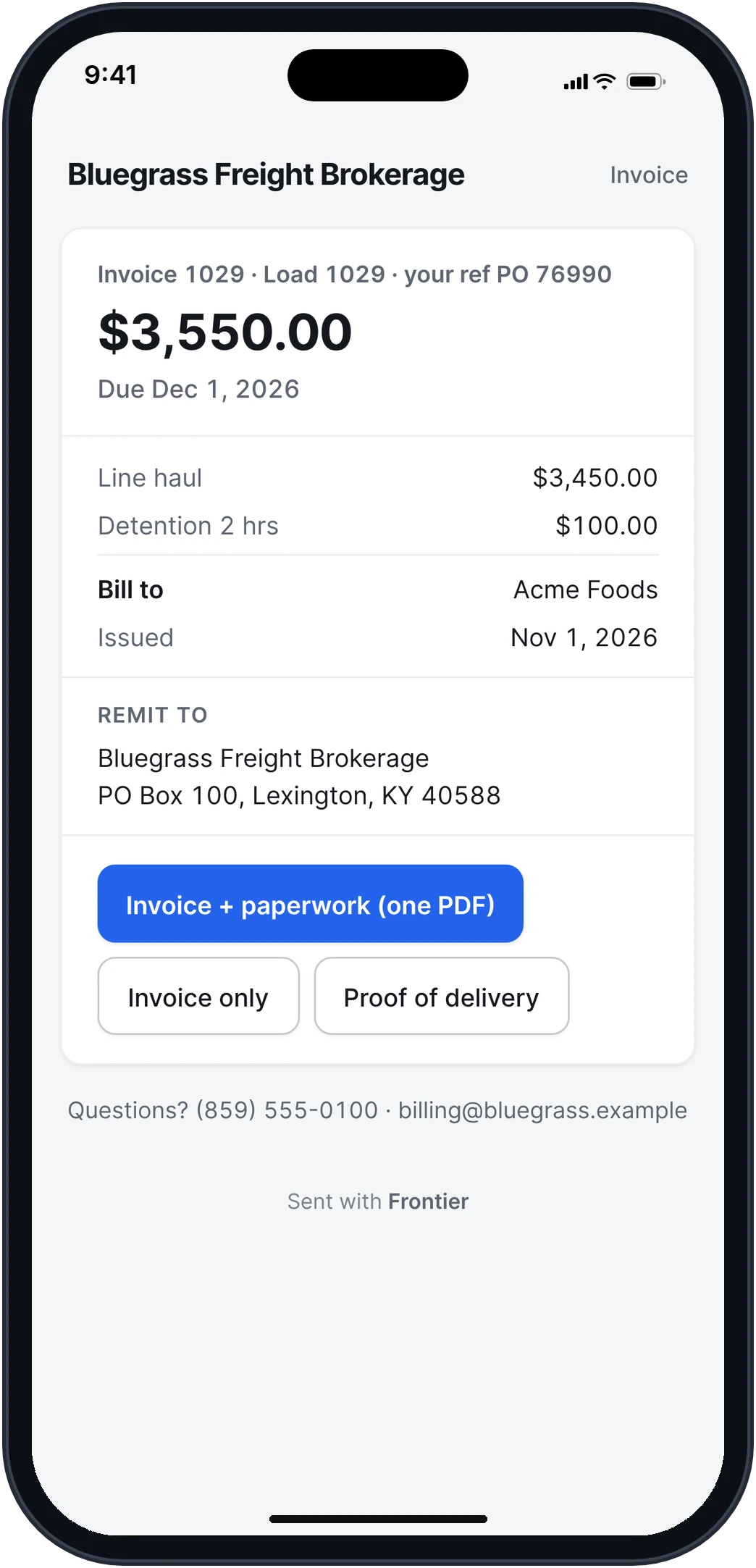
Real app screens · sample brokerage data
Run the brokerage from your phone.
The whole brokerage, built for the phone too: the Board, the Inbox, a load, your carriers and Accounting.
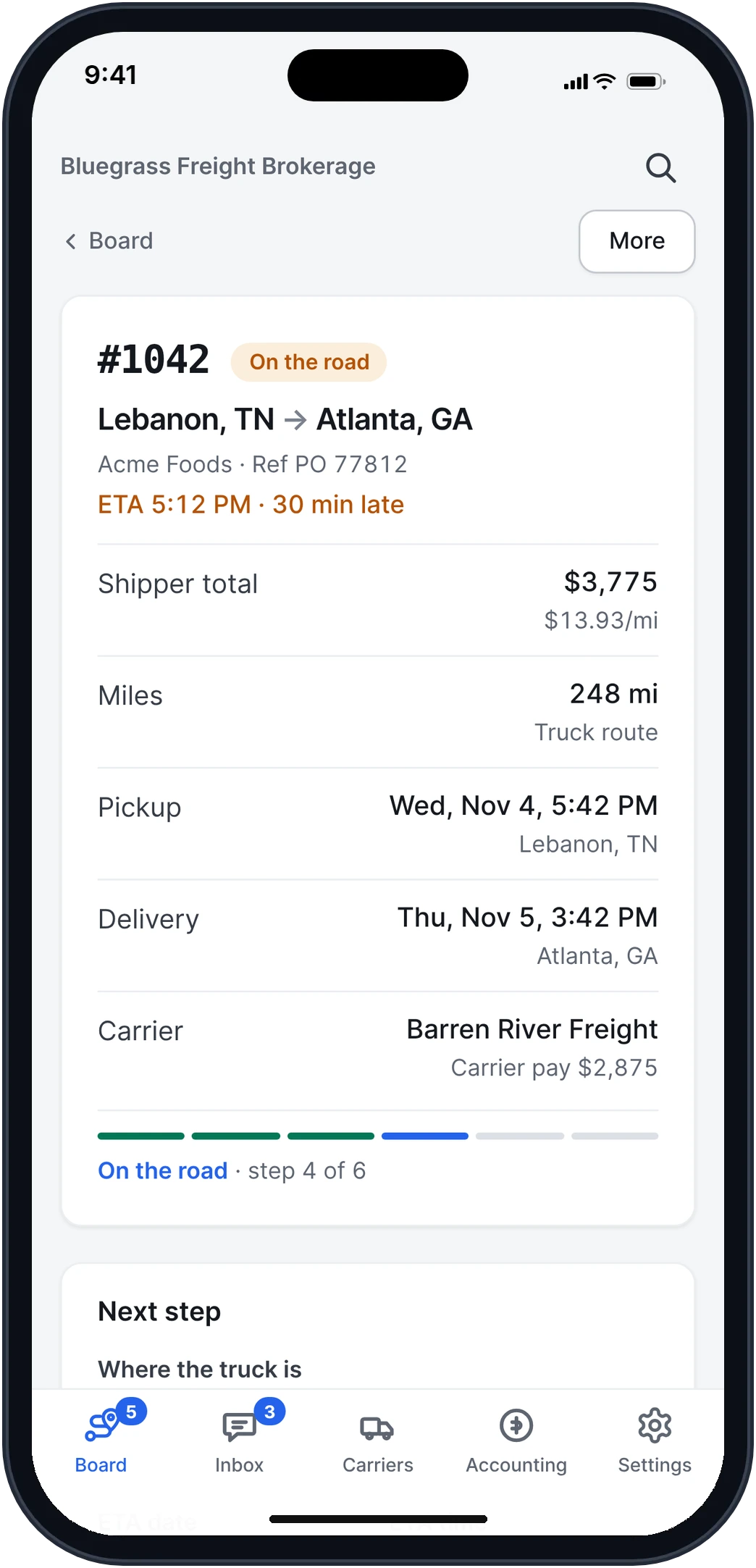
Real app screens · sample brokerage data · iPhone and Android
Integrations for brokers.
What Frontier for Brokers connects to today, and what’s being built.
FMCSALive
Look up any carrier by name, MC, DOT or near a pickup, with their authority, safety rating and insurance on file.
Outlook and GmailLive
Connect your mailbox. Quote requests turn into quotes, carrier emails land on their loads, and your answers go from your own address.
QuickBooks OnlineLive
Invoices and carrier bills download as files QuickBooks Online imports.
TransCreditLive
Connect your own TransCredit account and see a customer's credit score and days to pay on their page.
EDILive
Load tenders (204), your answer (990), status updates (214) and invoices (210), set up per shipper.
SlackLive
Late trucks, loads with no truck and emails nobody took, posted to your team's channel.
HighwayComing
Carrier identity and fraud checks from Highway, on the carrier's page before you book.
DAT and TruckstopComing
Post a load to DAT and Truckstop from the load itself, and see the answers on it.
Carrier411Coming
Carrier monitoring and alerts from Carrier411, next to the FMCSA record.
TransCredit, Slack and your mailbox use your own accounts. EDI is set up per shipper. Running trucks too? Carrier integrations
Try it on your own loads.
It’s free in early access.
Free early access. No card, no load limit. · Or try a sample brokerage
Who is Frontier for Brokers built for?
Freight brokerages, from a one-person shop to a team with reps, dispatch and accounting. It runs in a browser and on the phone.
Is it really free?
Yes. Early access is free, with no card and no limit on loads. We'll email you at least 30 days before plans start. After that, Free stays free for up to 10 loads a month, and paid plans are priced by loads a month.
Do my carriers or shippers need an account?
No. Carriers sign rate cons, send PODs and fill in their setup packet from a link. Shippers open their invoices and their portal from a link too.
Can my customers keep emailing me like they do now?
Yes. Forward your existing mailbox to your Frontier address once. Shippers don't change anything.
Will carriers see a Frontier email address?
No. When you answer a carrier from Frontier, it goes from your own Outlook address, as a reply in their email chain, and it sits in your Sent folder. Carriers see the address they know.
Can my shippers see where their loads are?
Yes. Each customer gets a private portal with their loads, where each one is, the PODs and the invoices. They sign in with a code sent to their work email, and they never see your carrier or what you pay.
I run trucks too. Can I use both?
Yes. Turn on brokering in the trucking company you already run: same login, same team, same books, with your broker MC on brokerage papers. If the brokerage is its own LLC, it can be its own company instead, and you switch between them from the menu.
How does a counter work?
Press Counter on a carrier's bid and type your price. Frontier writes the line for you, like "Can you do $1,850 all in on Dallas, TX to Atlanta, GA?", and Edit lets you change the words first. It goes as a reply in their email, or on their link if they bid there. When they answer yes, Frontier shows their new price with an Accept button. If they answer with a question, it's in the same email chain.
Can I look around before I add my own loads?
Yes. Open a sample brokerage with months of made-up loads, customers and carriers, and try every screen. Remove it whenever you like.