Tracking that doesn't need another app.
Send the driver a link. They see their stops and share their location while the page is open, and your shipper gets updates without calling you.
Free early access. No card, no load limit.
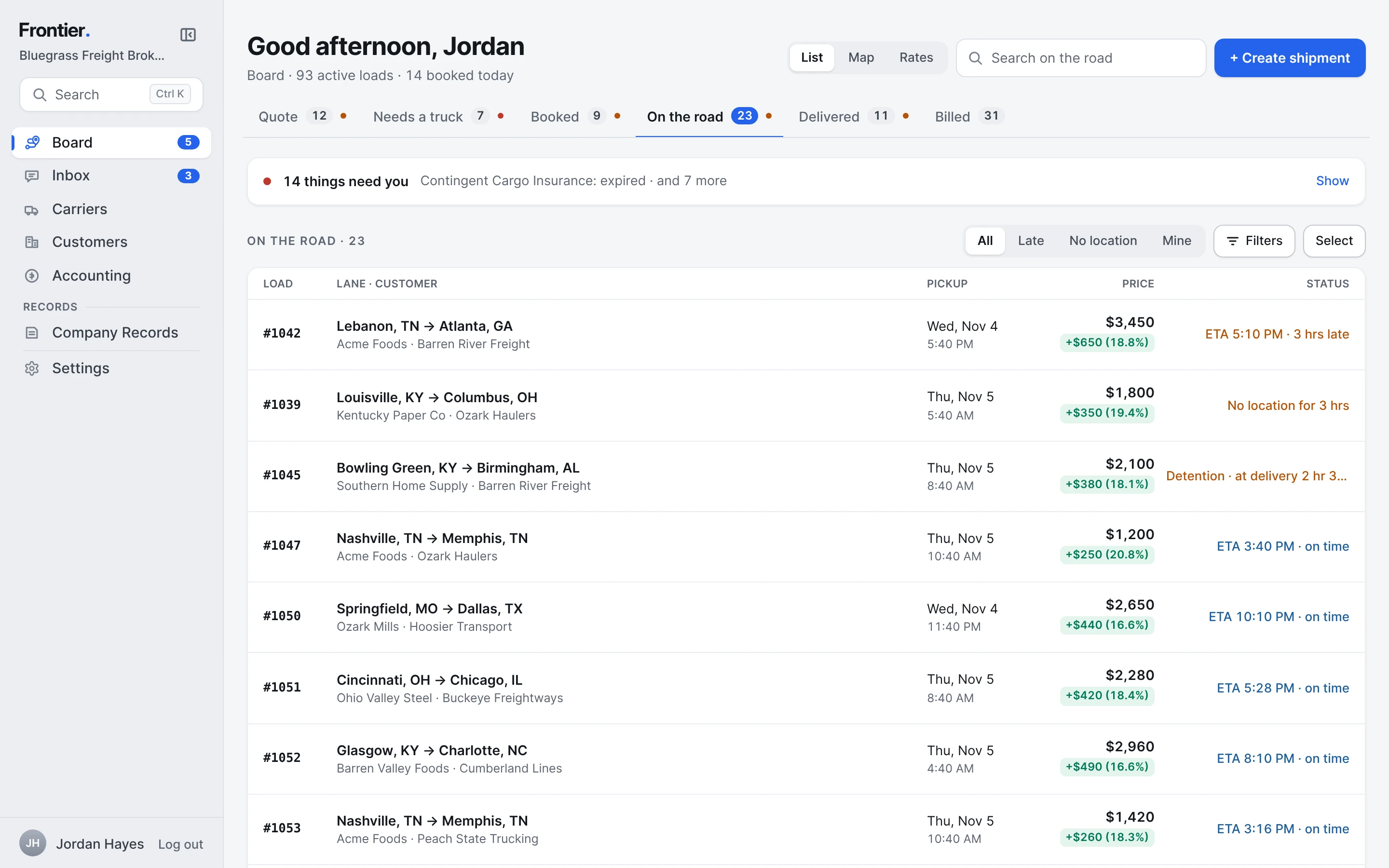
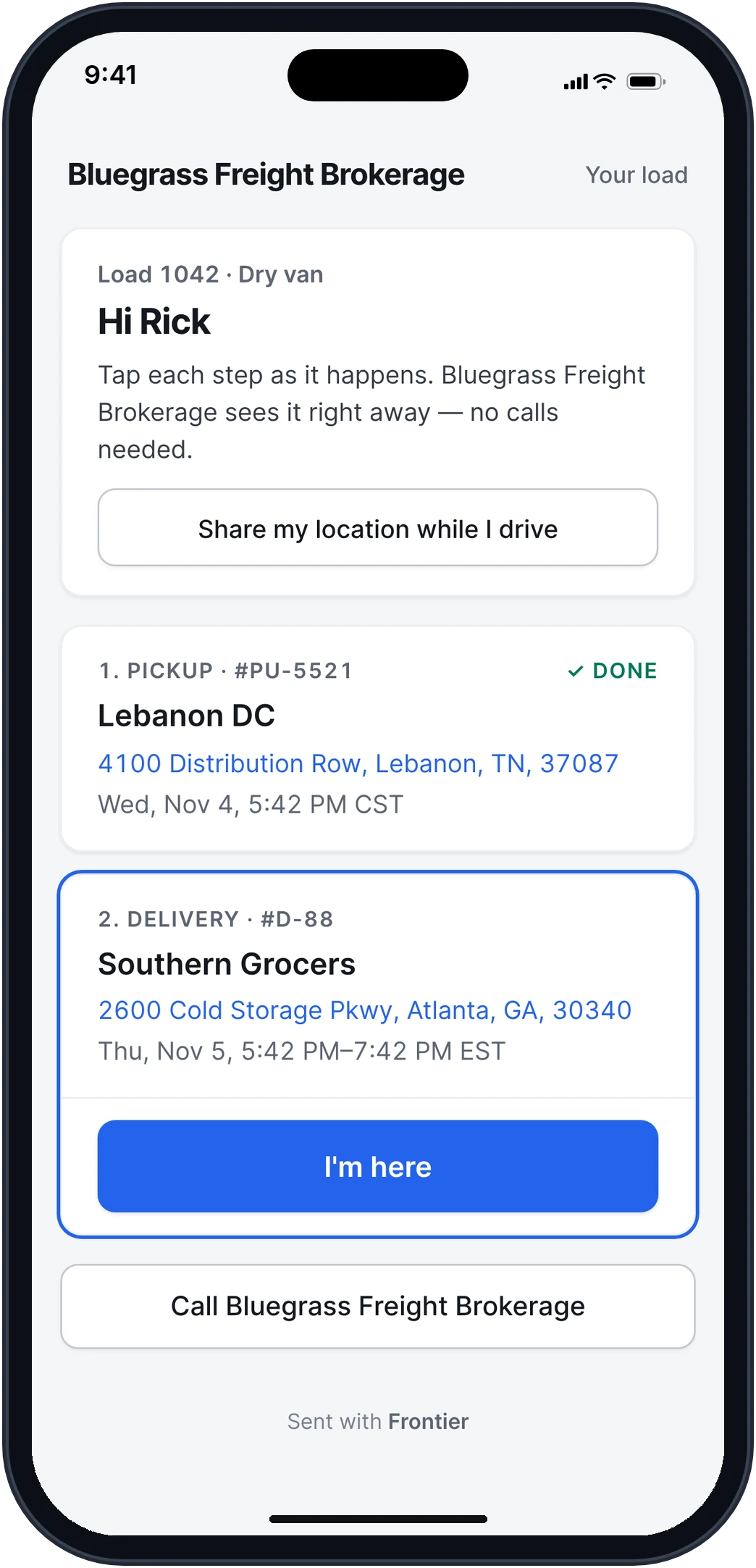
Real app screens · sample brokerage data
How it works, step by step.
Real app screens · sample brokerage data
- Step 1
Send the driver a link. No app to install.
Like a tracking app, without the download. The driver opens it on their phone and sees their stops in order, with one button for the next step, like I'm here. If they allow it, the page shares their location every few minutes while it's open.
- No login and no app
- The POD goes in at the end, from the same page
- A button to call you is always at the bottom
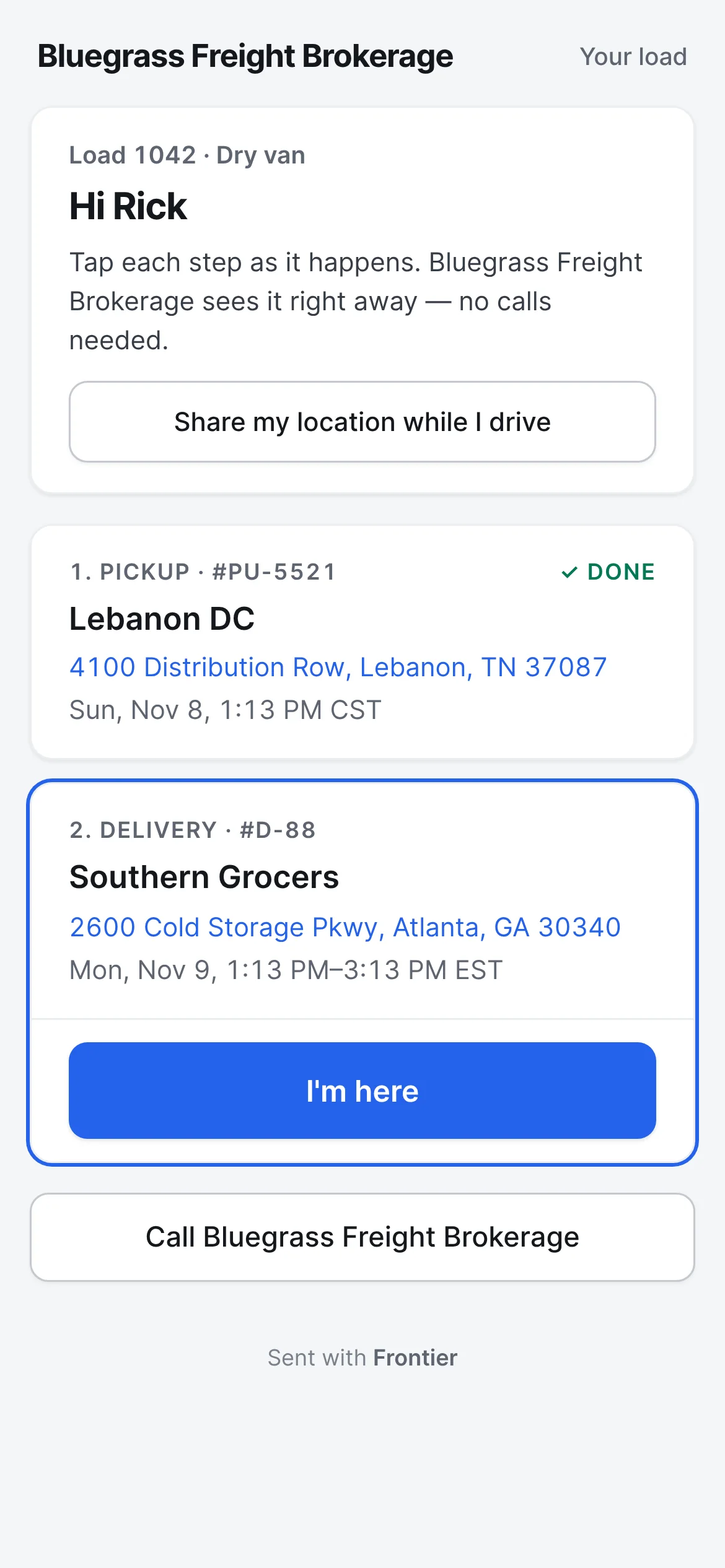
What the driver opens - Step 2
Every load, where it stands.
The load shows where the truck was last seen, the ETA, and how late it's running against the appointment. Each stop's arrive and depart times fill in from the driver's taps.
- Late loads rise to the top of your Board
- After a check call, type where the truck is and the new ETA
- Every update is kept on the load in order
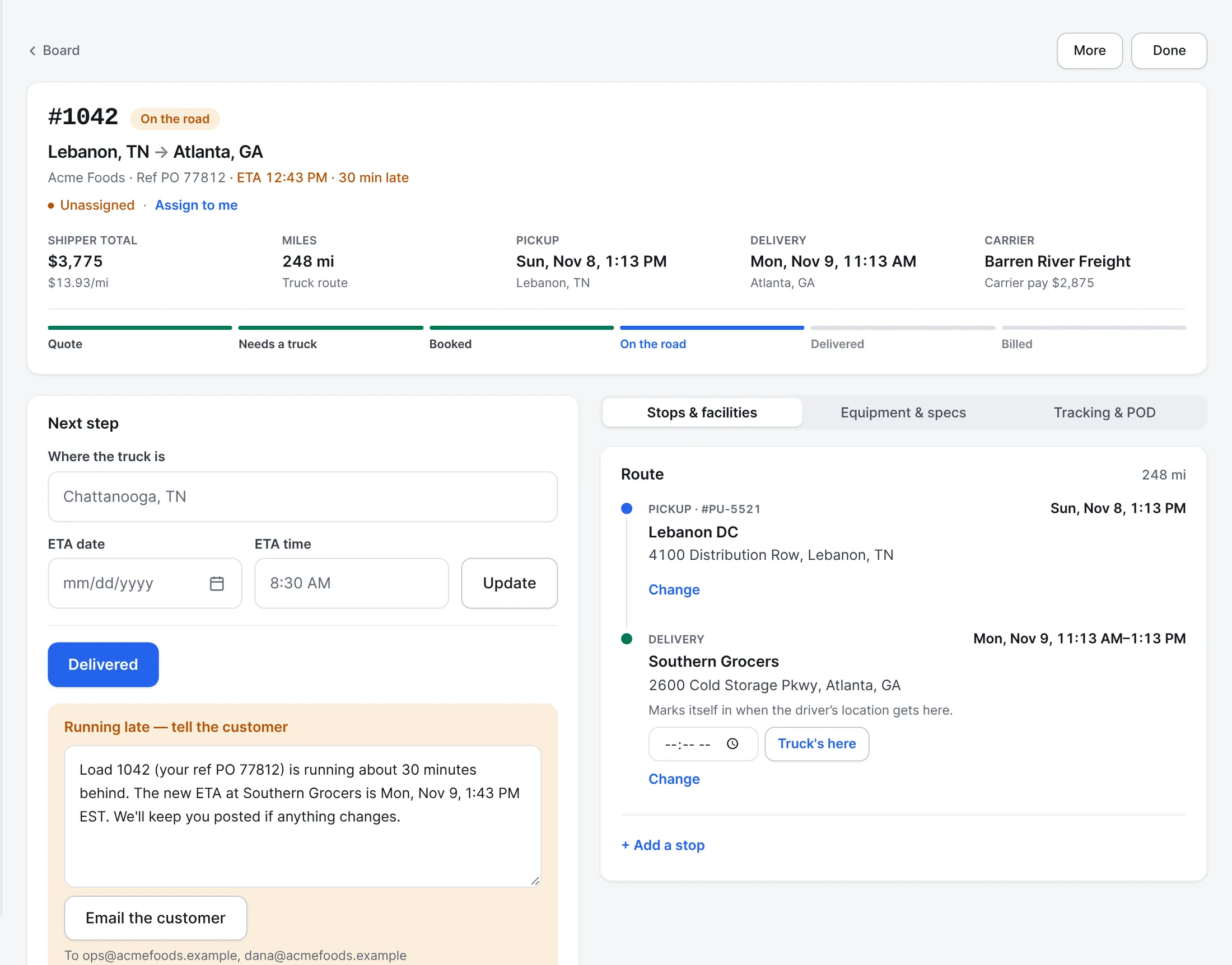
- Step 3
The shipper hears from you, without a call.
When the load picks up and when it delivers, an email goes to the people you list for that customer, with their reference, the lane and the times. Running late? Frontier writes the note with the new ETA, and you send it.
- A detention notice before free time runs out
- They can stop the emails with one tap
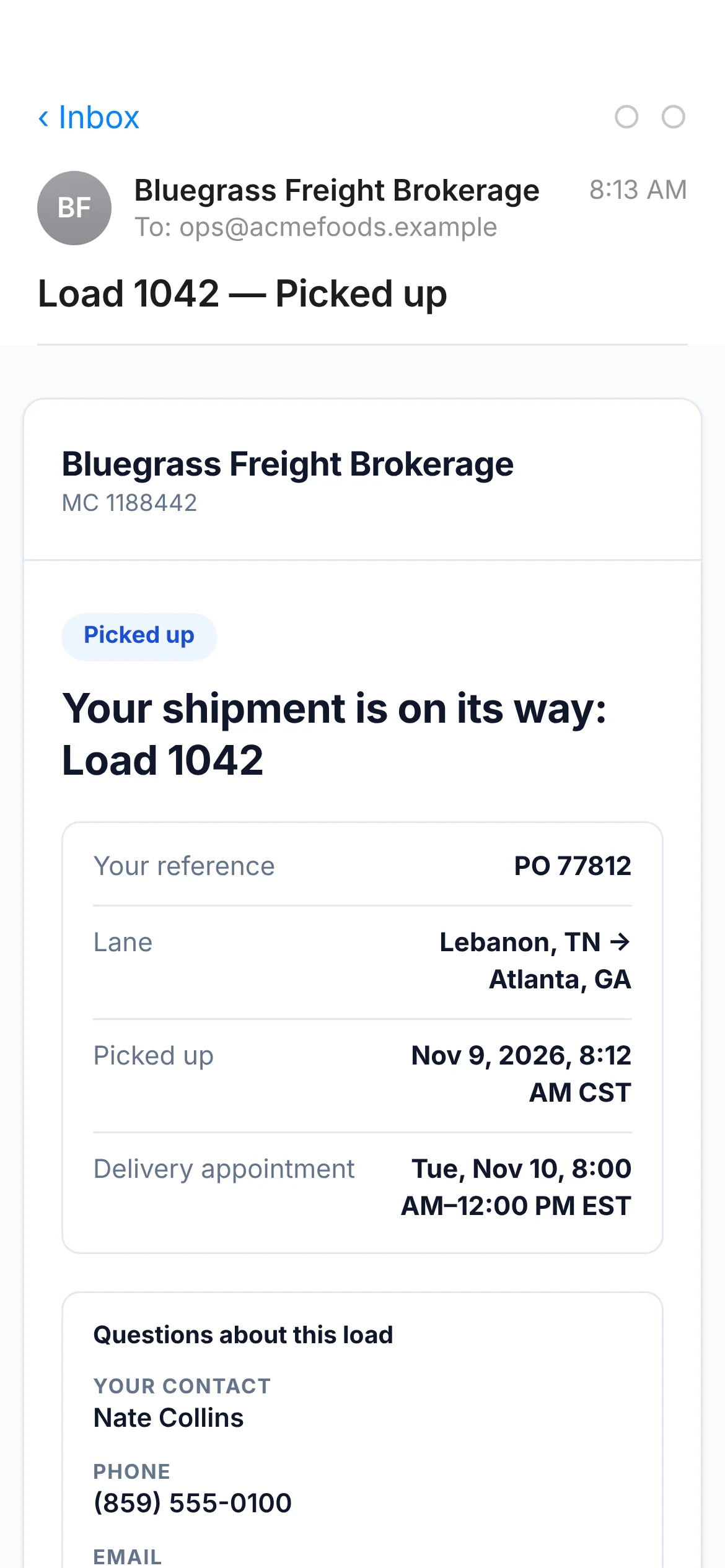
What the shipper gets - Step 4
And they can look for themselves.
Their portal shows every load with where it was last seen and when it should get there. Fewer "where's my truck" calls.
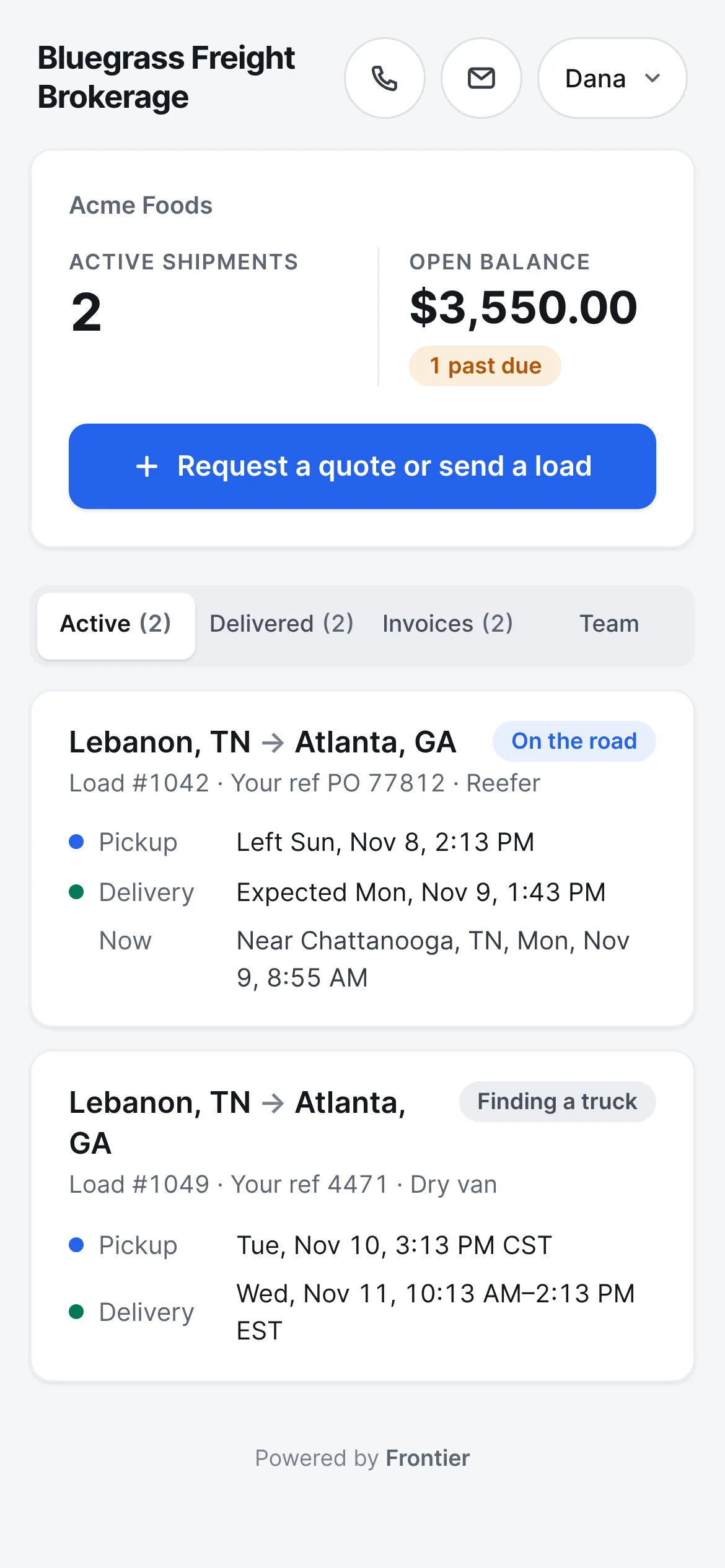
The shipper's portal
Also built in.
The map
Every load on the road on one map, with where it was last seen.
Status emails
Picked up and delivered emails go to the people you list for each customer. They can stop them with one tap.
The shipper's portal
Their loads, PODs and invoices on one private page, opened with a code sent to their email.
Check calls on the record
Every update, signature and stop time is kept on the load in order.
Late loads
A load past its delivery window shows how late it is, and the note to the customer is one tap away.
Multi-stop and multi-leg
Loads with several stops, or split where the freight changes trucks, stay one load.
What if the driver doesn't share their location?
The trip page still works. The driver can tap through the stops and send the POD without sharing location, and the load shows how long it's been since the last update.
More of Frontier for Brokers.
Try it on your own loads.
It’s free in early access.
Free early access. No card, no load limit.