Rate cons the carrier signs from their phone.
Send the rate con by email with the PDF attached. The carrier signs it on their phone with no account, and the signed copy comes back to them and to you.
Free early access. No card, no load limit.
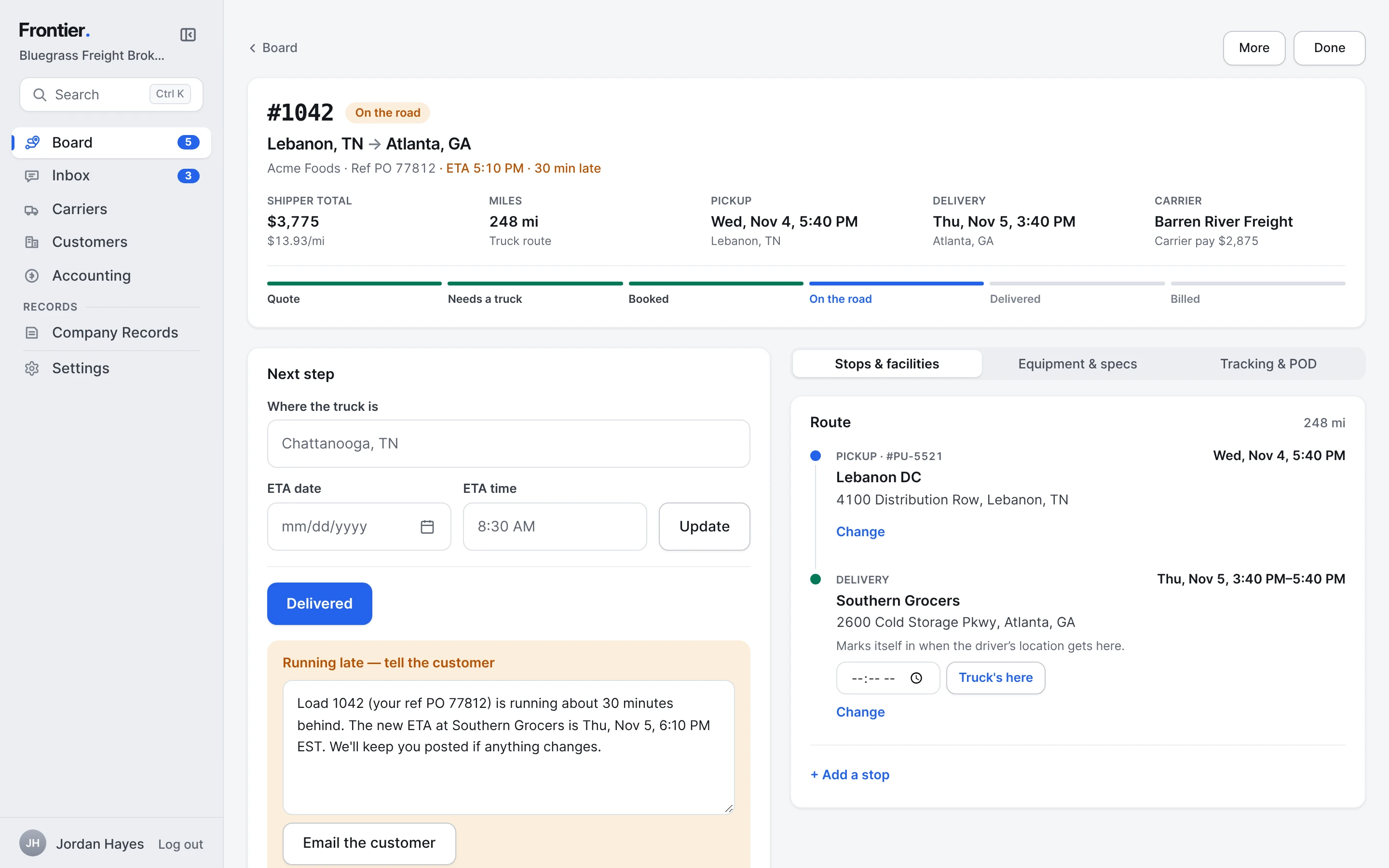
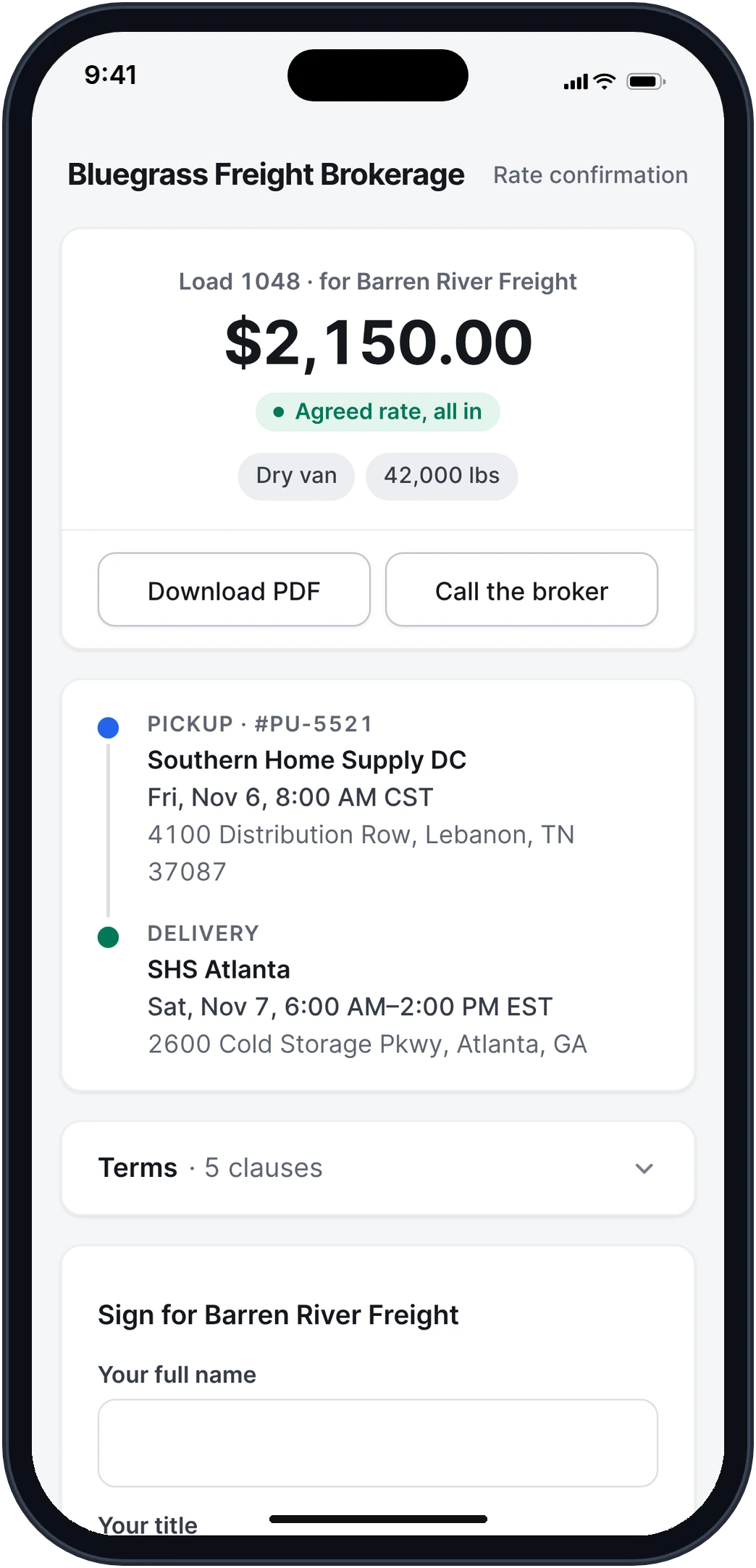
Real app screens · sample brokerage data
How it works, step by step.
Real app screens · sample brokerage data
- Step 1
Book the carrier. The rate con is built.
Once the carrier is booked, Frontier builds the rate con from the load: your letterhead, the stops in order with their numbers and times, the trailer, the rate and your terms. Send it with one button, and see when it's opened.
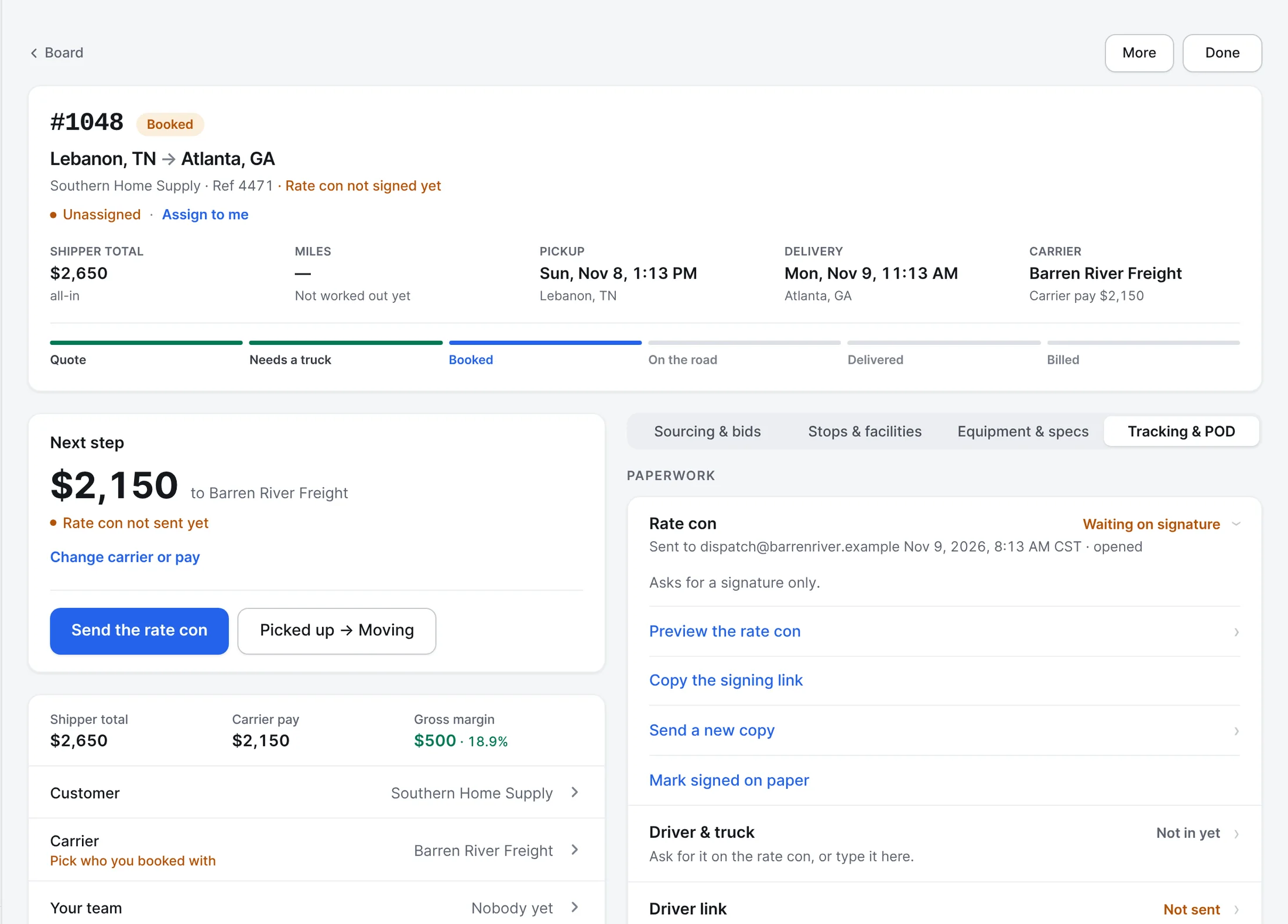
- Step 2
An email that reads like one.
The carrier gets a short email from your rep with the rate and the stops, the PDF attached, and one button to review and sign. Their replies come straight back to your load.
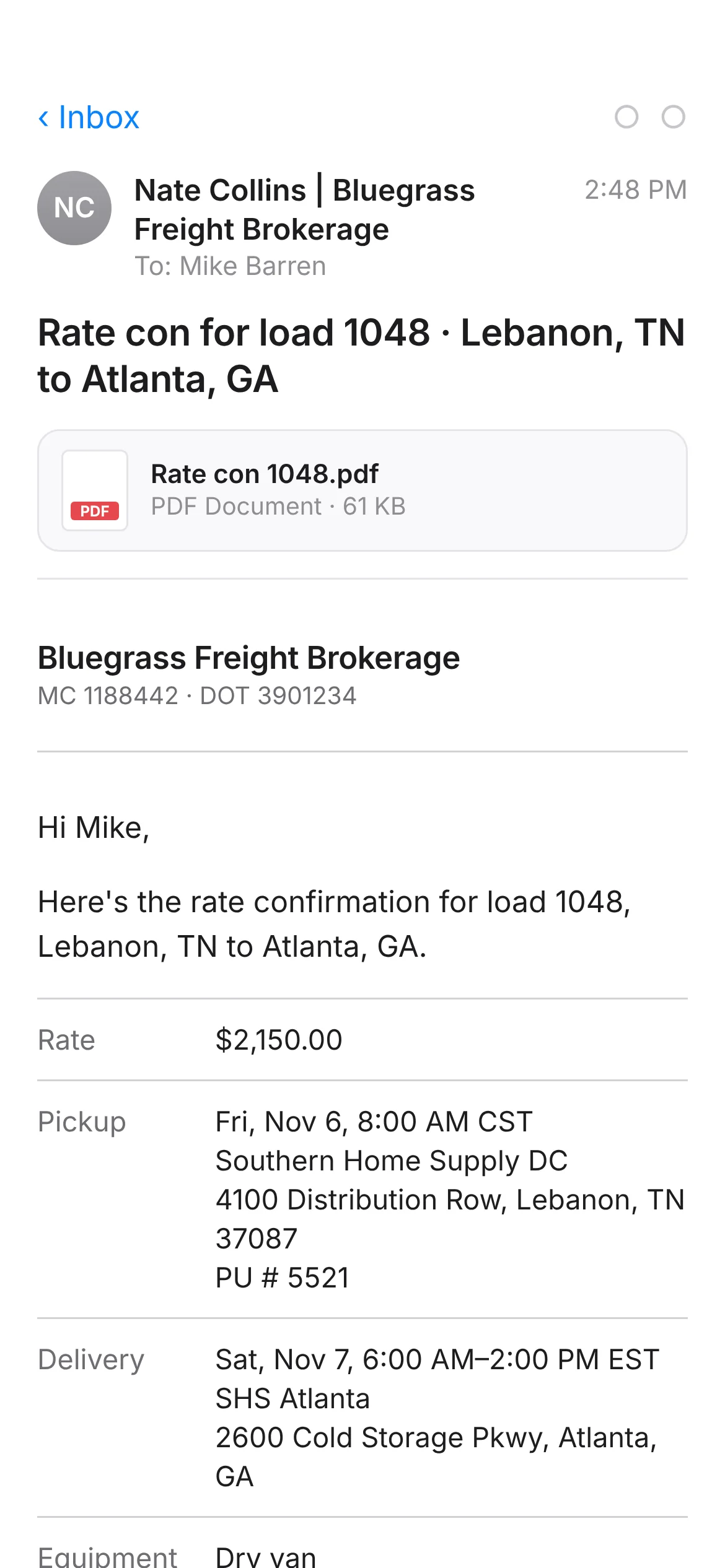
What the carrier gets - Step 3
The PDF, ready in seconds.
A clean one-page rate confirmation: broker and carrier, equipment and freight, each stop with its appointment and references, the carrier pay and your terms. Once it's signed, the signature block shows who signed, when, and from where.
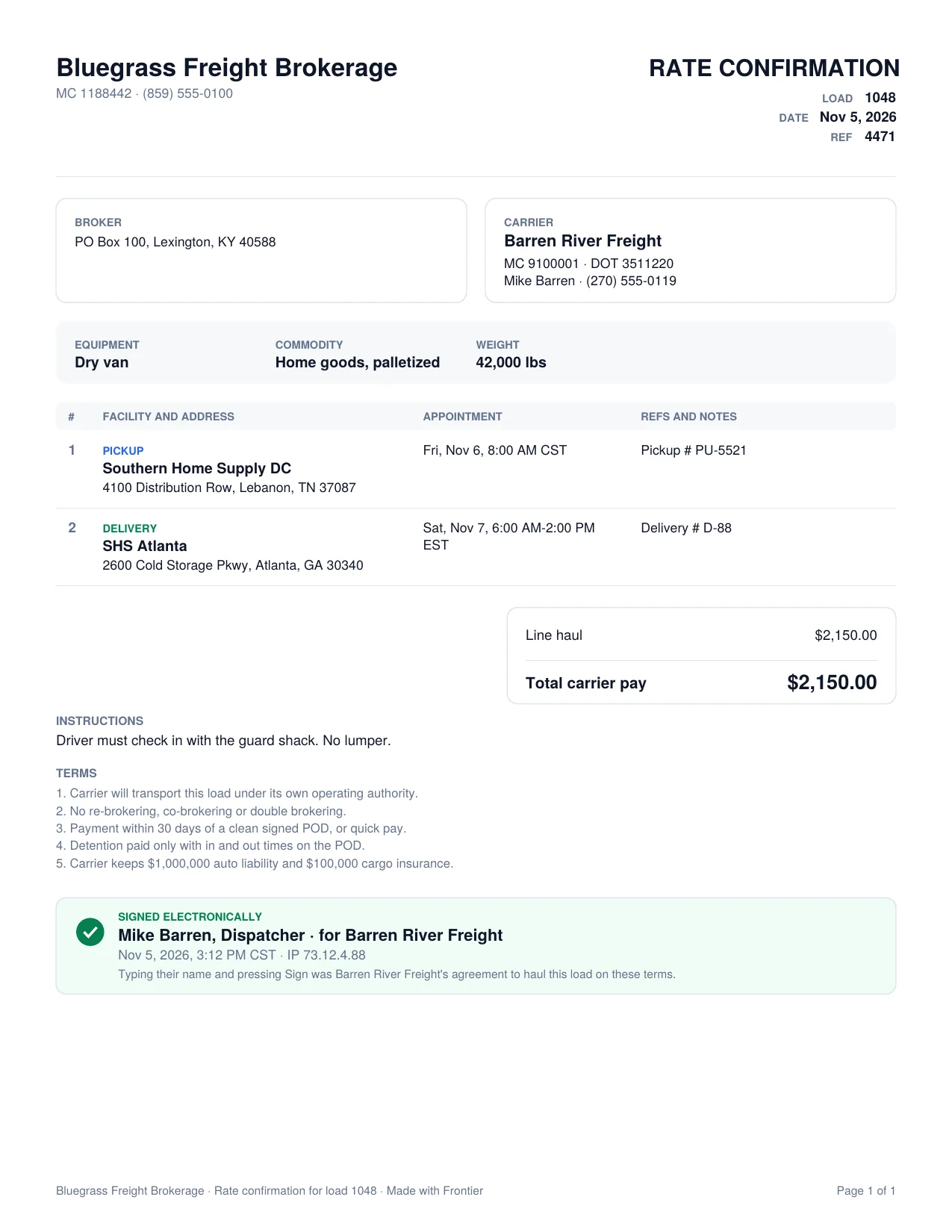
The rate con PDF, signed - Step 4
They sign on their phone.
The agreed rate at the top, the stops in order, your terms folded up so the signature is right there. They type their name and title and sign, and fill in the driver, truck and trailer for you.
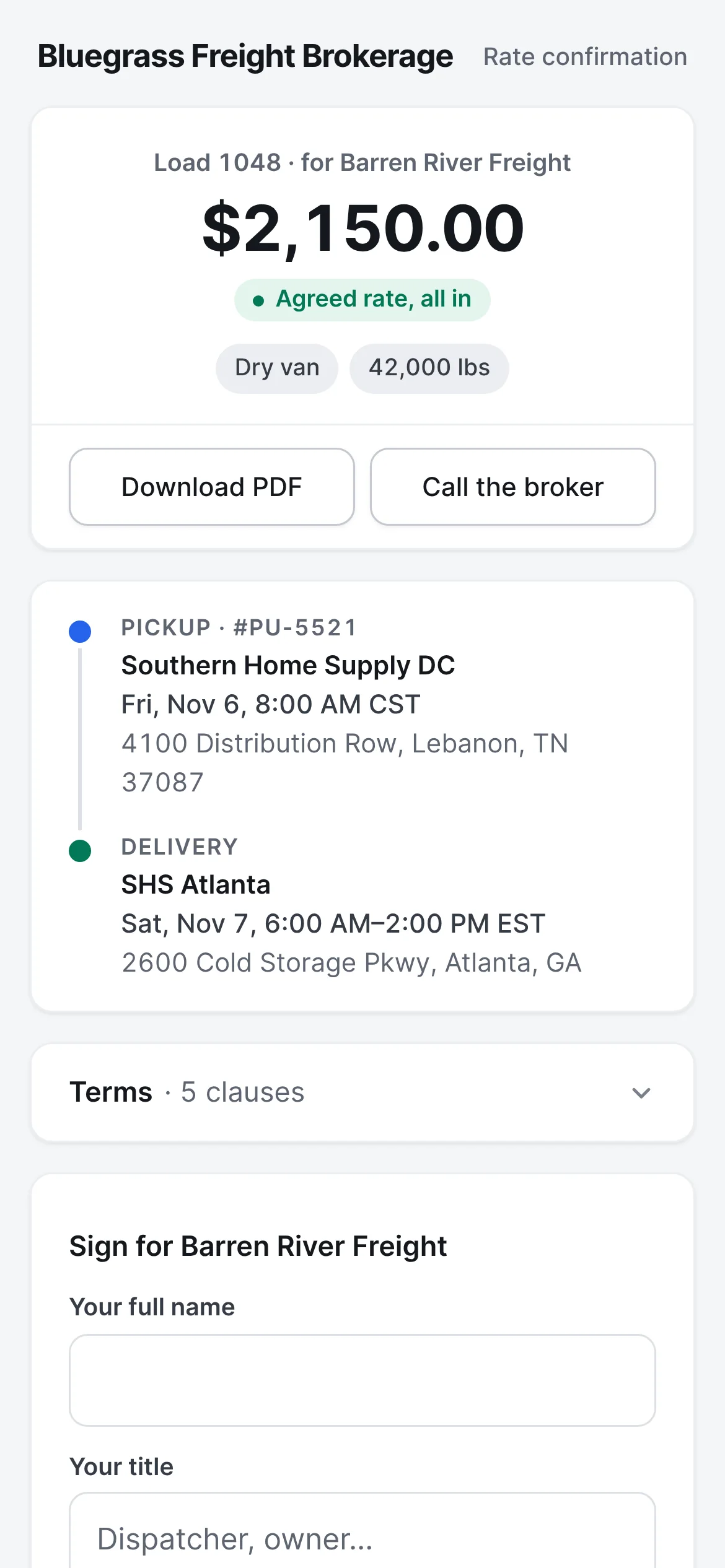
What the carrier opens - Step 5
Signed, and the driver is on the load.
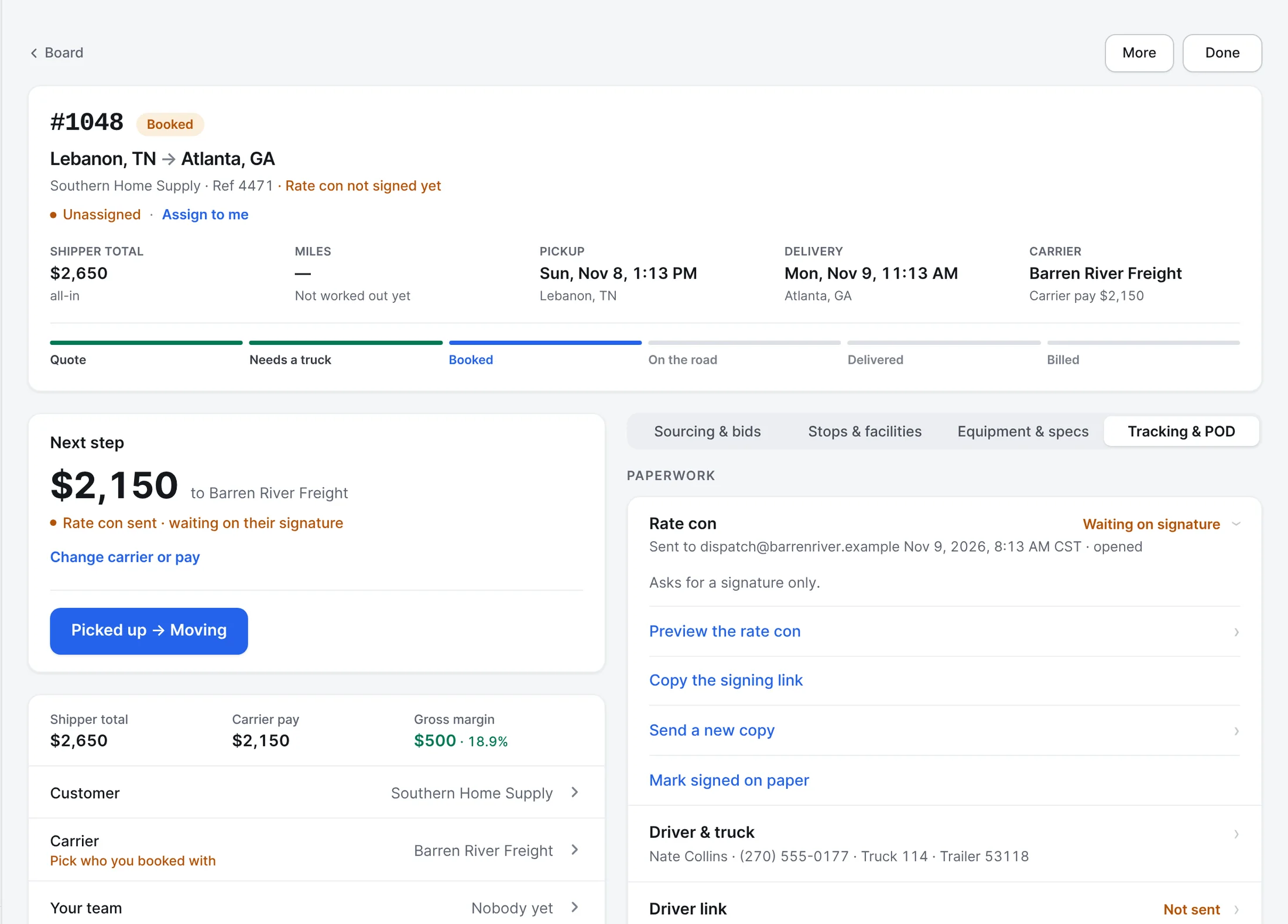
The signed copy is emailed back to the carrier and filed on the load. The driver's name and phone, the truck and the trailer they filled in sit on the load for your team.
- Step 6
PODs, checked before they bill.
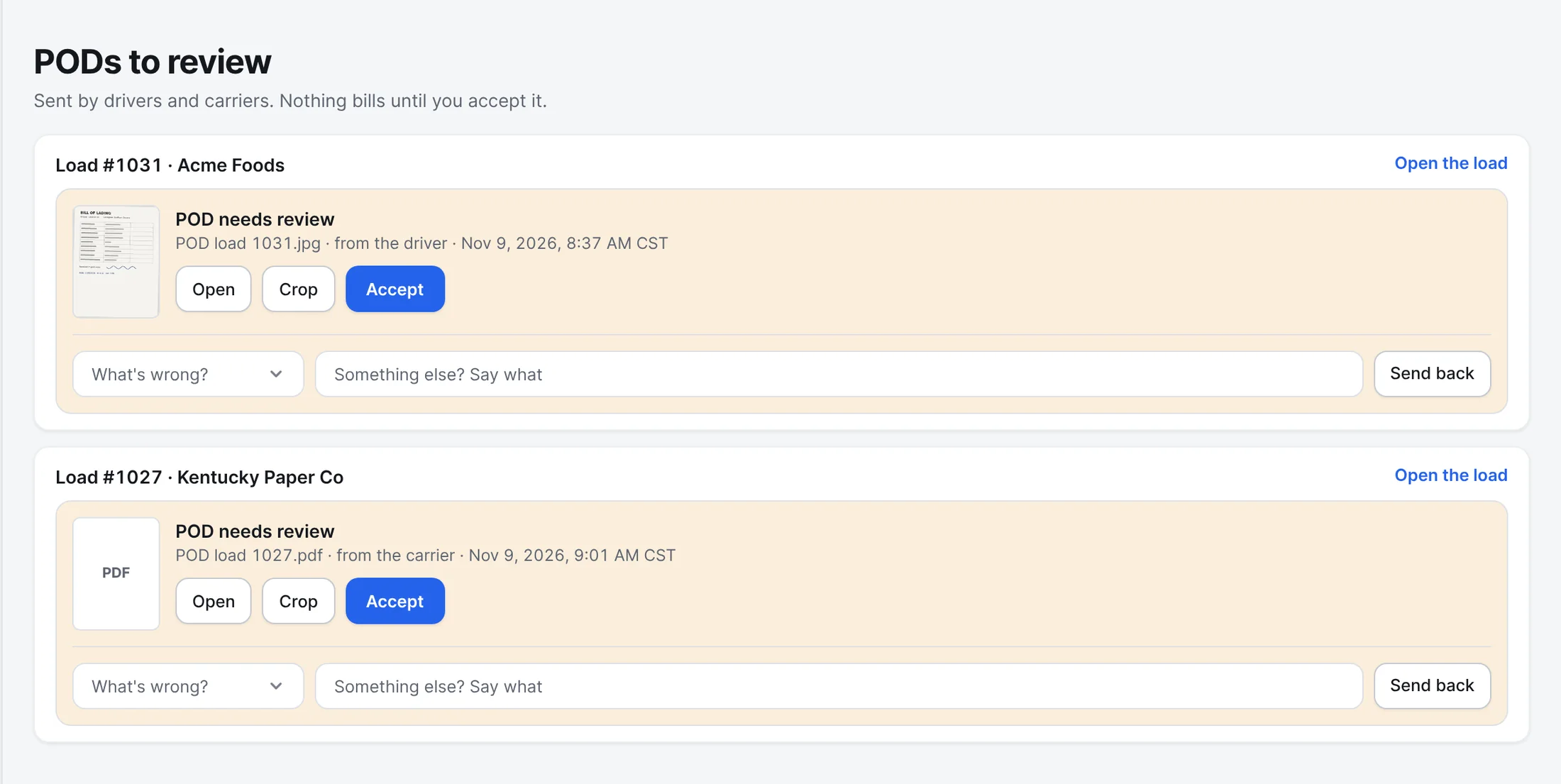
When the driver or carrier sends the POD, it waits for you here. Open it, crop it, accept it, or send it back with what's wrong. Nothing bills until you accept it.
Also built in.
Revised rate cons
Change the rate or a stop, and a revised rate con goes out showing what changed.
TONU and extras
A truck ordered and not used gets its own confirmation. Detention, lumpers and other extras are tracked both ways.
Detention from the stop times
Frontier works out how long the truck sat at each stop and suggests the detention. You add it in one tap.
Bills of lading
Print a BOL for the load with the freight, the stops and signature boxes for shipper, driver and receiver.
PODs by link
Ask the carrier for the POD with a link. They scan or upload it, and it lands on the load.
A check at the dock
Before a POD is filed, Frontier looks for the receiver's signature and a readable page, and tells the driver while they're still there.
Does the carrier need a Frontier account to sign?
No. The carrier opens the link from the email on any phone or computer, reads it and signs. The signed PDF is emailed to them, so they can save it with their paperwork.
More of Frontier for Brokers.
Try it on your own loads.
It’s free in early access.
Free early access. No card, no load limit.