Bill the shipper. Pay the carrier right.
Invoices go out when the POD is in, with the POD attached. Carrier bills are checked against the rate con before anyone pays them.
Free early access. No card, no load limit.
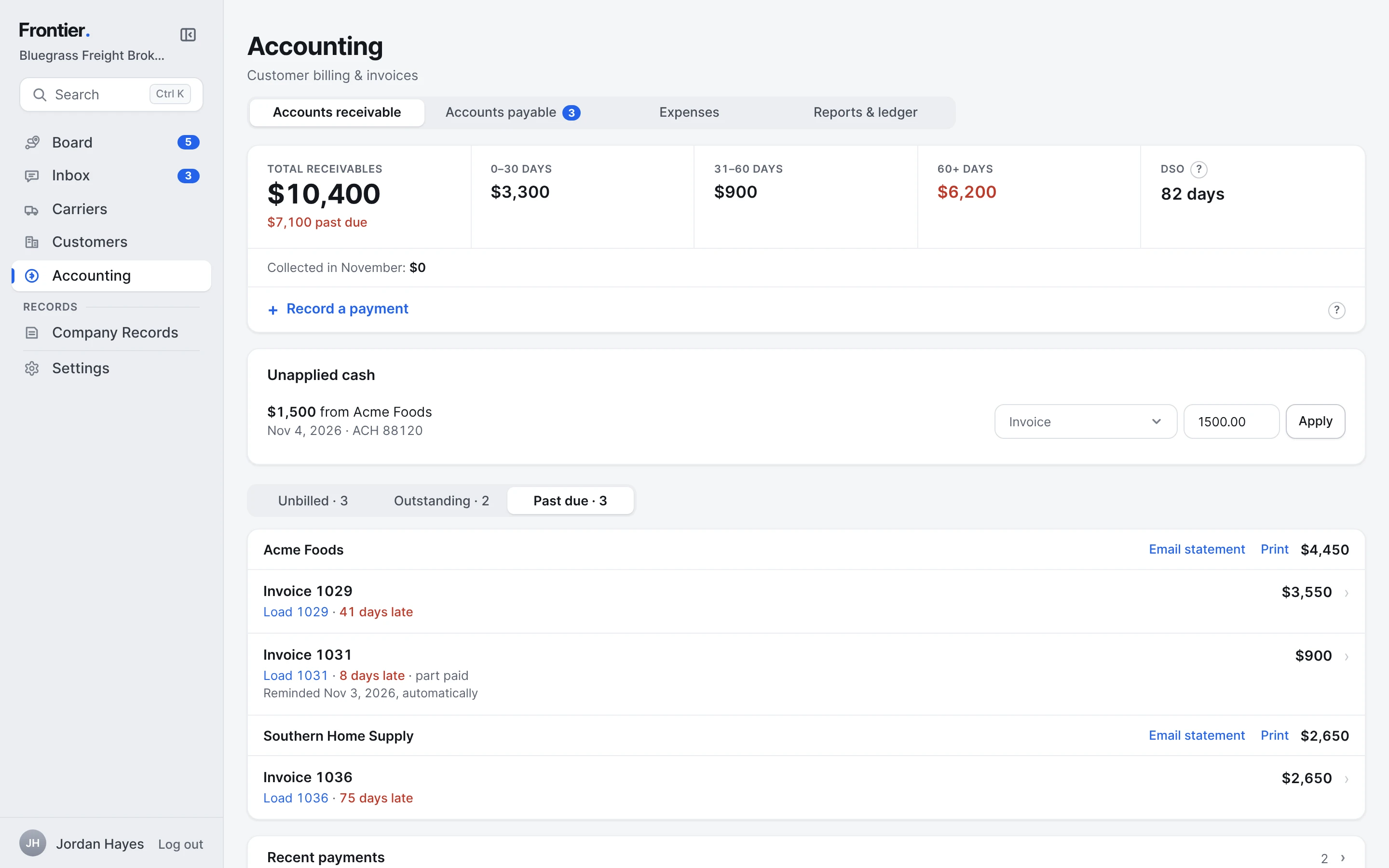
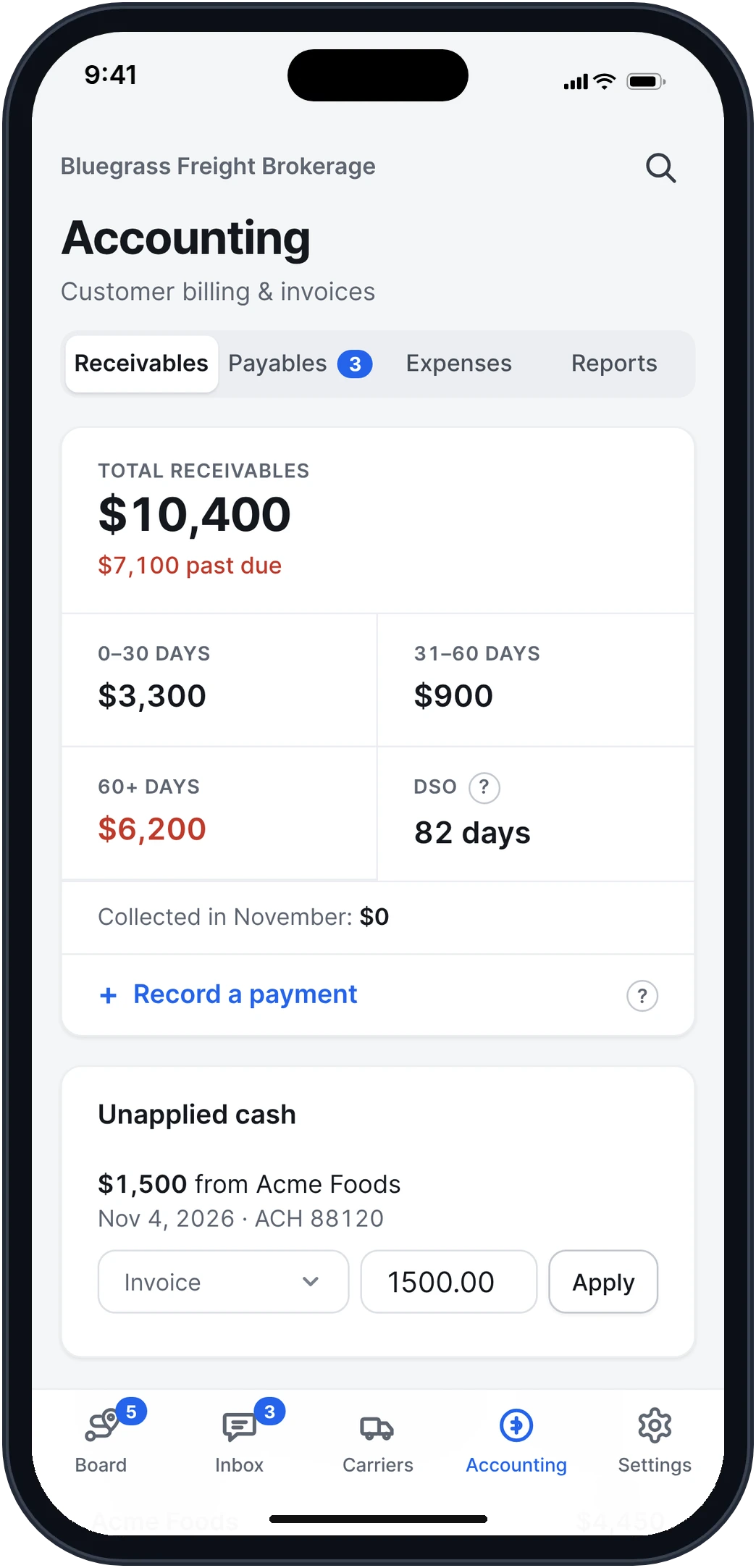
Real app screens · sample brokerage data
How it works, step by step.
Real app screens · sample brokerage data
- Step 1
The invoice goes out with the POD.
Once you accept the POD, the invoice goes to the customer's billing email with the POD attached, or once a week on the customer's day if that's how they pay. It opens with the charges, the due date and where to pay.
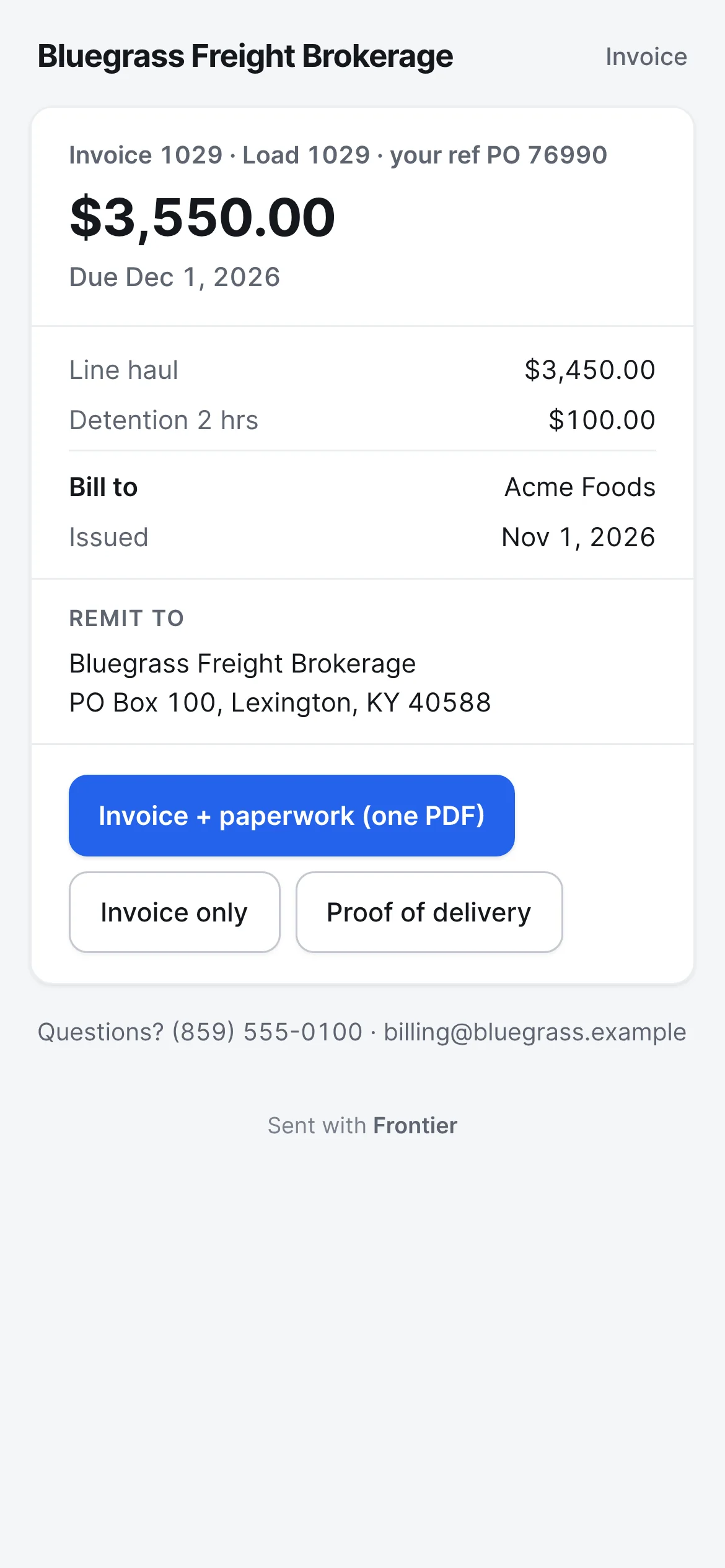
What the shipper gets - Step 2
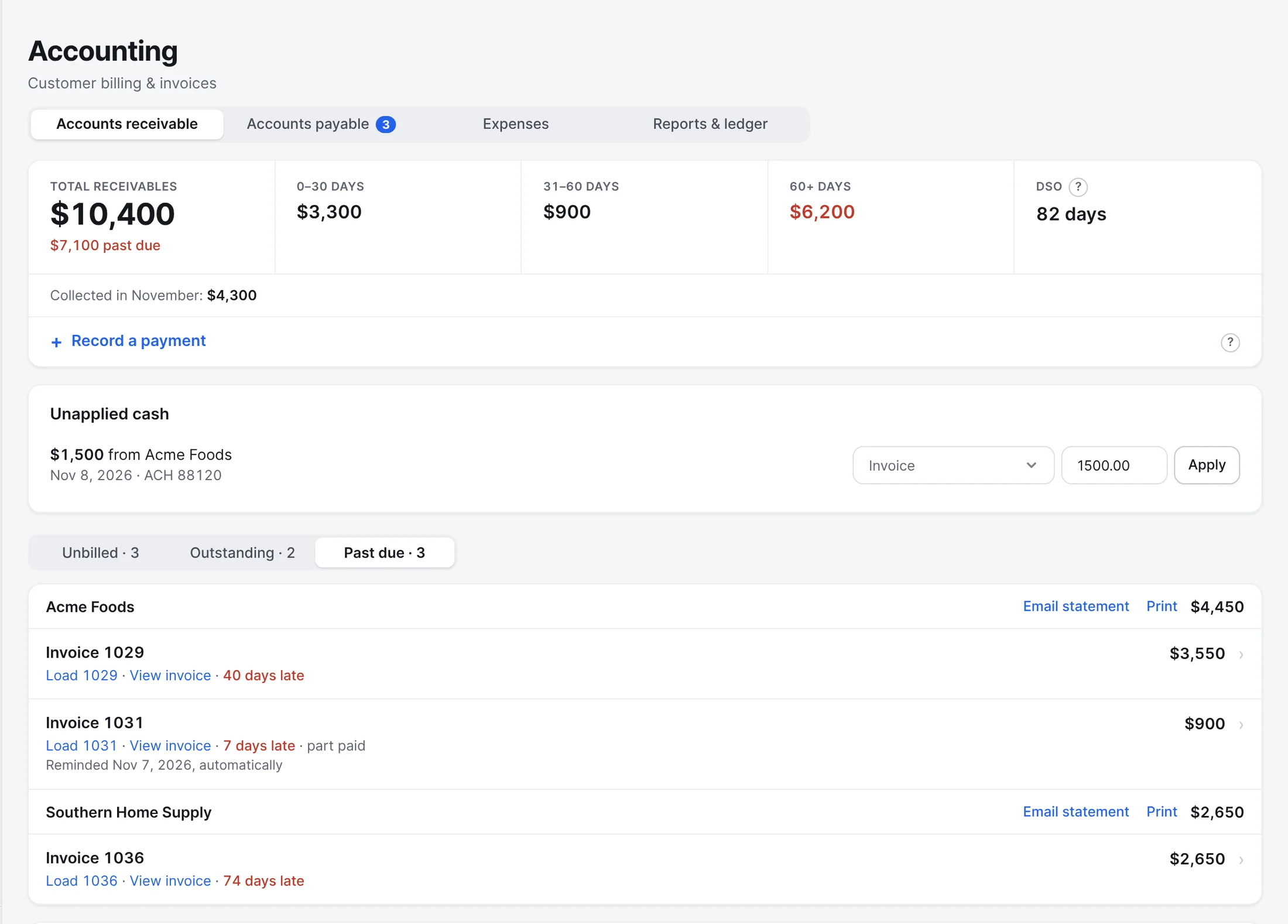
What customers owe, by age.
Receivables from current to 60 days and over, days to pay, payments waiting to be applied, and each customer's past-due invoices with a statement you can email or print.
- Reminders at 3 and 10 days past due
- Record a payment and apply it to the invoice
- Step 3
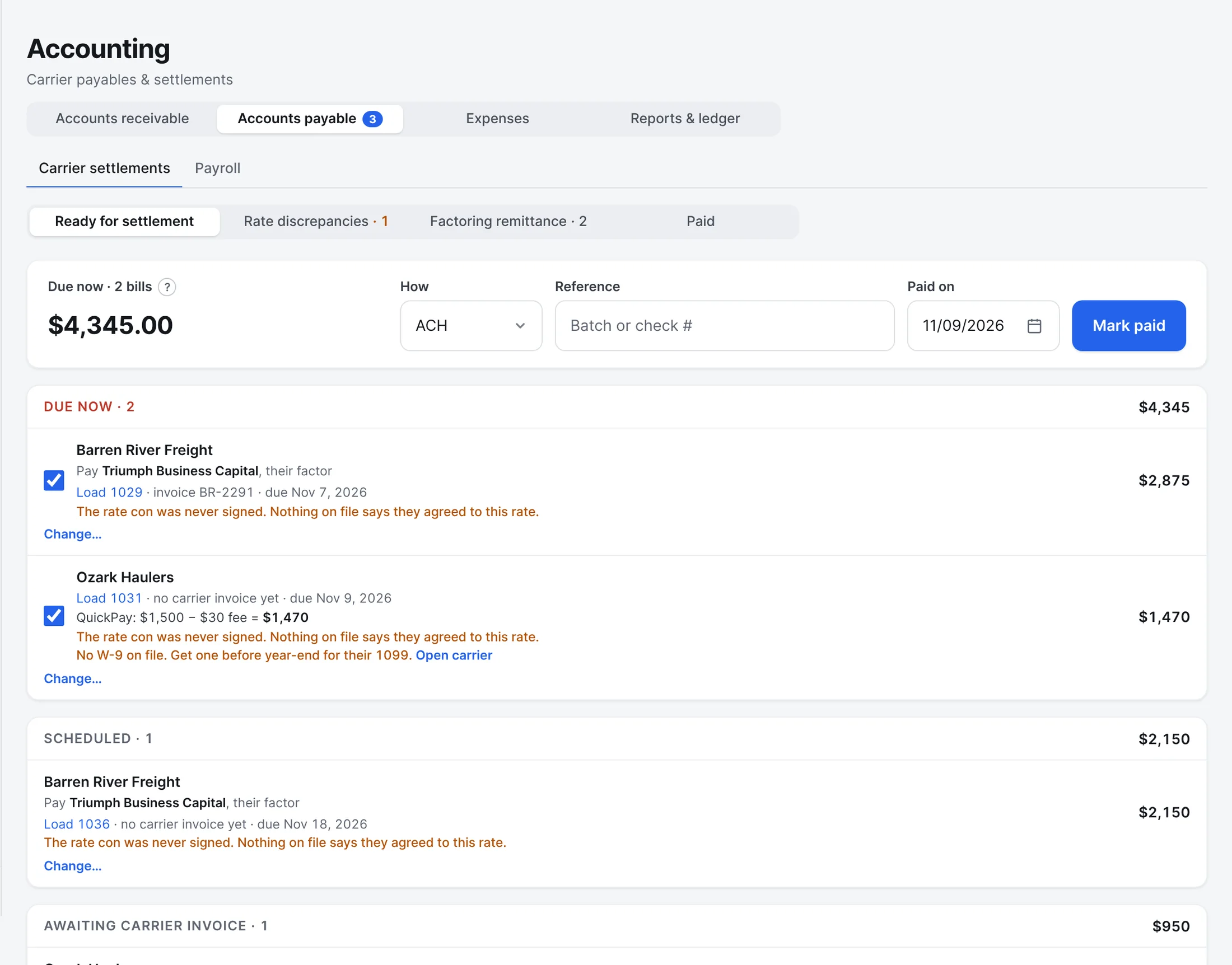
Carrier bills, checked against the rate con.
Carrier invoices sent to your billing address are matched to their load. The ones that match are ready to pay, by ACH or check, to the carrier or their factor. The ones that don't are held with the difference.
- Quick pay takes your fee off
- A missing W-9 is flagged before year-end
- What was paid, how and when, kept on the load
- Step 4
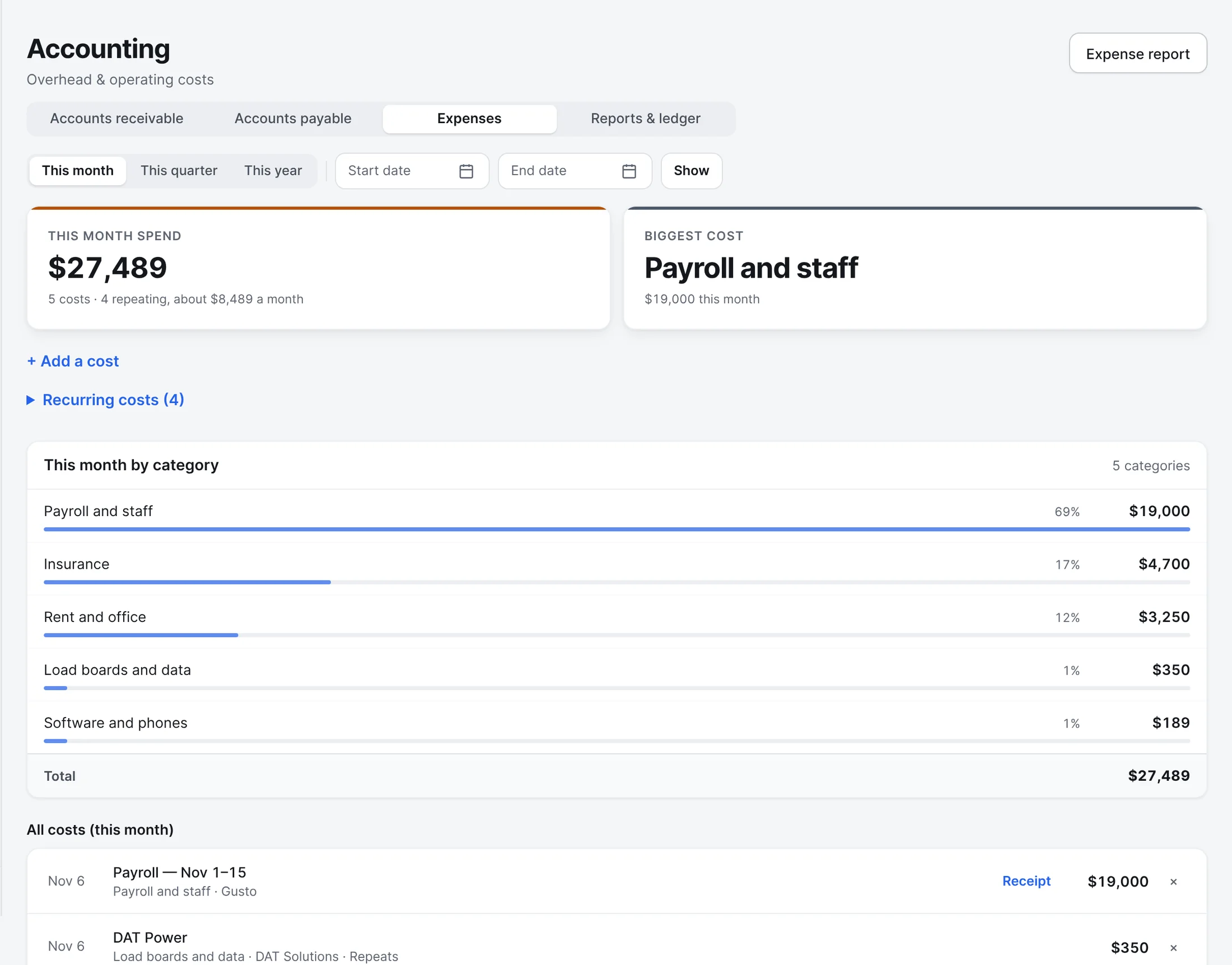
Your own costs, by category.
Payroll, insurance, rent, load boards, software. Add a cost with its receipt, set the ones that repeat, and see the month by category with your biggest cost on top.
- Step 5
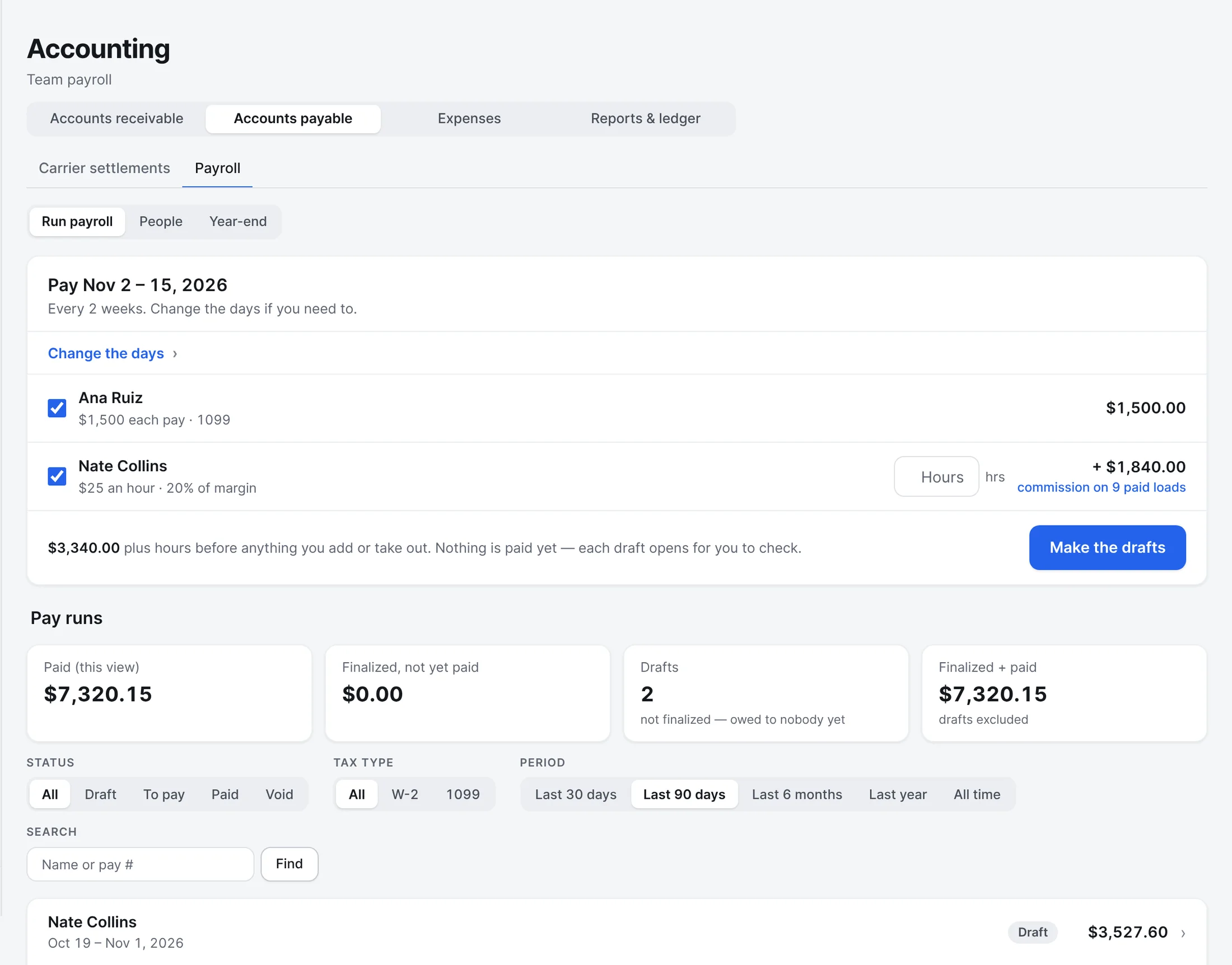
Pay your staff, commission and all.
A set amount each pay or by the hour, with commission on the loads that were paid. Build the drafts, check them, and pay. Year-end statements for contractors.
- Step 6
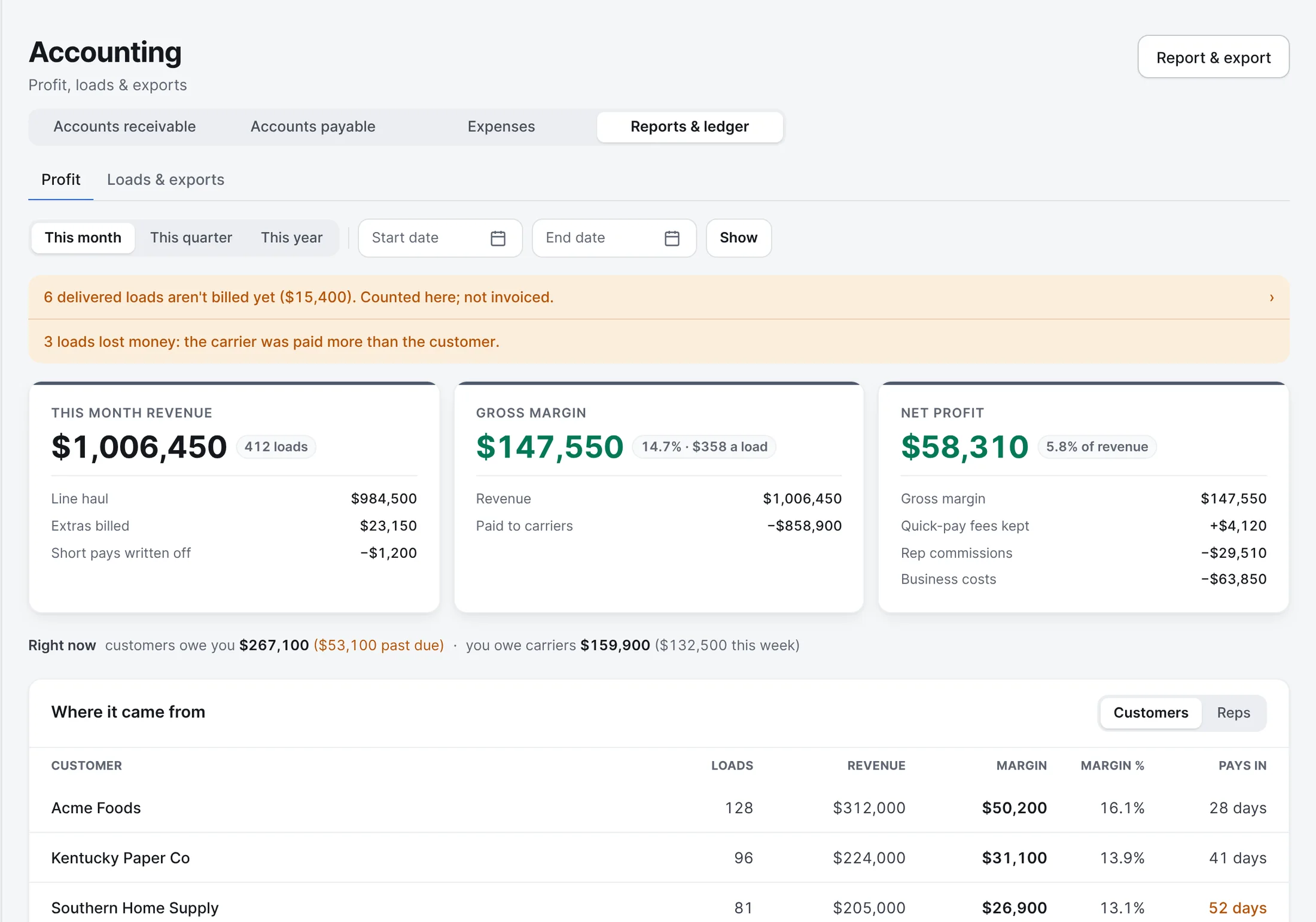
The profit, after everything.
Revenue, what went to carriers, gross margin, and net profit after quick-pay fees kept, rep commissions and business costs. By customer or by rep, for any dates.
- Delivered loads not billed yet are counted and called out
- Loads that lost money are named
Also built in.
Customer statements
Every open invoice for a customer, oldest first, on one page you can email or print.
Credit limits
See how much of a customer's credit line is used. Frontier warns you near the limit and never blocks a booking.
Quick pay
Carriers who take quick pay get paid sooner, with your fee taken off.
A check before billing
Before an invoice goes out, Frontier lays the load against its paperwork and says what doesn't line up.
QuickBooks import files
Invoices and carrier bills download as files QuickBooks Online imports.
Expenses
Your brokerage's own costs, by category, with the receipts.
Does this replace my accounting software?
No. Frontier handles freight billing, carrier pay and the reports around them. Your bookkeeper still keeps your books and taxes, and the QuickBooks import files save them from typing it in again.
More of Frontier for Brokers.
Try it on your own loads.
It’s free in early access.
Free early access. No card, no load limit.