Know who you're booking before you book.
Find carriers from FMCSA in seconds, collect their papers with one link, and get a warning before you book one who isn't ready.
Free early access. No card, no load limit.
Real app screens · sample brokerage data
How it works, step by step.
Real app screens · sample brokerage data
- Step 1
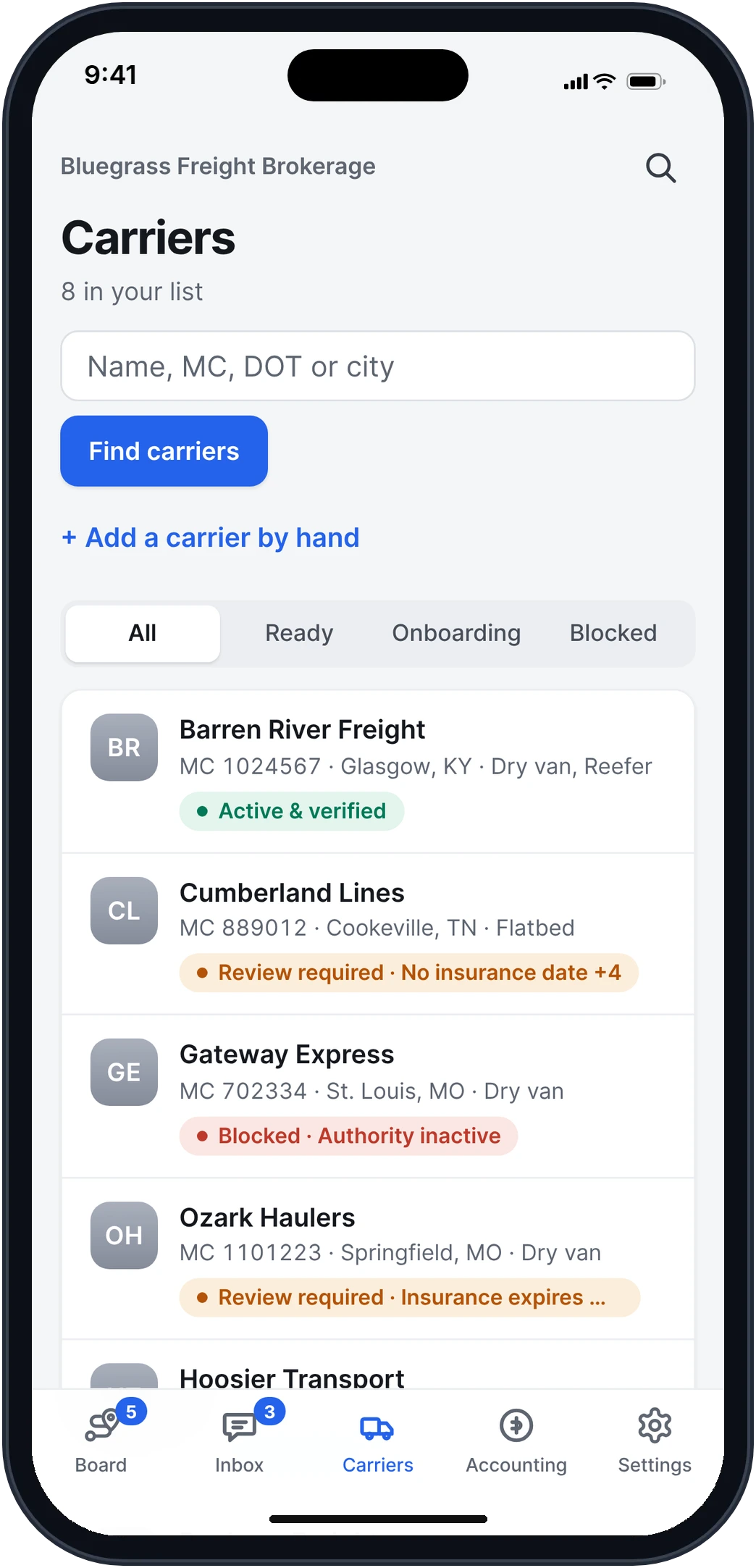
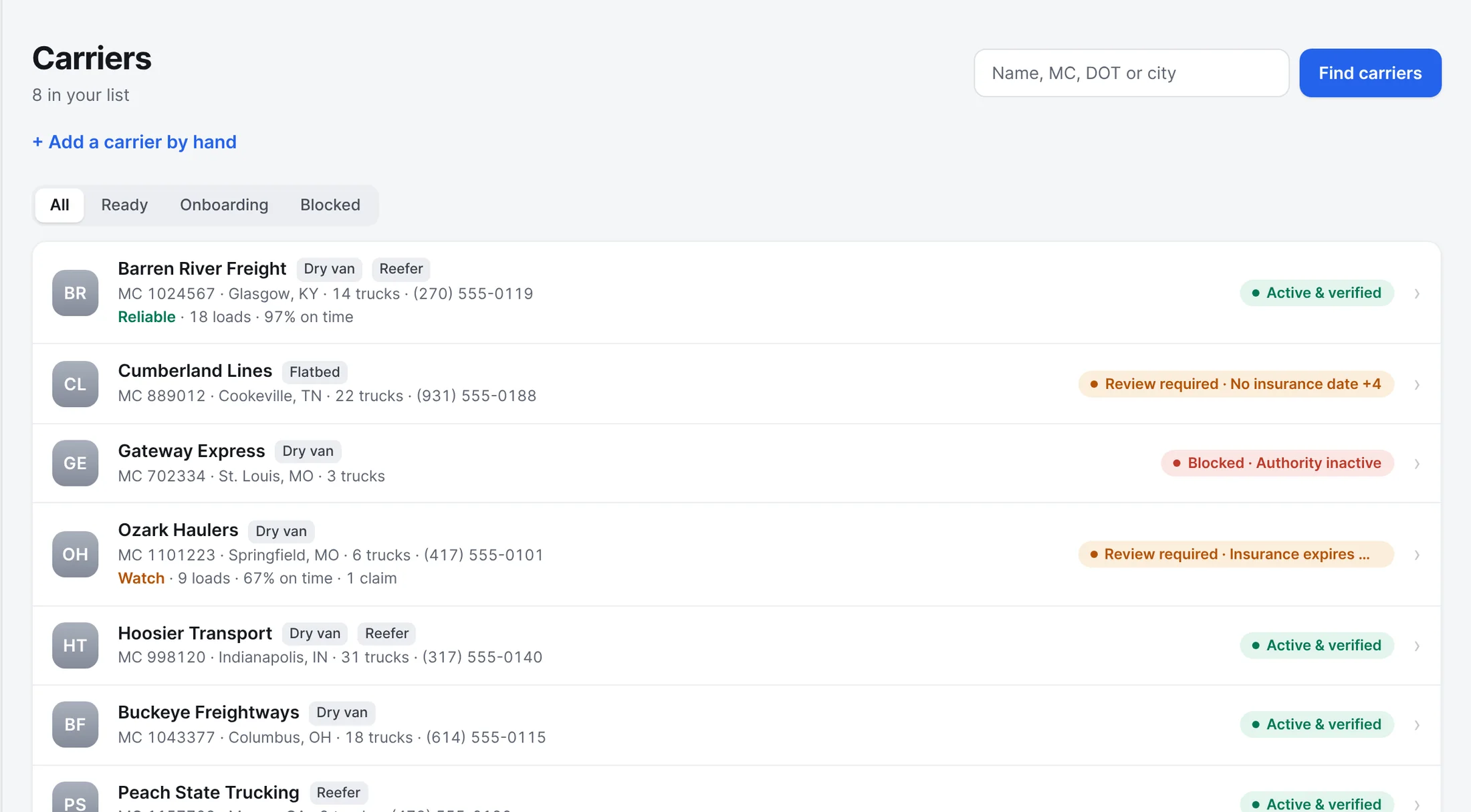
See who's ready before you book.
Every carrier carries a plain tag: Active and verified, Review required with the reason, or Blocked with the reason. Find new ones from FMCSA by name, MC, DOT or city.
- Step 2
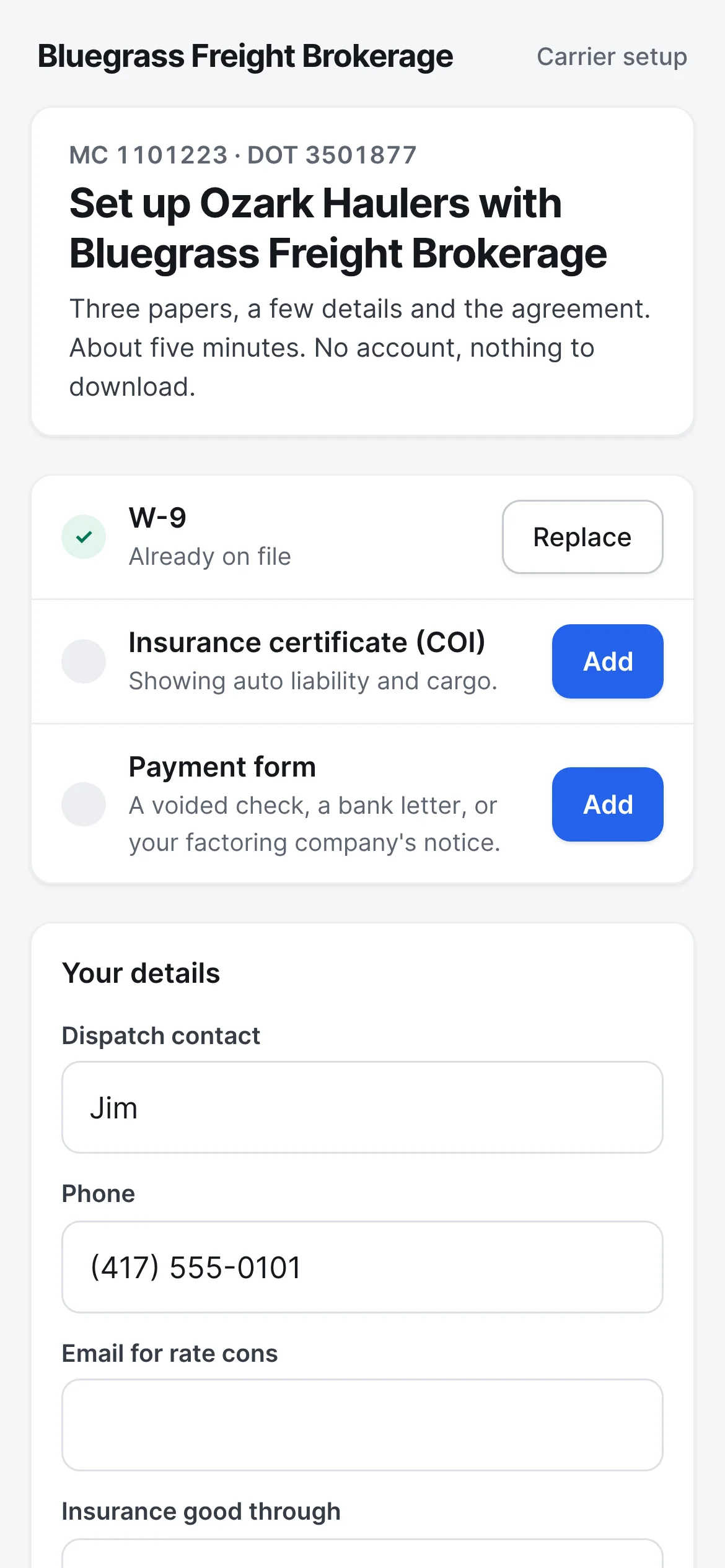
One link to set them up.
Send the setup link and the carrier opens it on any phone. They add their W-9, their insurance certificate and how they get paid, fill in their dispatch details, and sign your broker-carrier agreement. No account and no download.
What the carrier opens - Step 3
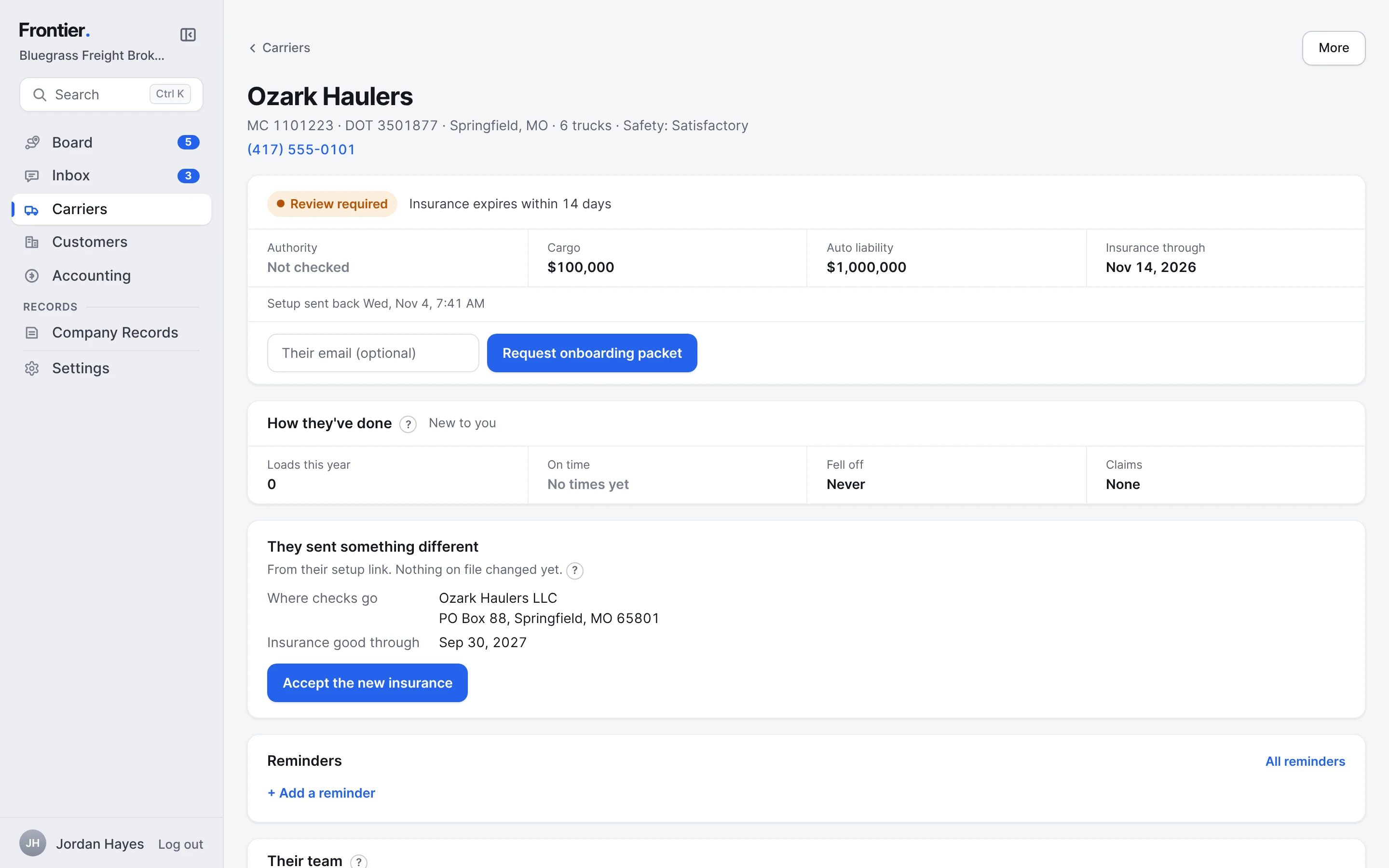
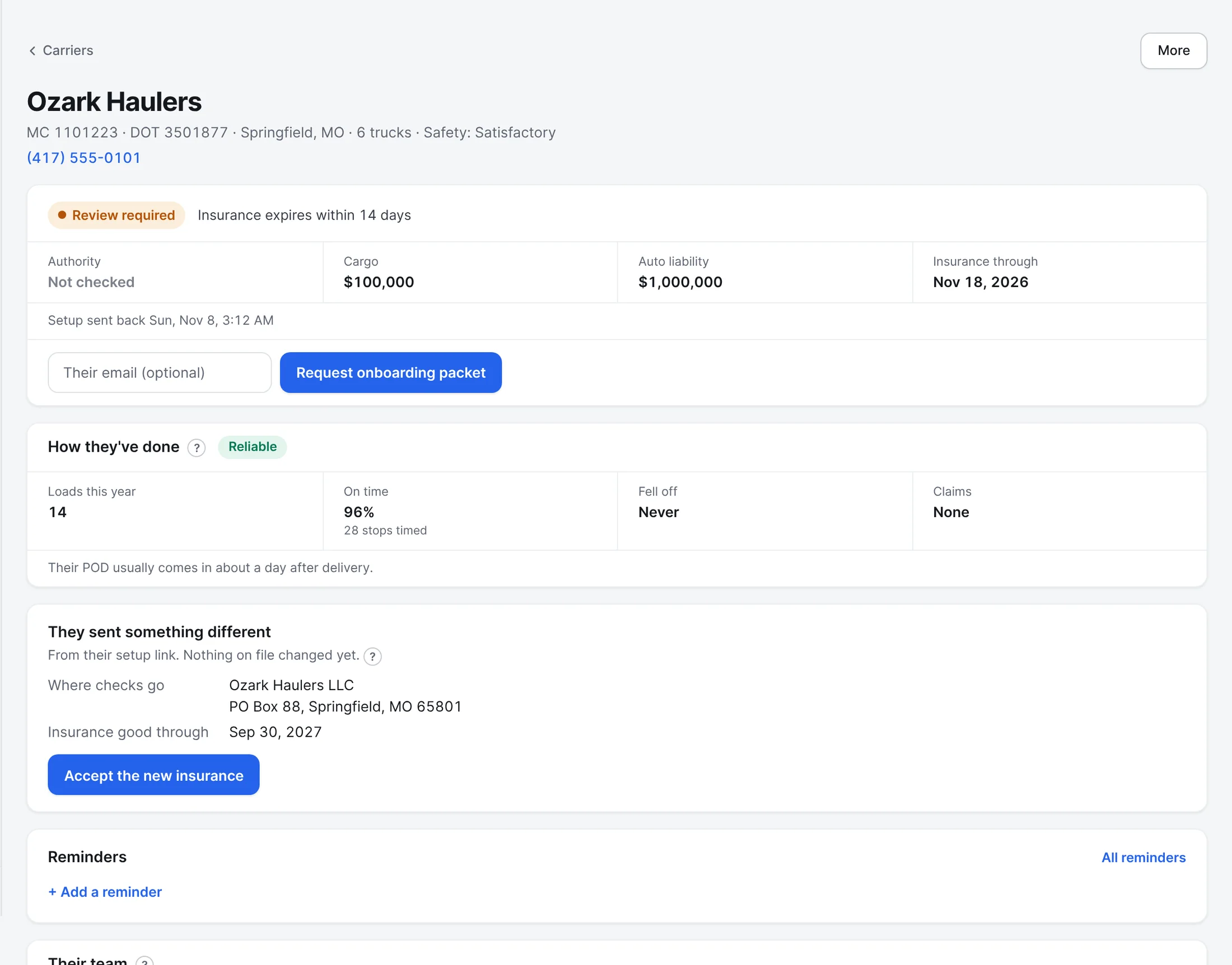
Everything about a carrier on one page.
Their authority, cargo and liability insurance with the dates, how they've done for you (loads, on time, fall-offs, claims, how fast the POD comes in), and anything they sent that's different from what you have on file.
- Step 4
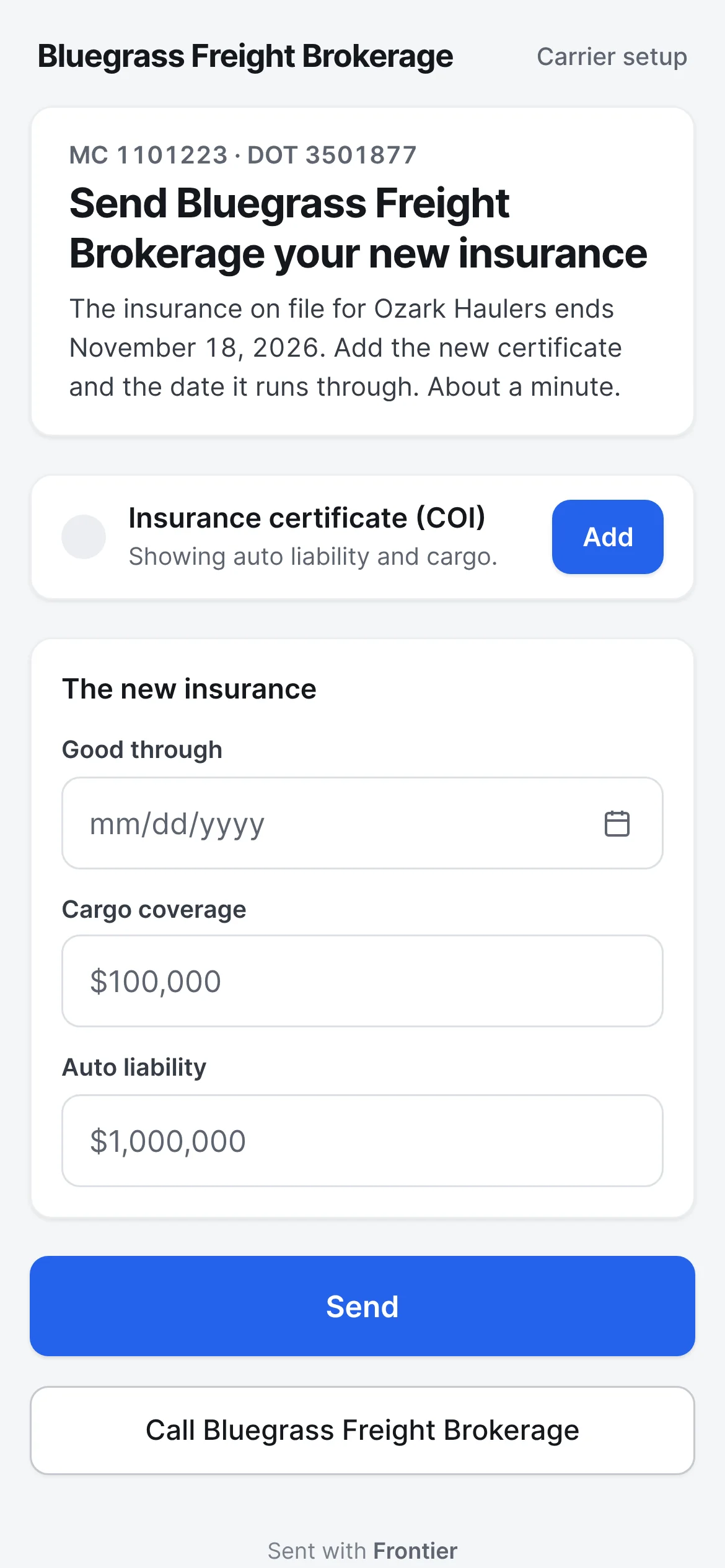
Renewals ask for only what's due.
When insurance is about to run out, the same link asks only for the new certificate, the date it runs through and the coverage. You accept it in one tap.
What the carrier opens - Step 5
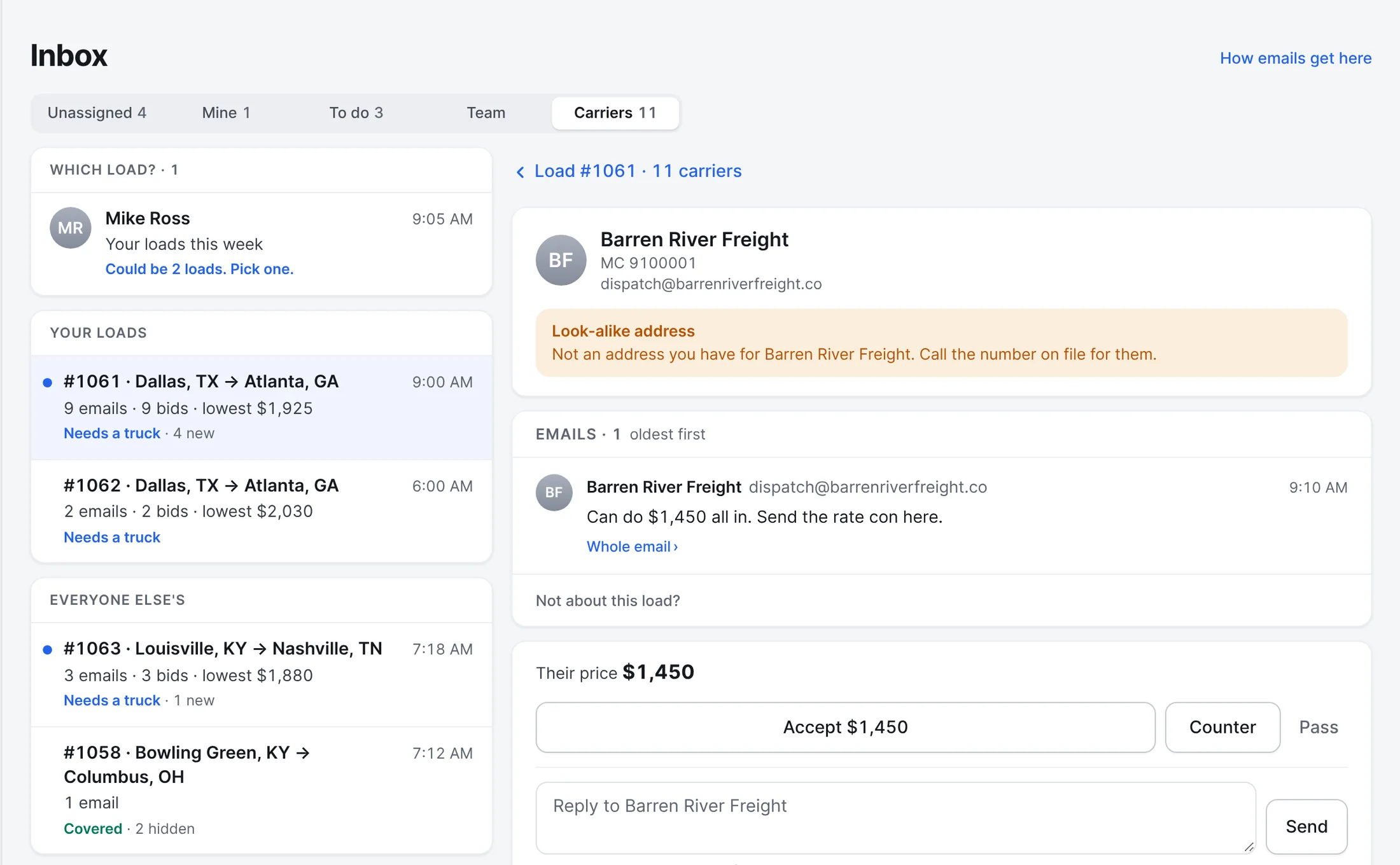
Look-alike emails stand apart.
An email from an address that looks like a carrier you know, but isn't the one you have, is marked and kept out of the real carrier's chain. Frontier tells you to call the number on file for them.
Also built in.
Their team, verified
Record who you book with, and mark them verified after you call the number FMCSA lists for that carrier.
Report cards
On-time stops, fall-offs and claims over the last year, as one line and a Reliable or Watch tag.
Factoring on file
A carrier who factors keeps their factoring company and notice of assignment on file, so pay goes to the right place.
Carriers who've run the lane
When a load needs a truck, the carriers who've run that lane with you come first.
Ask for prices by link
Send a load to several carriers. They see the lane and freight, never the customer's price, and bid or take the book-now price.
Offer loads on their own
Turn it on, and a load that needs a truck goes to the carriers who know the lane first, then the next ones, until someone takes it.
Does Frontier decide which carriers are safe?
No. Frontier shows what FMCSA has on file and the papers the carrier sent, and warns you when something is missing or expired. Your brokerage decides who to book, the same as today.
More of Frontier for Brokers.
Try it on your own loads.
It’s free in early access.
Free early access. No card, no load limit.