Every carrier, one email chain.
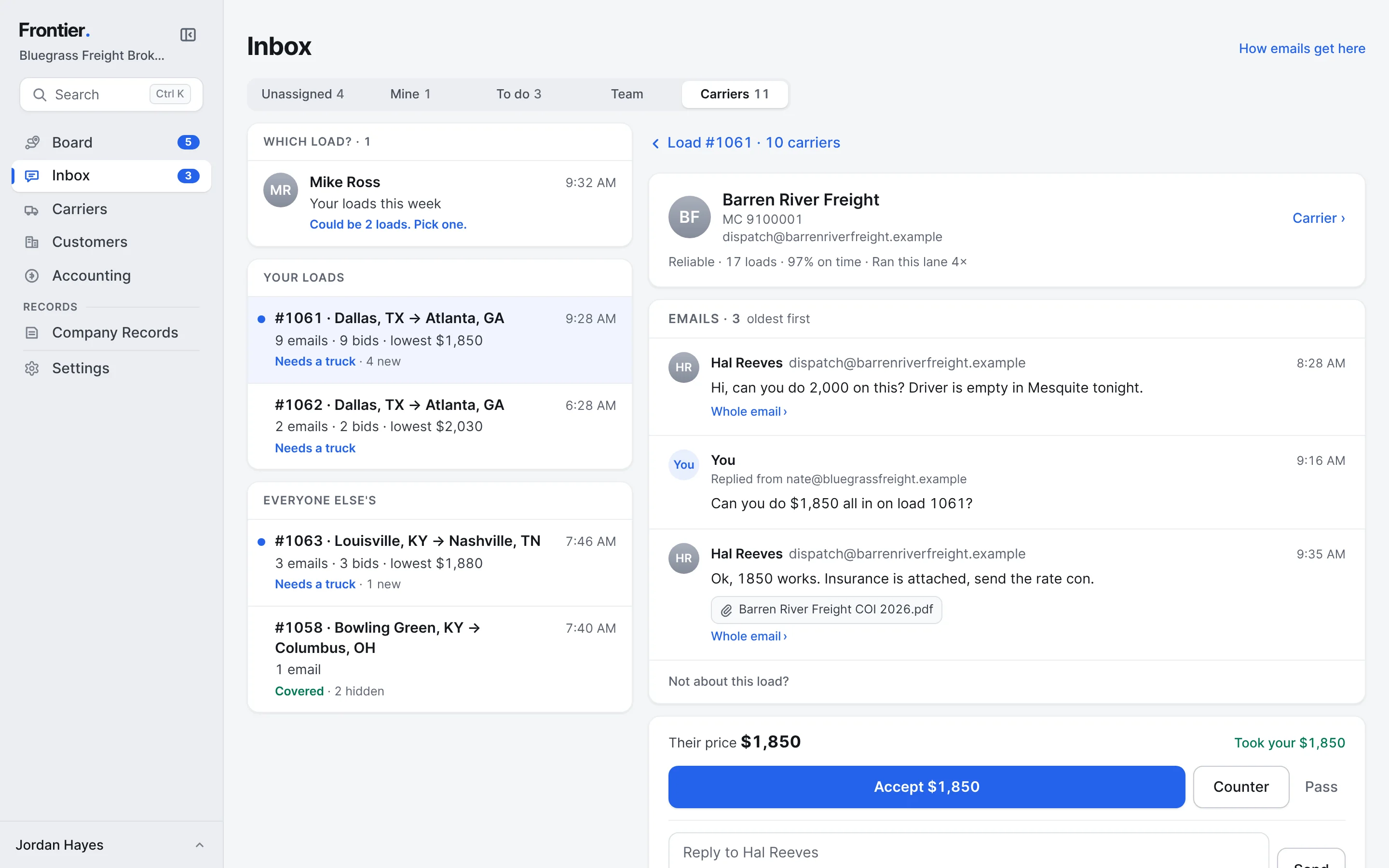
Carriers answer by email, the way they always have. Frontier puts each email on its load, keeps each carrier's emails together like a thread in Mail, and turns their price into a bid you can accept, counter or pass.
Free early access. No card, no load limit.
Real app screens · sample brokerage data
How it works, step by step.
Real app screens · sample brokerage data
- Step 1
Ask the carriers you want, in one go.
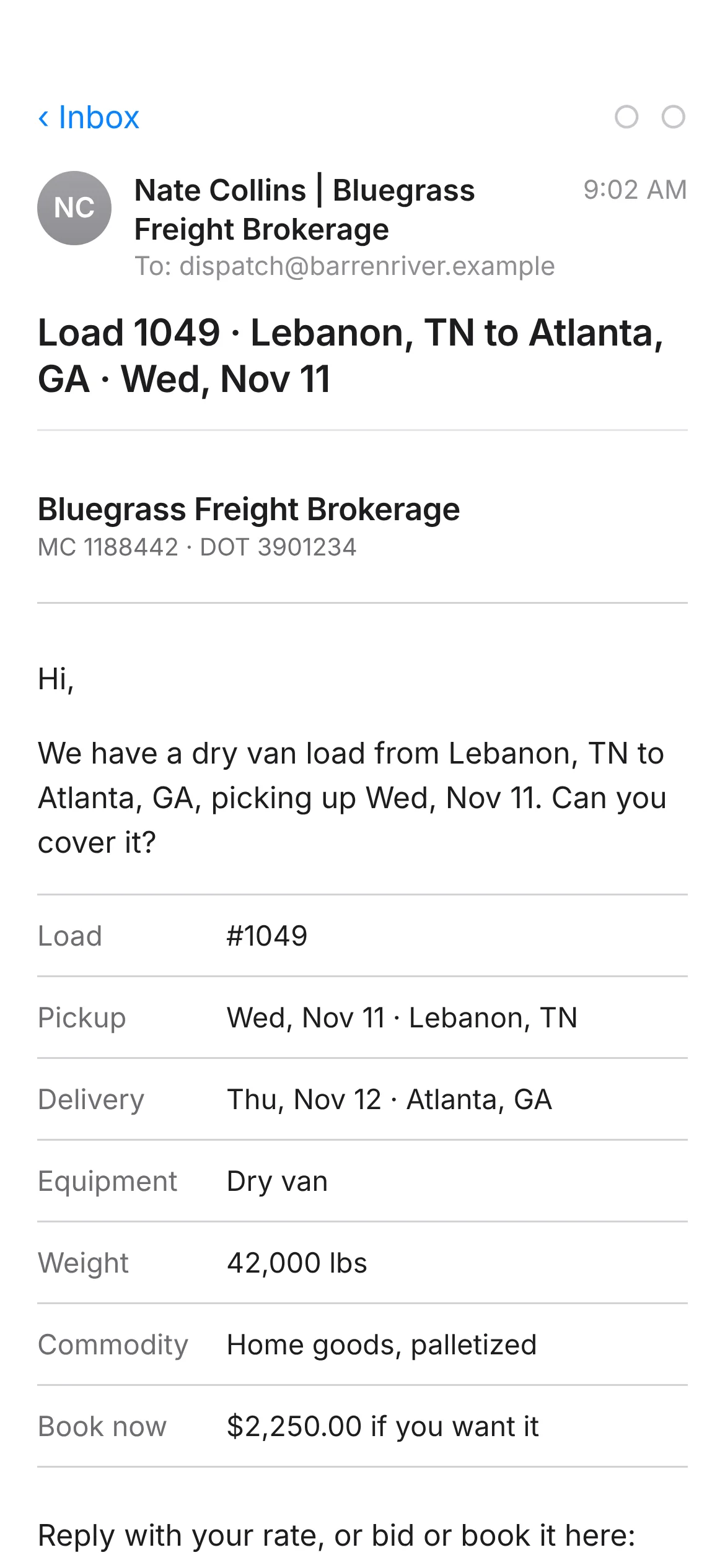
From the load, pick the carriers who run the lane, or Select all. Each one gets an email from your rep with the load laid out, a book-now price if you set one, and a private link to bid. They can also just reply with a number.
- Up to 50 carriers at a time
- Carriers never see the customer or what they pay you
- The email comes from your rep, and replies go to your load's inbox
What the carrier gets - Step 2
They bid from the link, or book it outright.
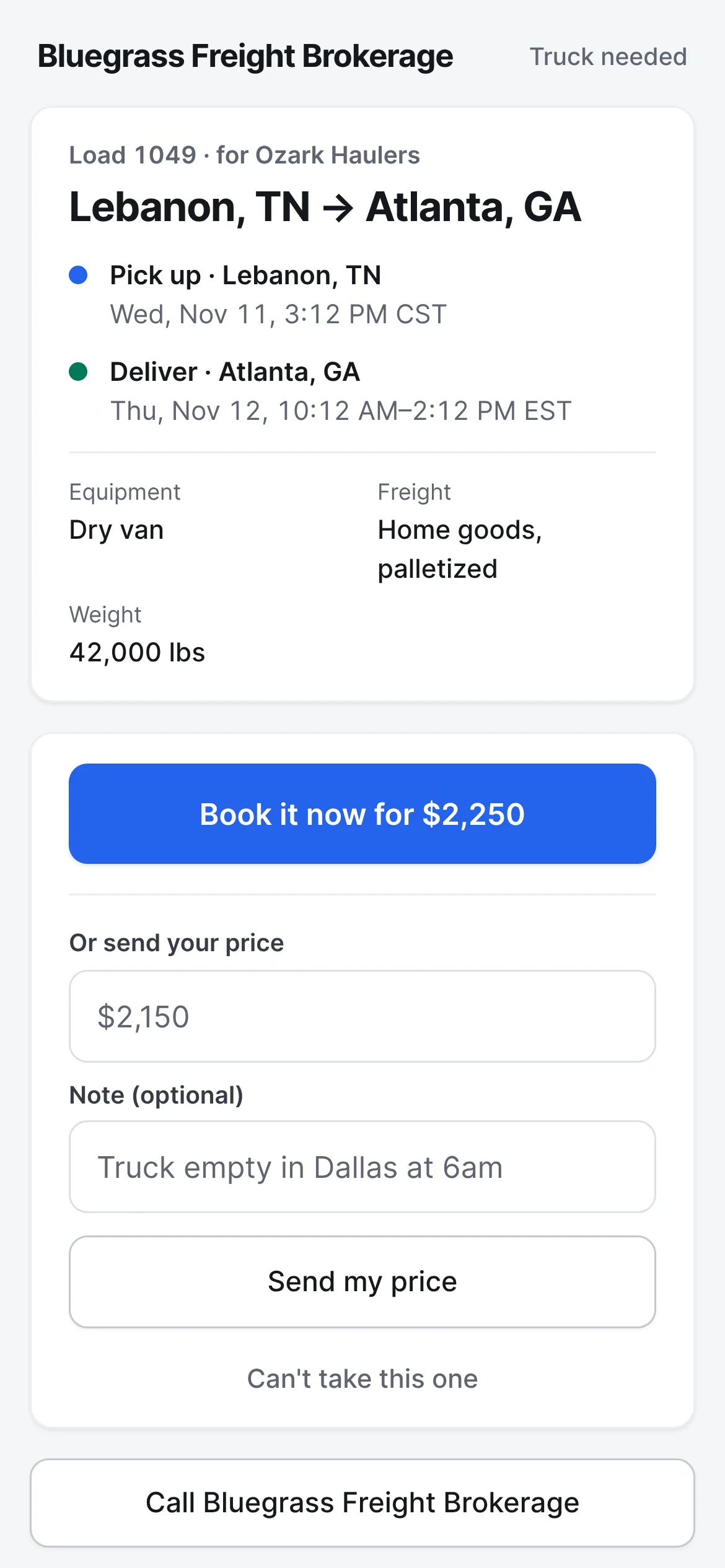
The link opens on any phone with no account. They see the lane, the times and the freight, and can book it at your price, send their own with a note, or say they can't take this one.
The carrier's bid page - Step 3
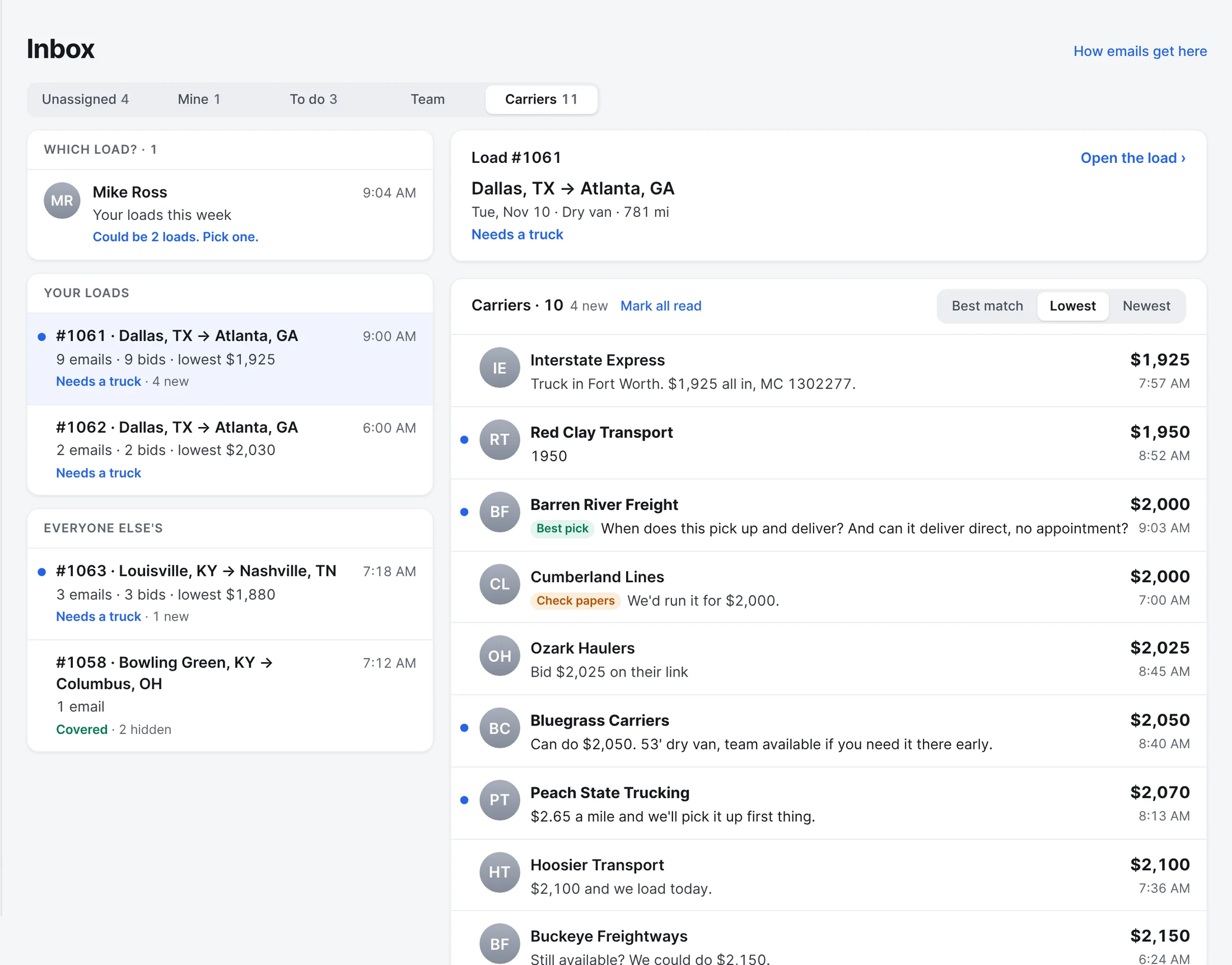
Every email lands on the right load.
Carriers answer the way they always have. Frontier reads each reply, finds the load it's about by the load number, the email chain or the lane ("Dallas to Atlanta Tuesday" works), and turns the price into a bid. When an email could be about two of your loads, it asks you to pick.
- Sort by Best match, Lowest or Newest
- Tags say why: Best pick, Reliable, Check papers, New to you
- Carriers with papers on file and a record on the lane come first
- Step 4
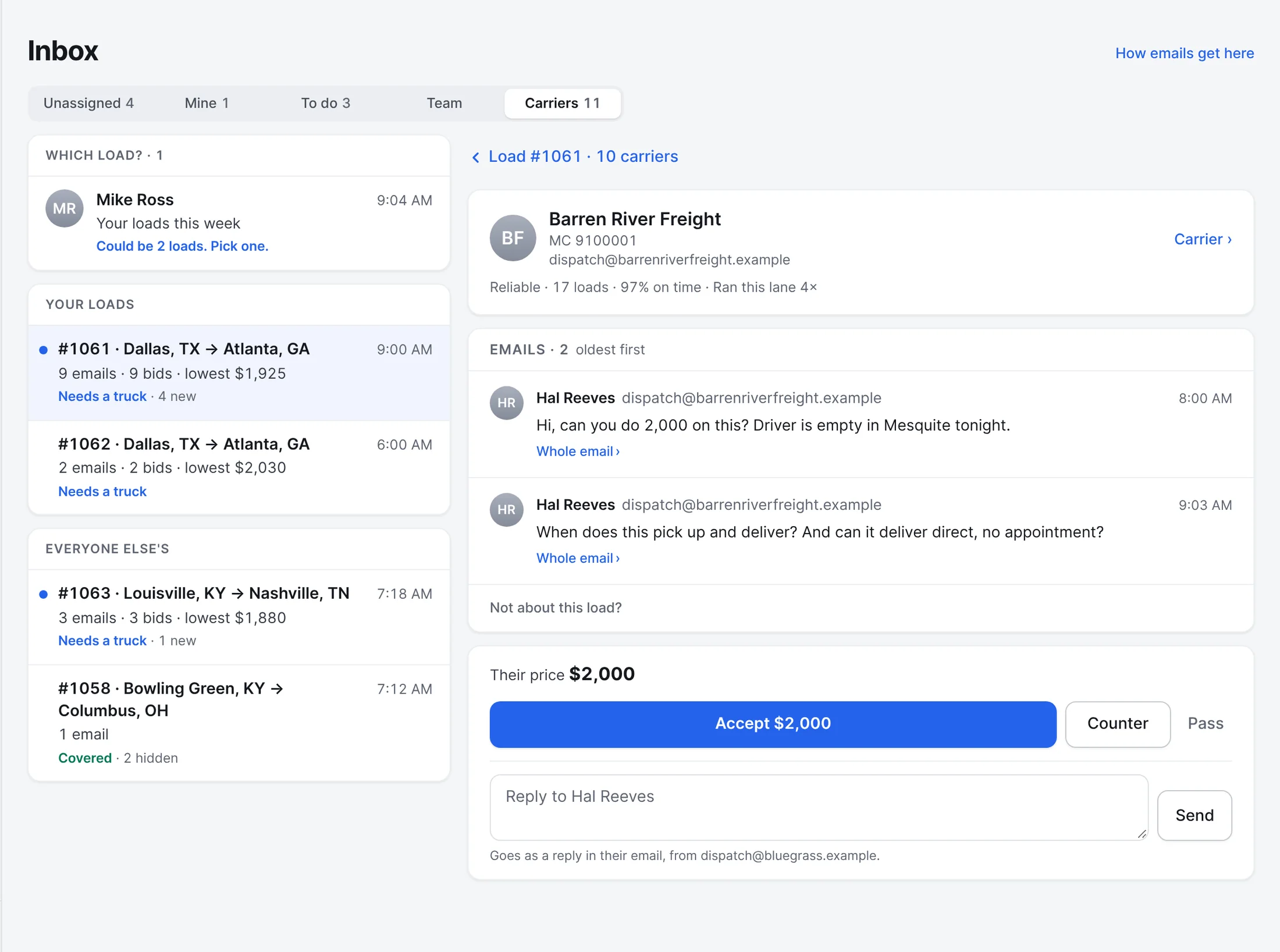
One email chain per carrier.
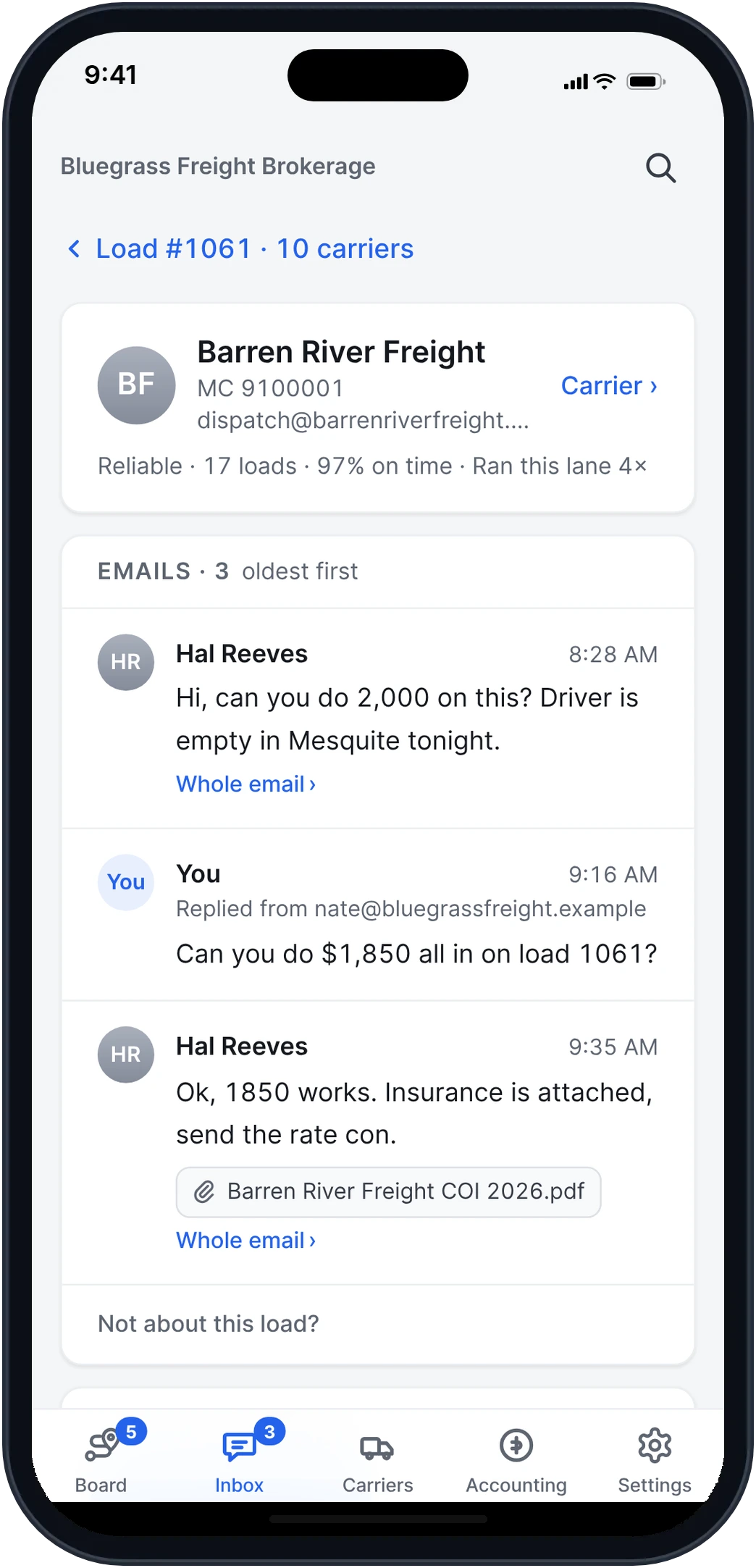
Open a carrier and their emails, your replies and their price are on one screen, in order. When they ask "when does this pick up?", it's in the same chain, under the price you were talking about.
- Step 5
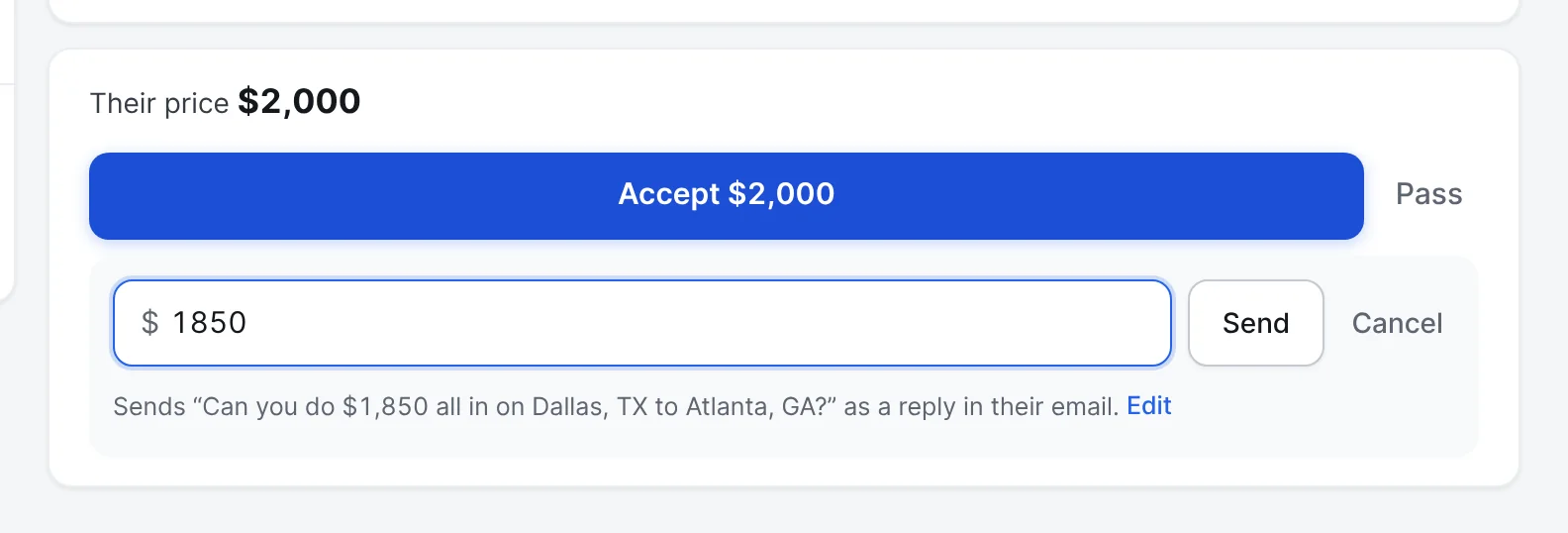
Counter in their own email.
Type your number and Frontier sends "Can you do $1,850 all in on Dallas, TX to Atlanta, GA?" as a reply in the carrier's chain. Press Edit to change the words first. A price you agreed on the phone can be booked as it is.
- Step 6
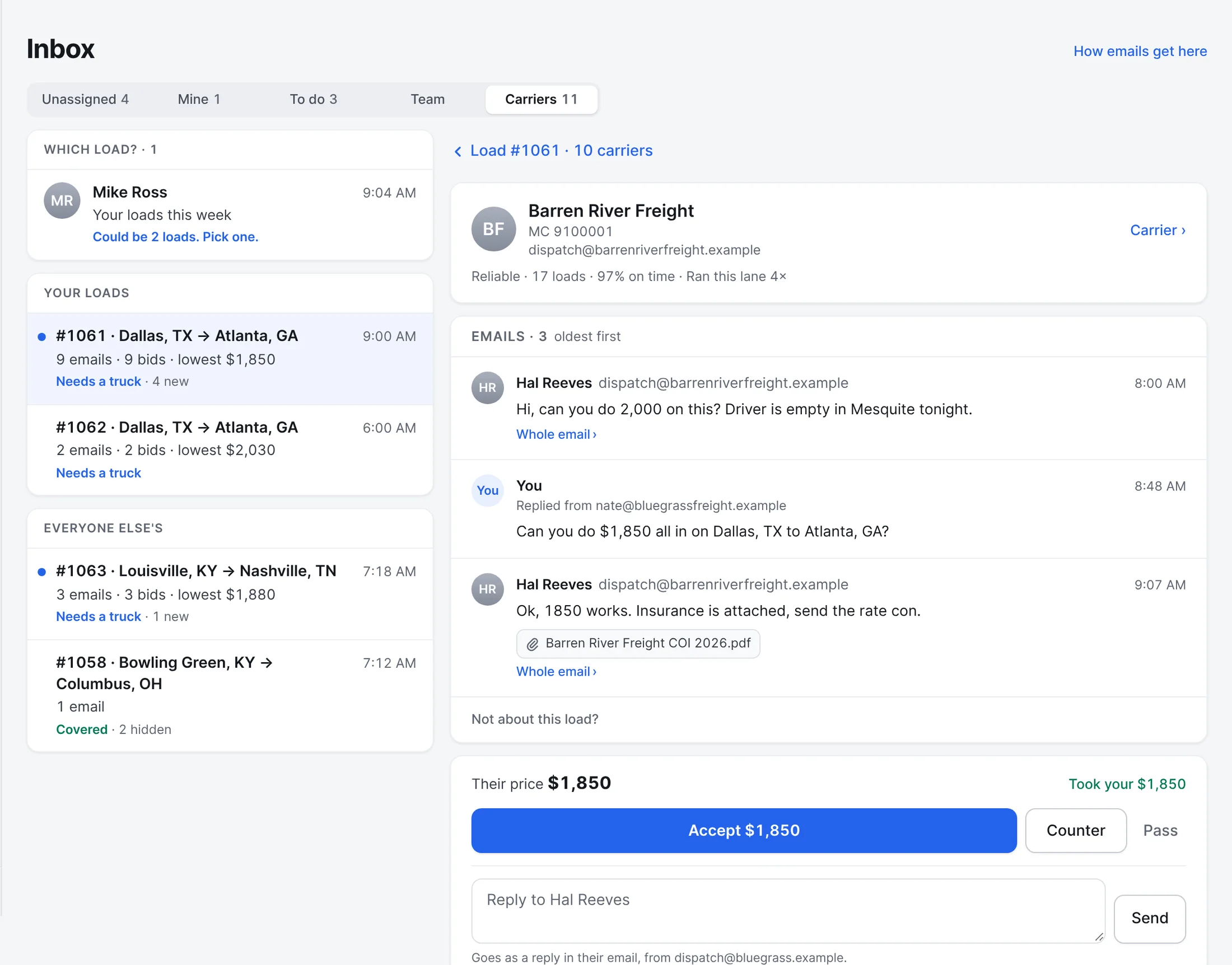
They say yes. You press Accept.
When they answer "Ok, 1850 works", Frontier shows Took your $1,850, with any insurance they attached right in the chain. Nothing is booked until someone on your team presses Accept.
Also built in.
Answer from your own mailbox
Replies and counters go from your Outlook address, in the carrier's own email chain, and they're in your Sent folder. Carriers never see a Frontier address.
Best match on top
Set-up carriers with clean papers come first, then the ones that ran this lane for you and show up on time. Tags say why: Best pick, Reliable, Check papers, New to you.
Counter any way they bid
A bid by email gets your counter by email. A bid on their link gets it on their link. A price from a phone call is saved, and you book it at what you agreed.
The inbox clears itself
Once the rate con is signed, the other carriers' emails fold away, marked read. Your booked carrier's emails always stay.
Fall-offs reopen the bids
If the carrier falls off, the closed bids open again with a note, and the carrier who fell off is marked on their record.
Paperwork stays in the chain
Insurance, a W-9 or a POD a carrier attaches shows under their email, and is filed on the carrier or the load as well.
Look-alikes stand apart
An email your mailbox couldn't confirm, or from an address that looks like a carrier you know, is marked and kept out of the real carrier's chain.
Your team never double-books
Every rep's mailbox feeds the same load. Everyone sees who already answered a carrier before they do.
Does Frontier book a carrier on its own?
No. Frontier reads the prices into bids, puts the best match on top and reads a yes or no to your counter. A person on your team presses Accept. Frontier only emails a carrier by itself if you turn that on, for the "it's covered" note or to ask which load they mean.
More of Frontier for Brokers.
Try it on your own loads.
It’s free in early access.
Free early access. No card, no load limit.