Every quote request, answered from one inbox.
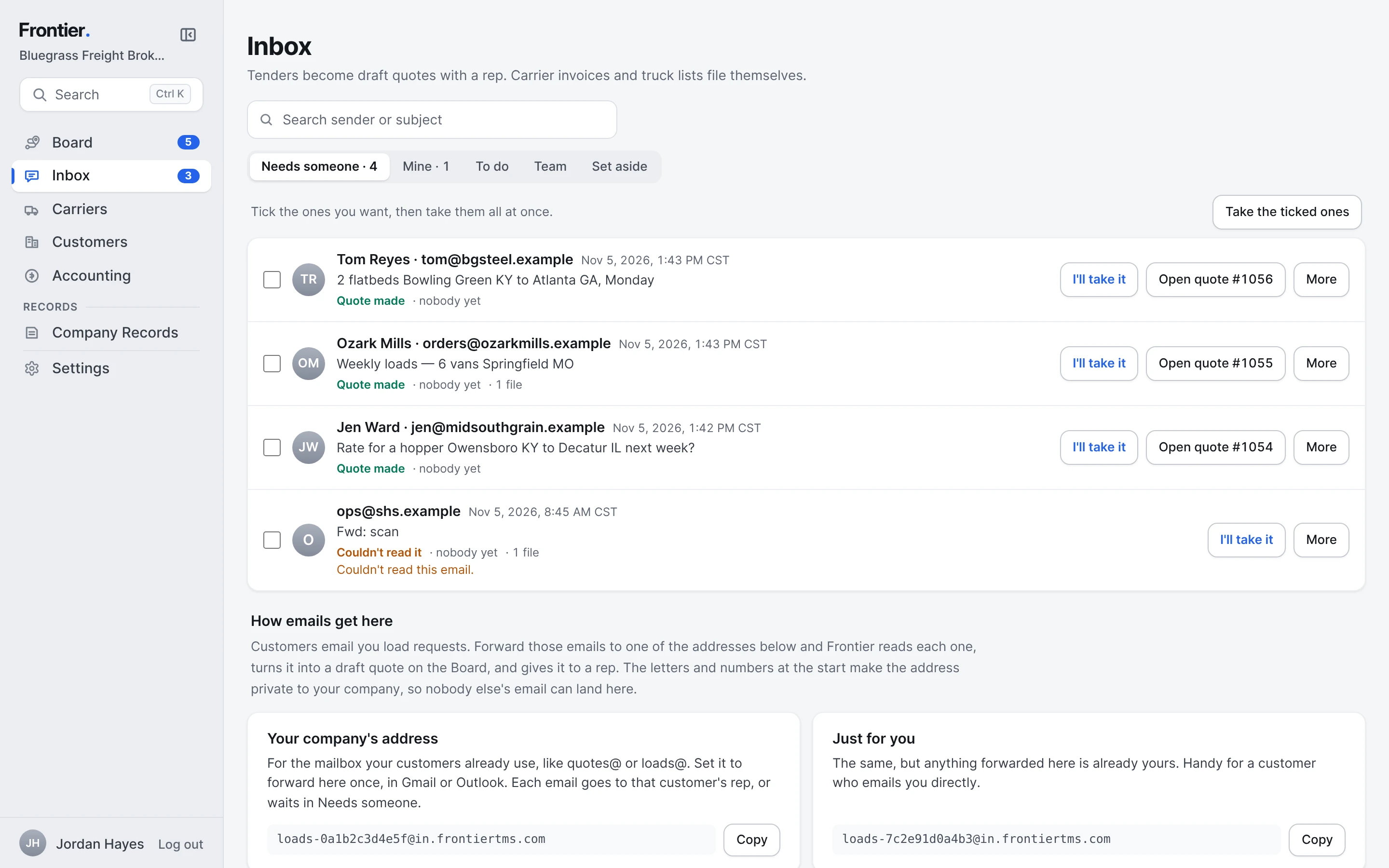
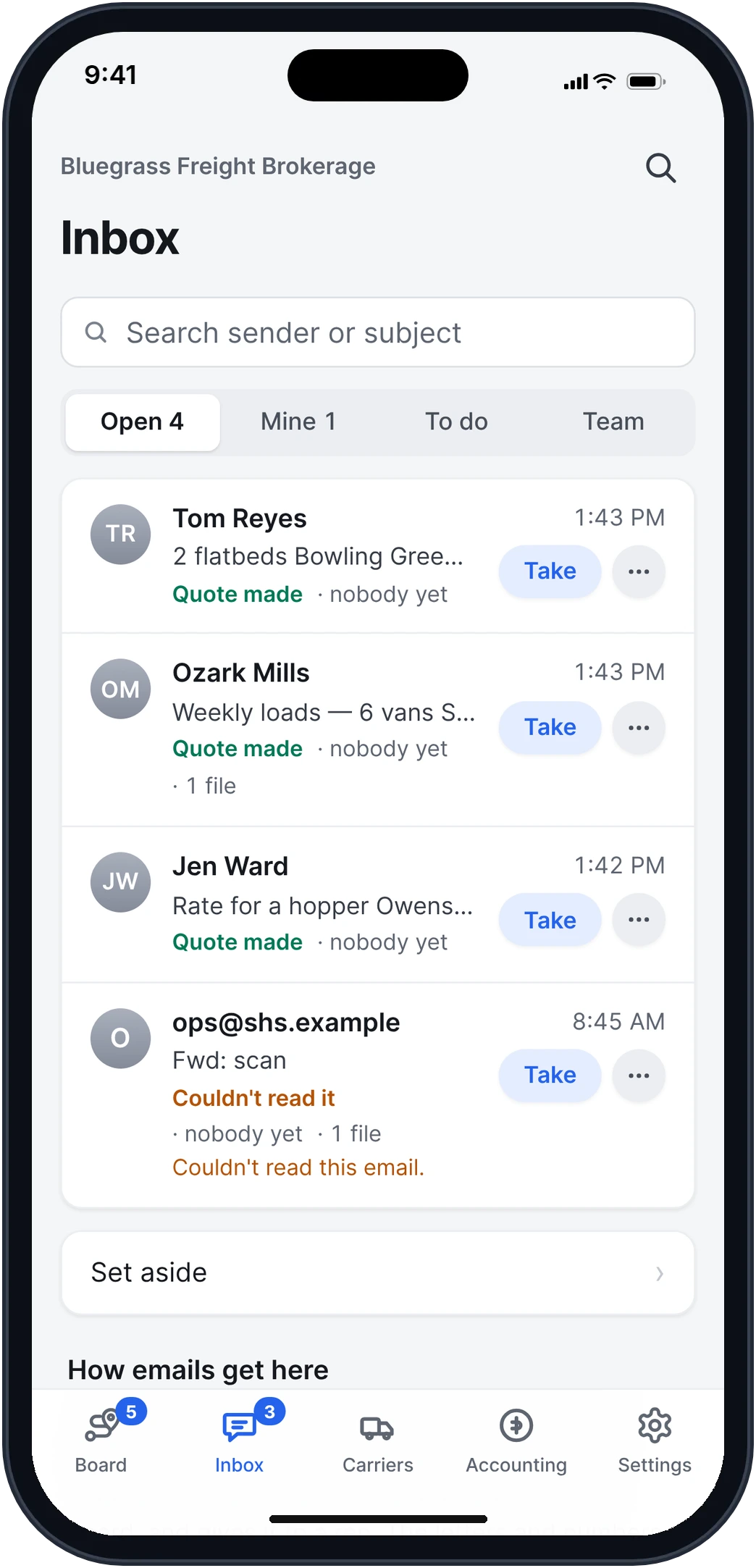
Shippers email their loads the way they already do. Frontier reads each email and its tender, drafts the quote, and puts it in front of a rep with a suggested price.
Free early access. No card, no load limit.
Real app screens · sample brokerage data
How it works, step by step.
Real app screens · sample brokerage data
- Step 1
The shipper emails you. Frontier reads it.
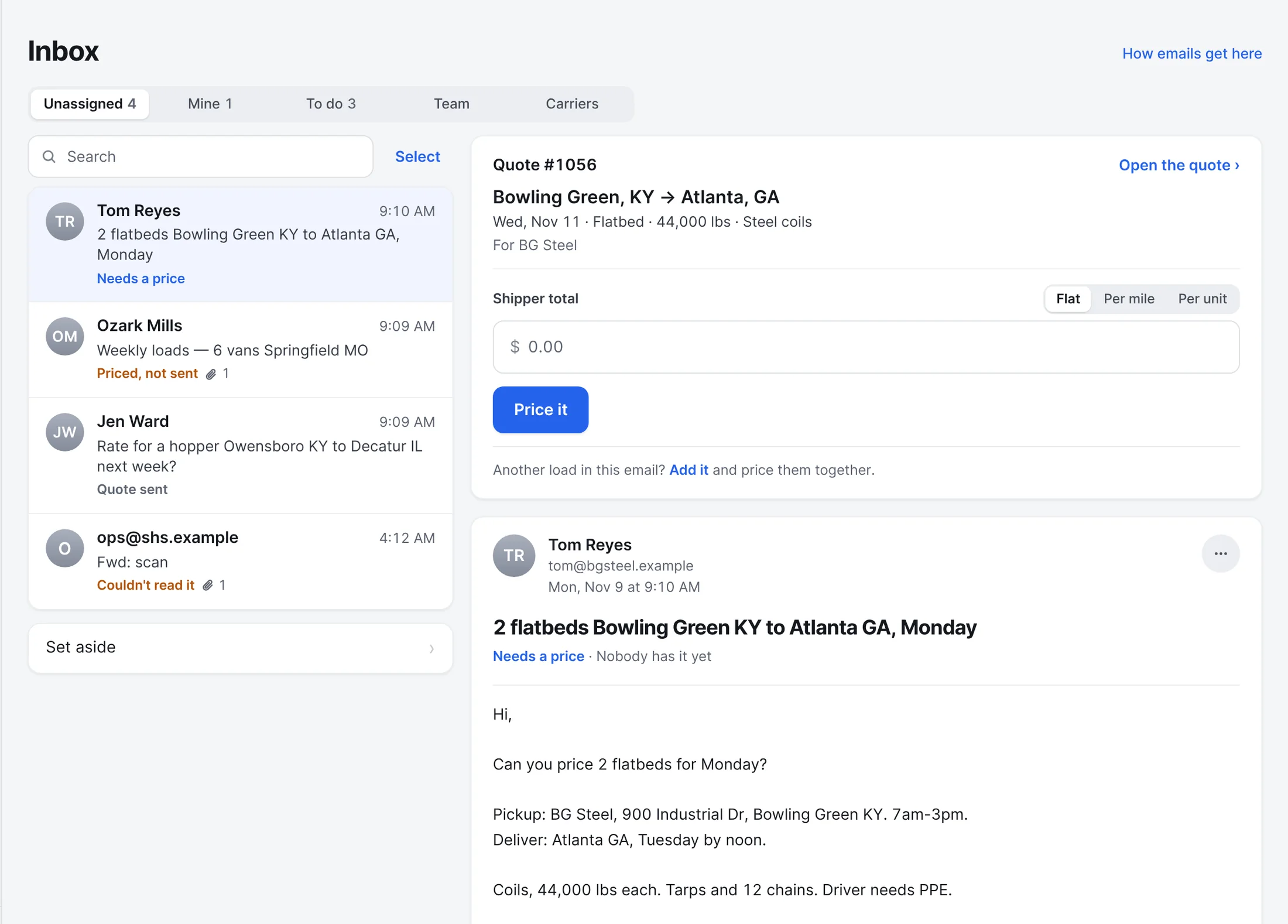
Shippers keep emailing your quotes@ or loads@ address. Frontier reads each email and up to three attachments, like a tender PDF, and drafts the quote: the stops, the dates, the trailer, the weight and their reference.
- The email lands with the customer's rep, or waits under Unassigned
- The same tender sent twice stays on the first quote
- A draft is never sent until someone on your team prices it
- Step 2
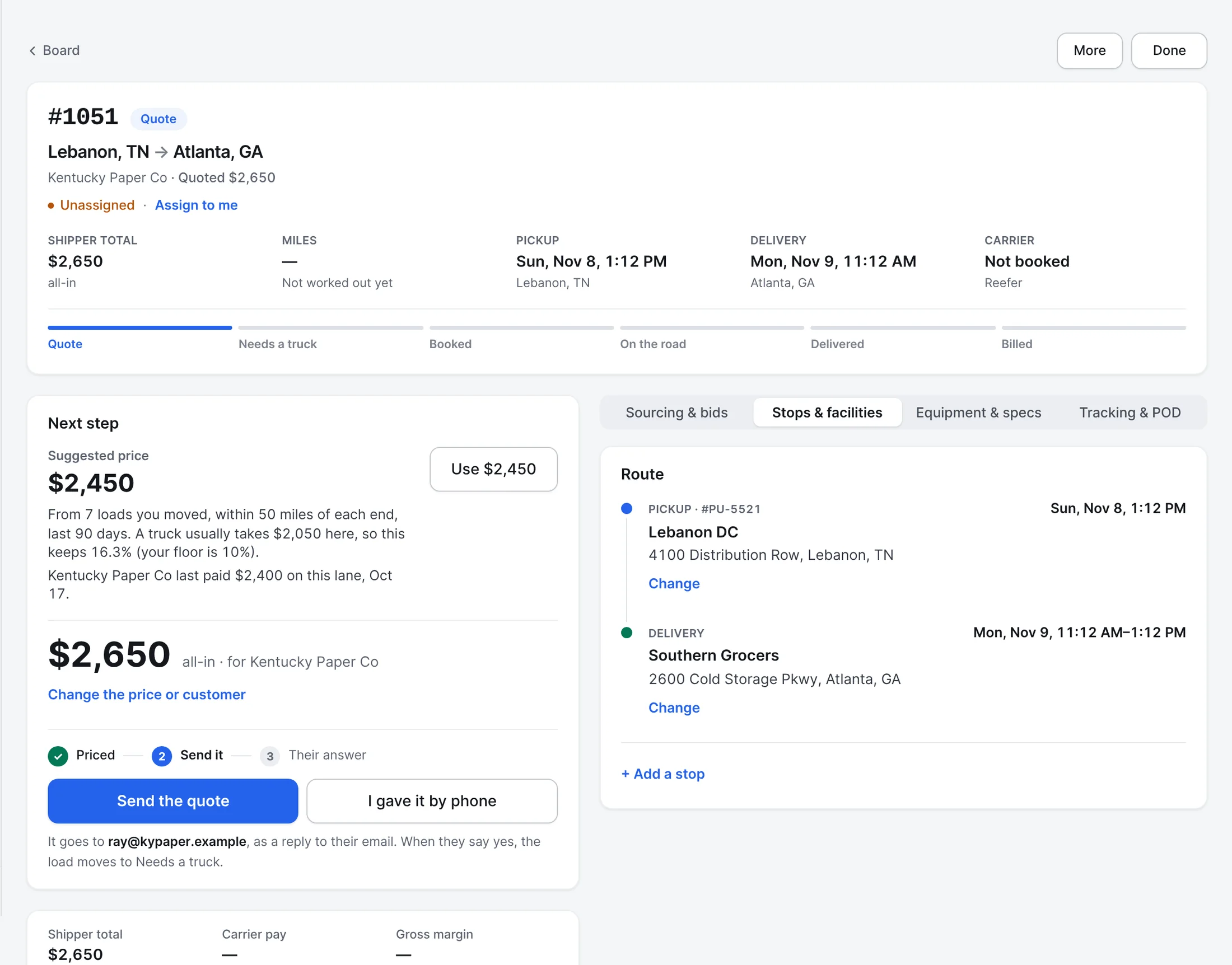
A suggested price, with the reason under it.
Each quote shows a price from what you've actually moved on this lane: how many loads, within how many miles of each end, what a truck usually takes there, and the margin it keeps against the floor you set. If this customer paid you on the lane before, it says what and when.
- Use it with one tap, or type your own
- Lane history counts your loads, quotes and carrier offers
- A customer near their credit limit is flagged before you send
- Step 3
Know your lanes before you quote them.
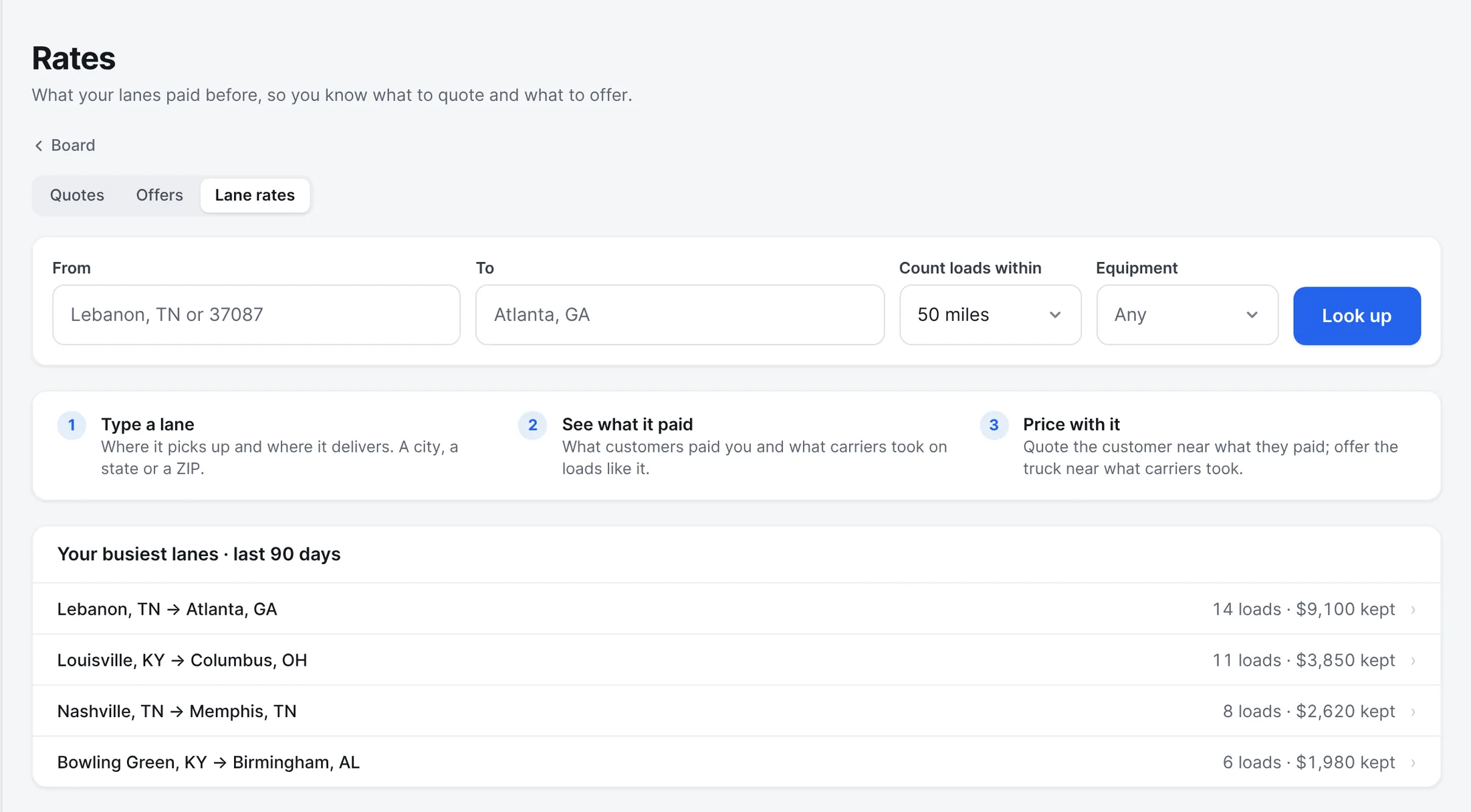
Rates shows what every lane paid and what carriers took on it. Type a lane, or open one of your busiest, and see each load and quote behind the numbers.
- Step 4
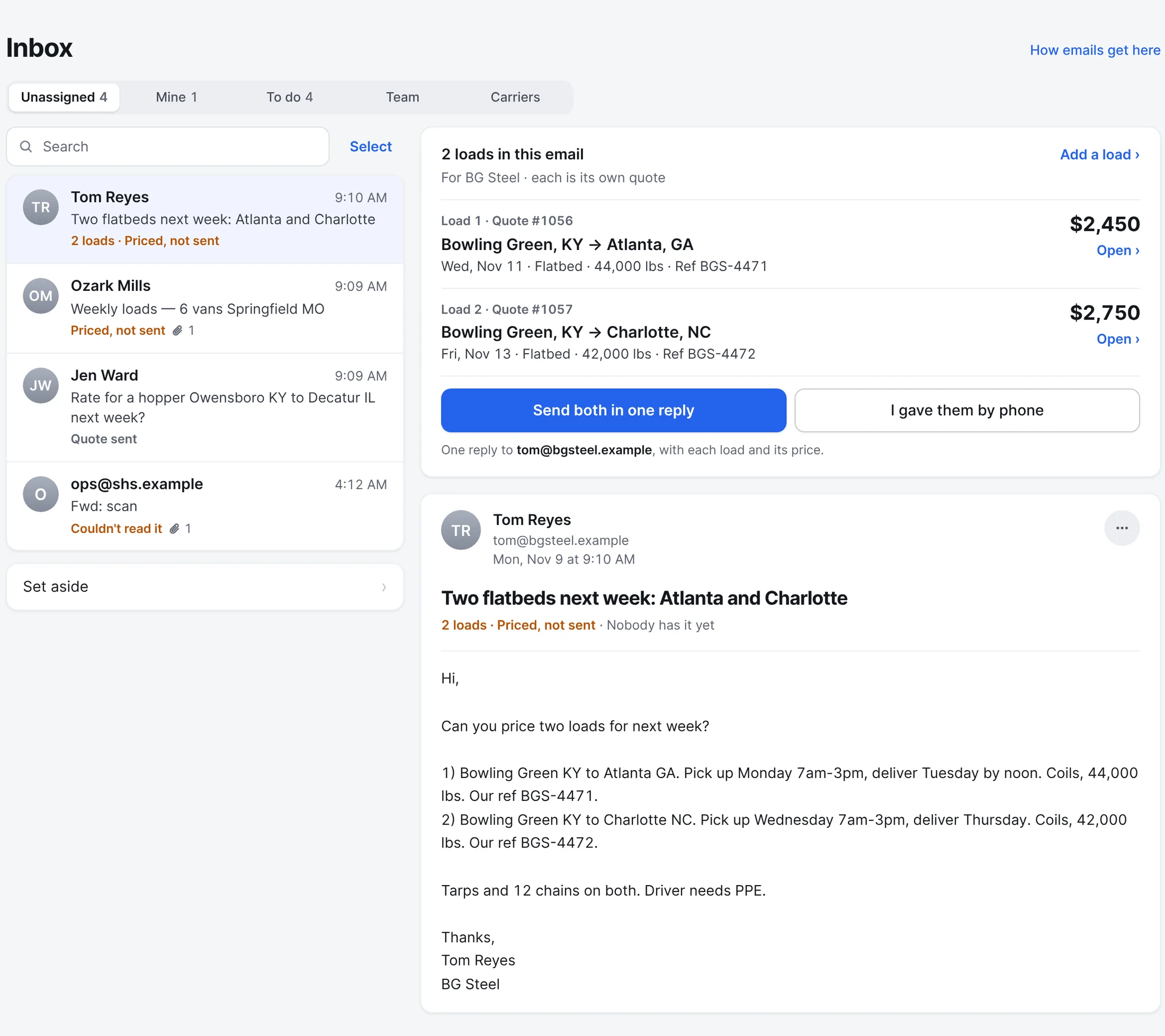
Two loads in one email? Two quotes, one reply.
When a shipper asks about more than one load, Frontier makes a quote for each, with its own lane, dates and suggested price. Price them side by side, then send them all back in one reply in their email chain. If it missed one, Add a load ties it to the same email.
- Step 5
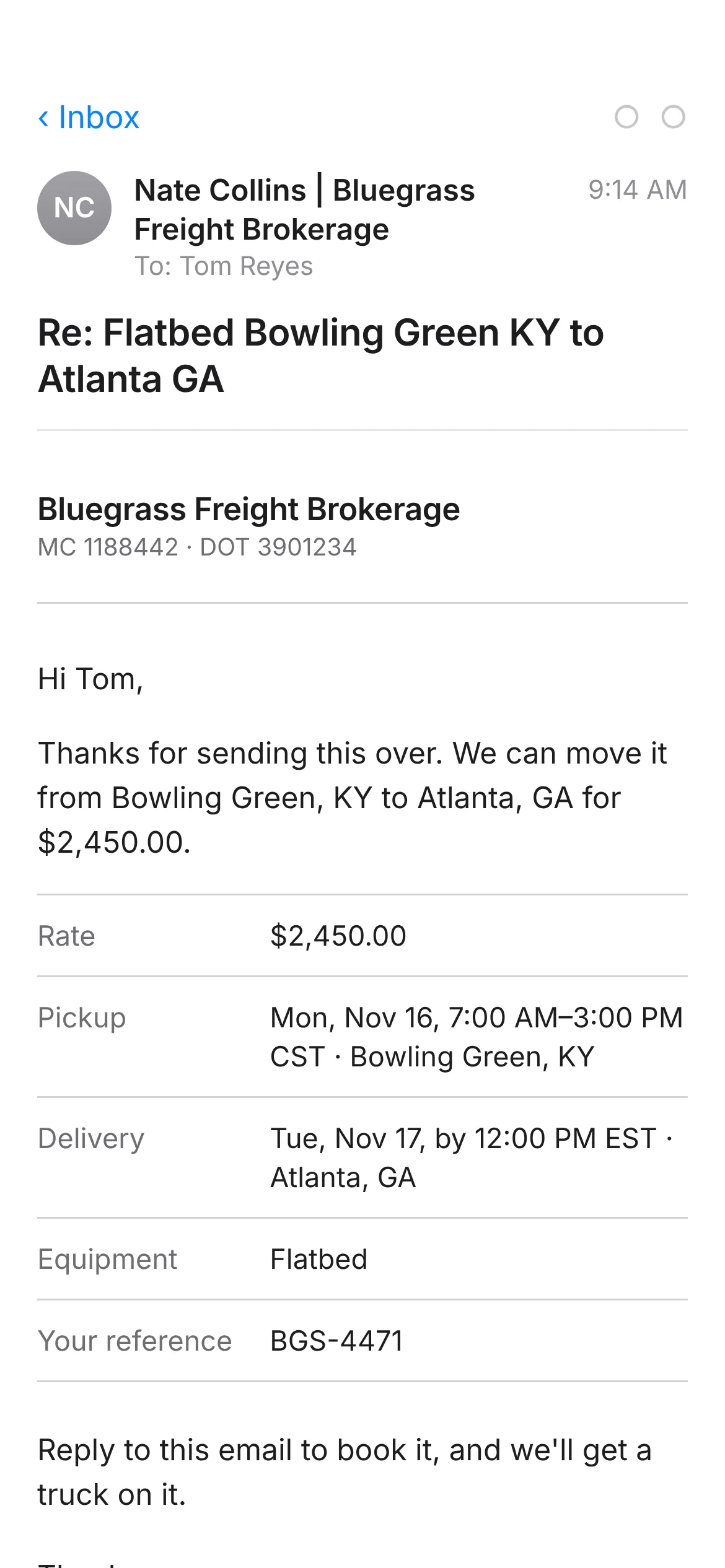
Your quote goes back as a reply to their email.
Send the quote and it goes to the shipper in the same email chain they started, from your rep, with the lane, the dates and the price laid out. When they answer yes, the quote becomes a load on your Board.
What the shipper gets
Also built in.
Needs someone, Mine and Team
See what nobody has taken yet, what's yours, and what everyone is working on.
Quotes that expire
Each quote holds for the time you choose, and the Rates page shows what's sent, won, lost and expired.
Lane history
What customers paid and carriers took on every lane you've run, beside the quote.
Carrier invoices file themselves
Carrier bills sent to your billing address are matched to their load and checked against the rate con.
Shippers can ask on their own
From their portal, a customer sends a load or asks for a price, and it lands on your Board.
Reminders
Set a reminder on any load, customer or carrier, for you or for the team.
Does Frontier send quotes on its own?
No. Frontier drafts the quote and suggests a price. A person on your team checks it, sets the price and sends it. The reading can miss or misread details on a poor scan, so every draft is checked before it goes out.
More of Frontier for Brokers.
Try it on your own loads.
It’s free in early access.
Free early access. No card, no load limit.