The TMS for
dispatch services.
Every carrier you dispatch for on one board. Their papers kept current, your fee billed, your team paid. Free. No card, no carrier limit.
Any number of carriers · Your whole team · See pricing
Real app screens · sample dispatch service data
Everything a dispatch service runs on.
Open any part for how it works, step by step, with the real screens.
- Carriers & profilesAdd a carrier with one link.
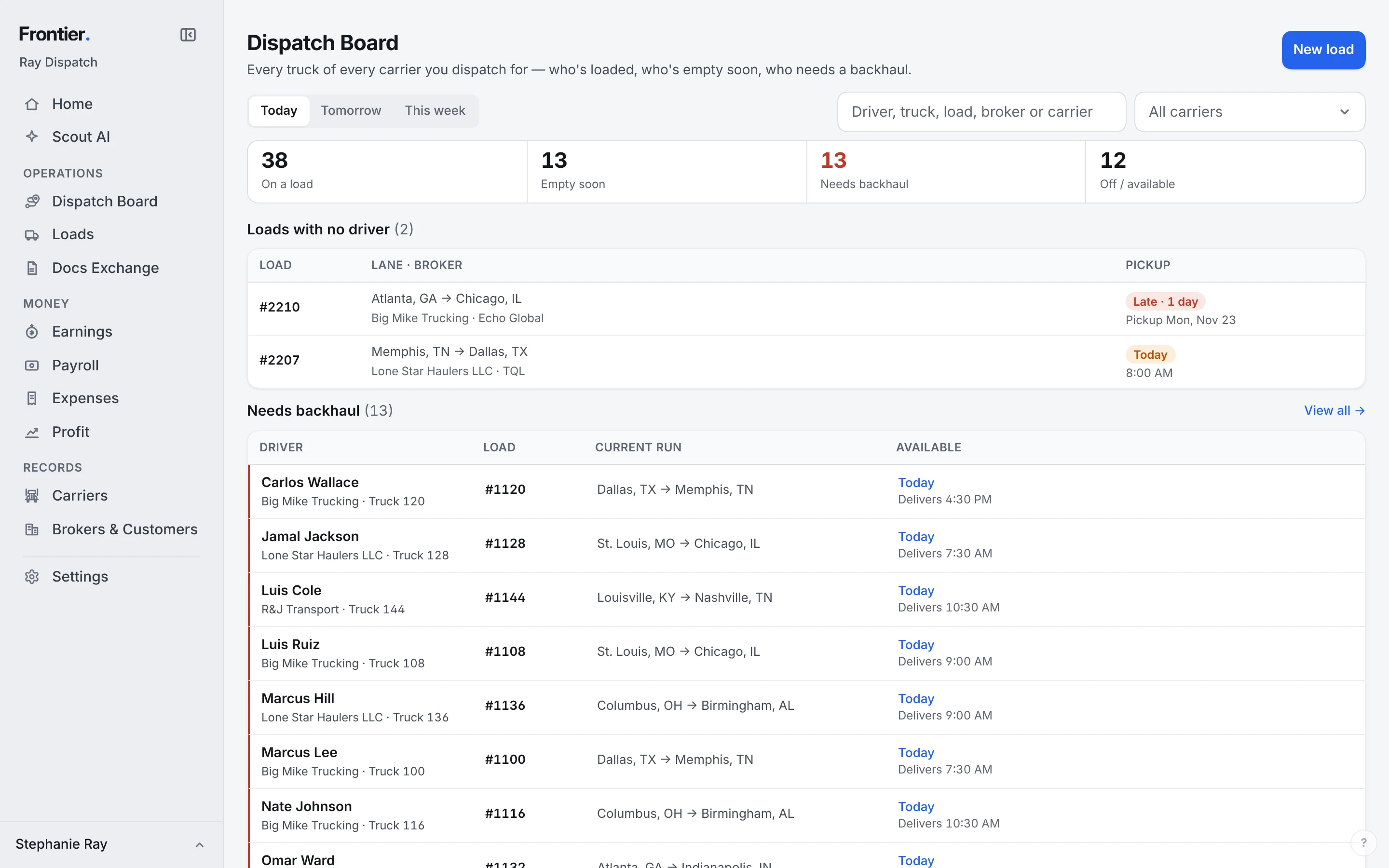
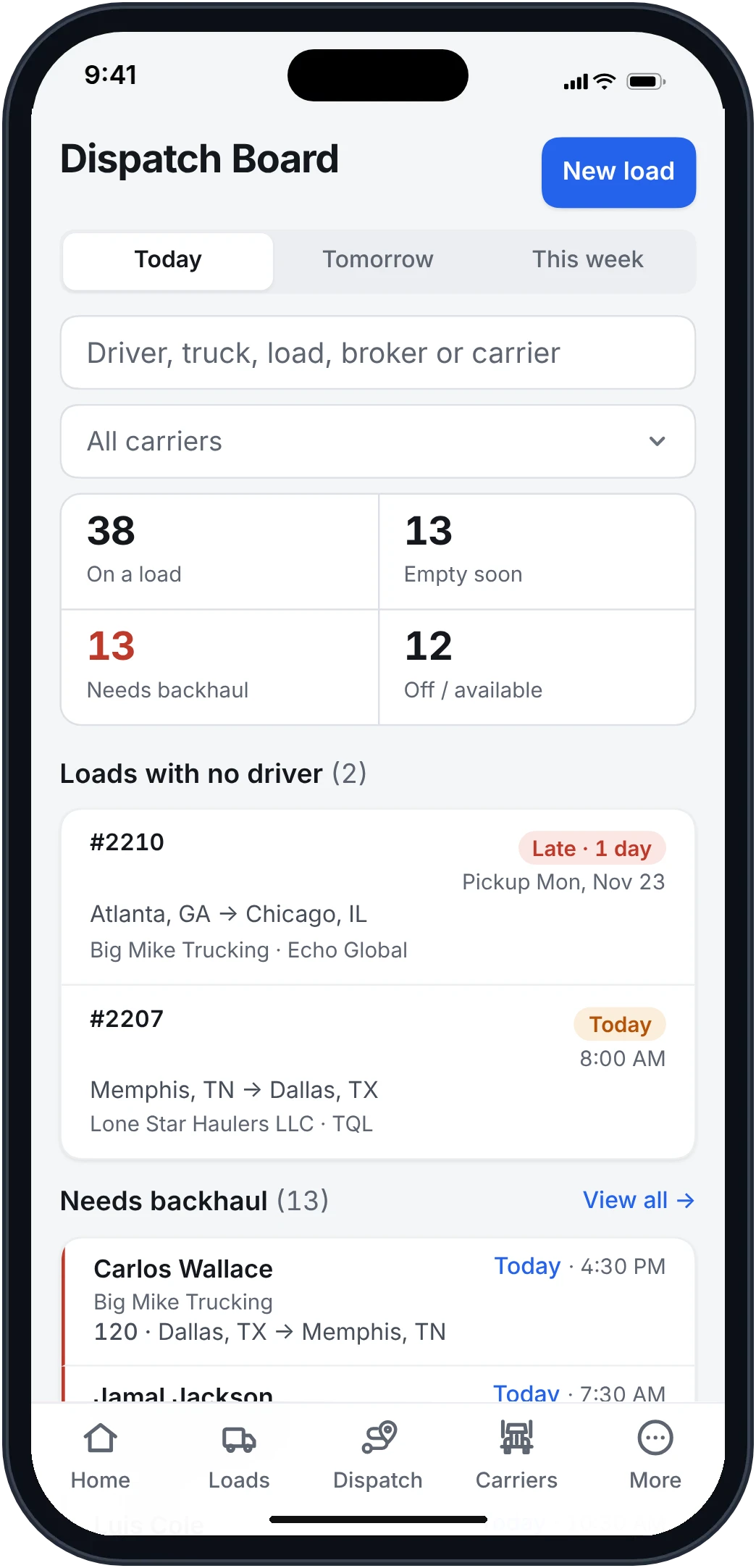
- Dispatch Board & loadsEvery truck, every carrier, one board.
- Scout AIYour dispatch assistant.
- Brokers & customersEvery broker, once.
- Docs ExchangeEvery POD, carrier by carrier.
- Invoicing for carriersTheir invoices, under their name.
- Earnings: bill your feeBill every carrier at once.
- Team & payrollAdd dispatchers. Pay them right.
- Expenses & profitWhat your business made.
How Frontier helps a dispatch service.
Less logging in and out. More loads booked.
One login, every carrier.
No switching between carriers' accounts. One board, one Home and one Docs Exchange across all of them.
Their company stays theirs.
Each carrier keeps its own loads, drivers, papers and money. One carrier never sees another, and you never see their driver pay or bank details.
Nobody chases papers.
A carrier's papers show up from his own setup, with what's expired or missing. One button reminds the owner.
Your fee, billed in minutes.
Set each carrier's terms once. Each week, pick the period, look the invoices over and send. Paid straight to you.
Follow one carrier.
From the link you send him to the fee he pays you.
- 1
Add a carrier with a link.
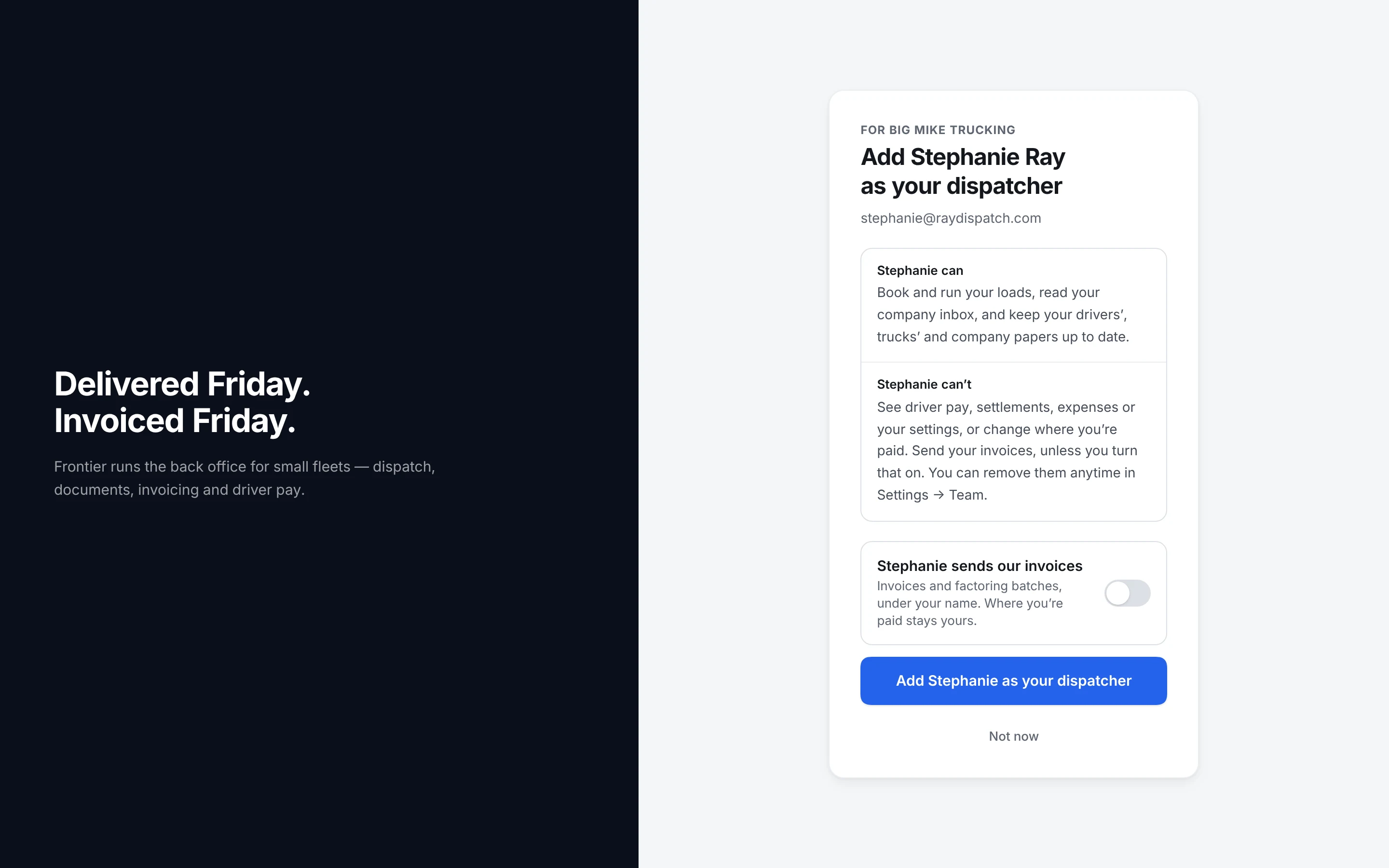
Send him the link by text or email. He sets up his company, or opens the one he has, sees in plain words what you can and can't do, chooses whether you send his invoices, and adds you.
How it works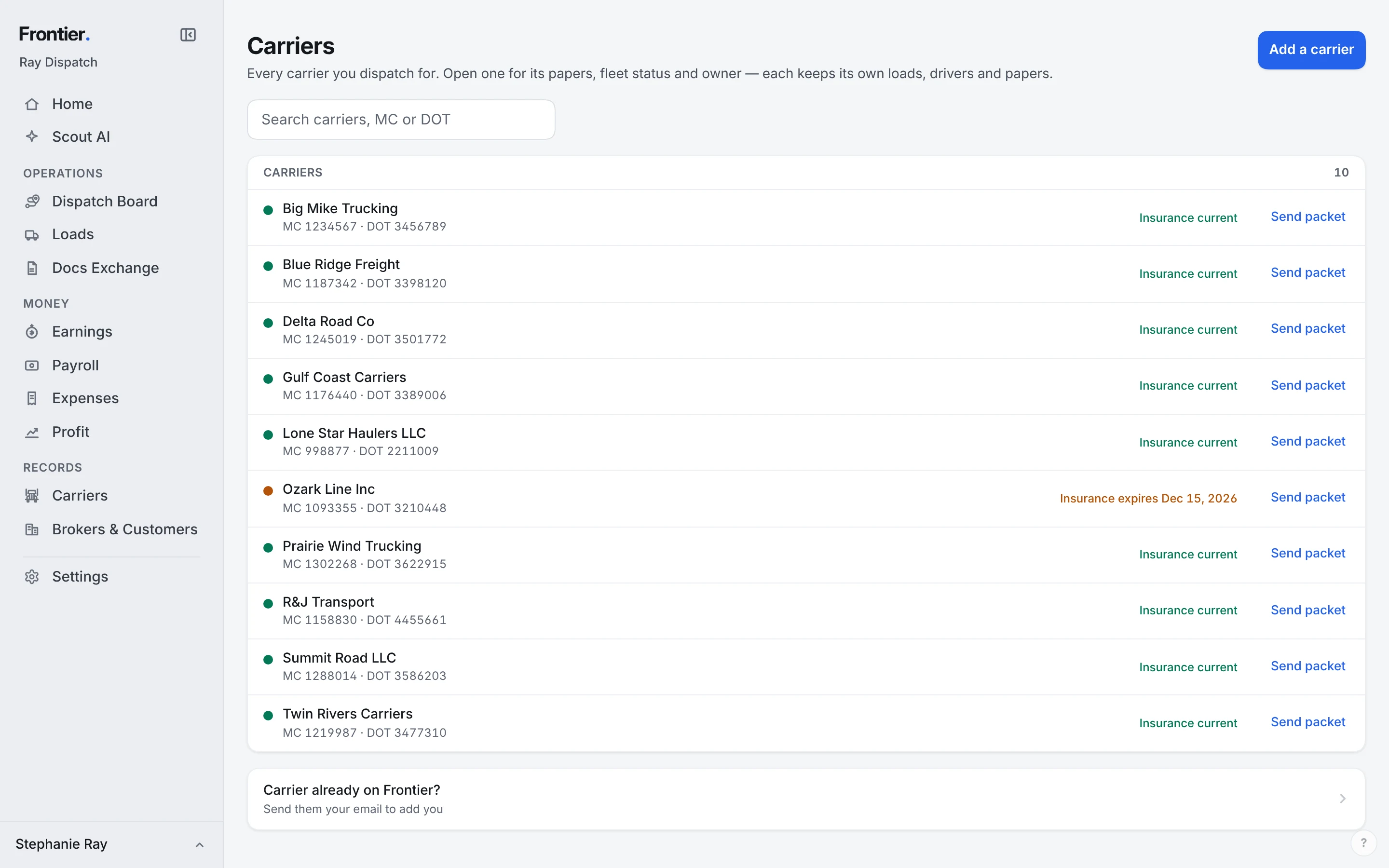
- 2
His whole operation, in your hands.
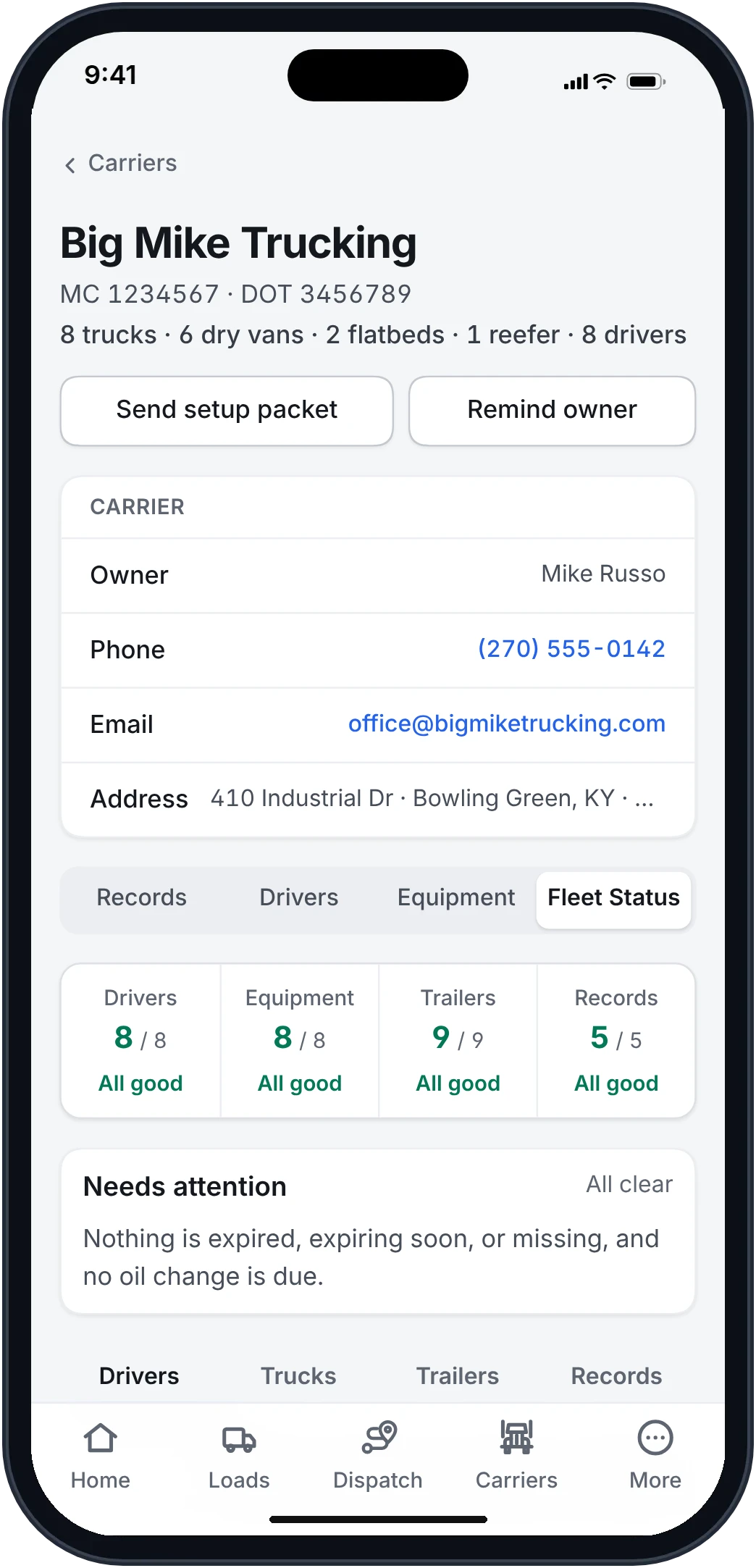
His drivers, trucks, trailers and papers show up for you, with what's expired or missing, and his FMCSA authority checked every day. Remind the owner or send his setup packet with one button.
How it works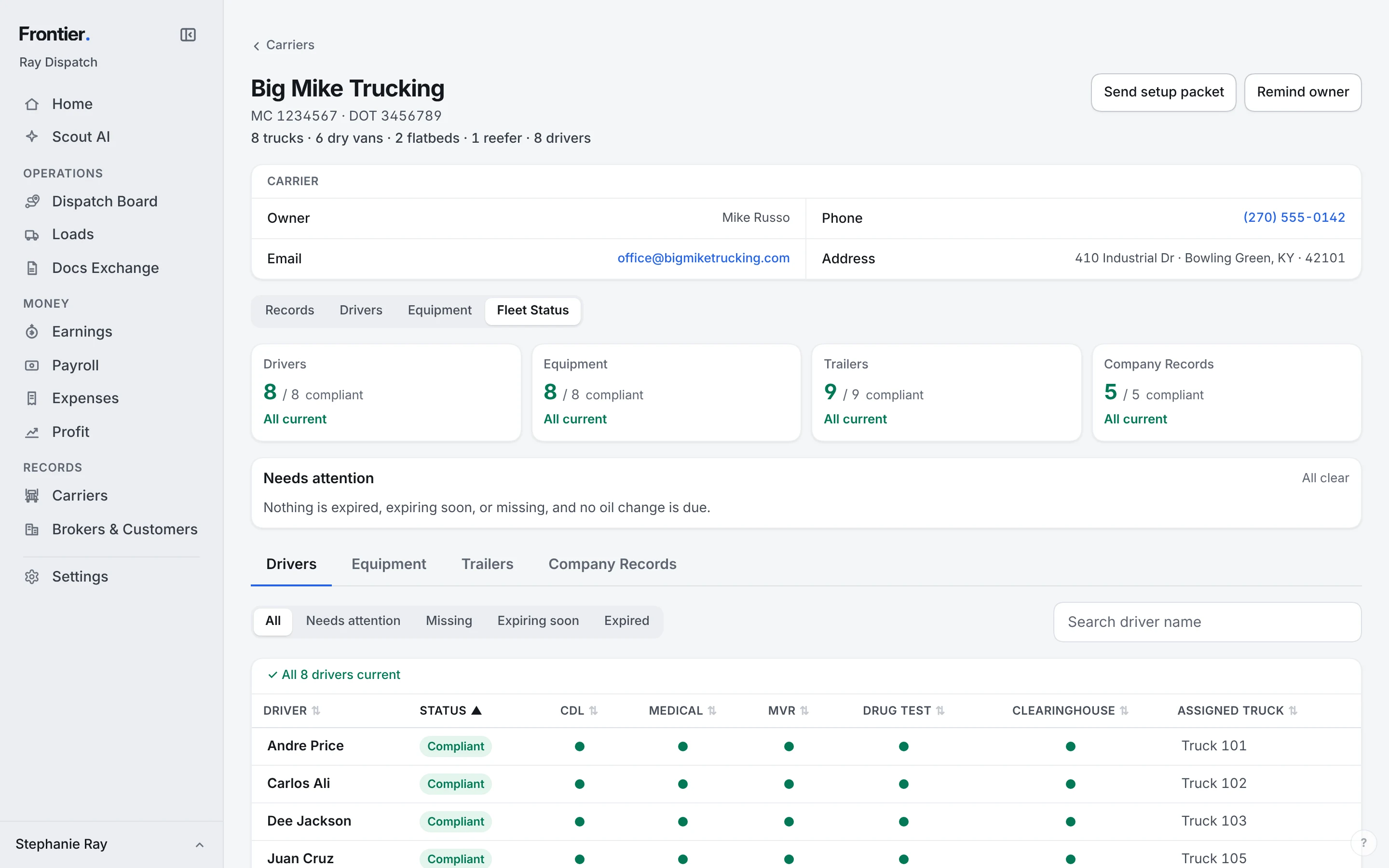
- 3
Book his trucks.
His trucks join your board with every other carrier's. Start a load from the rate con, pick the driver, sign it, and email it to the owner-operator in the carrier's name.
How it works - 4
Paperwork in. Invoices out.
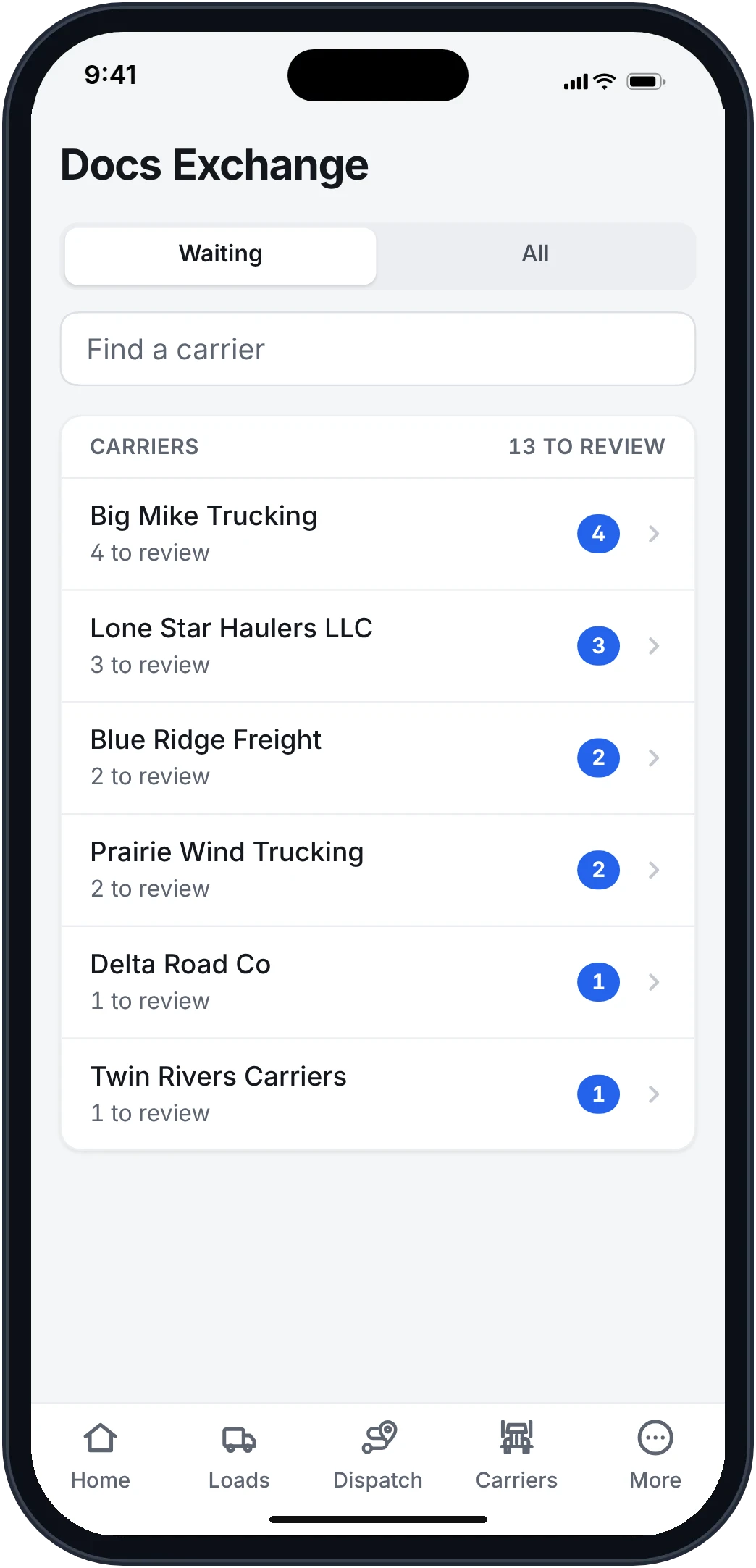
His driver sends the BOL and POD from the cab, and you accept it onto the load in Docs Exchange. If he wants, you invoice his loads and send his factoring batch under his name. You never touch his money.
How it works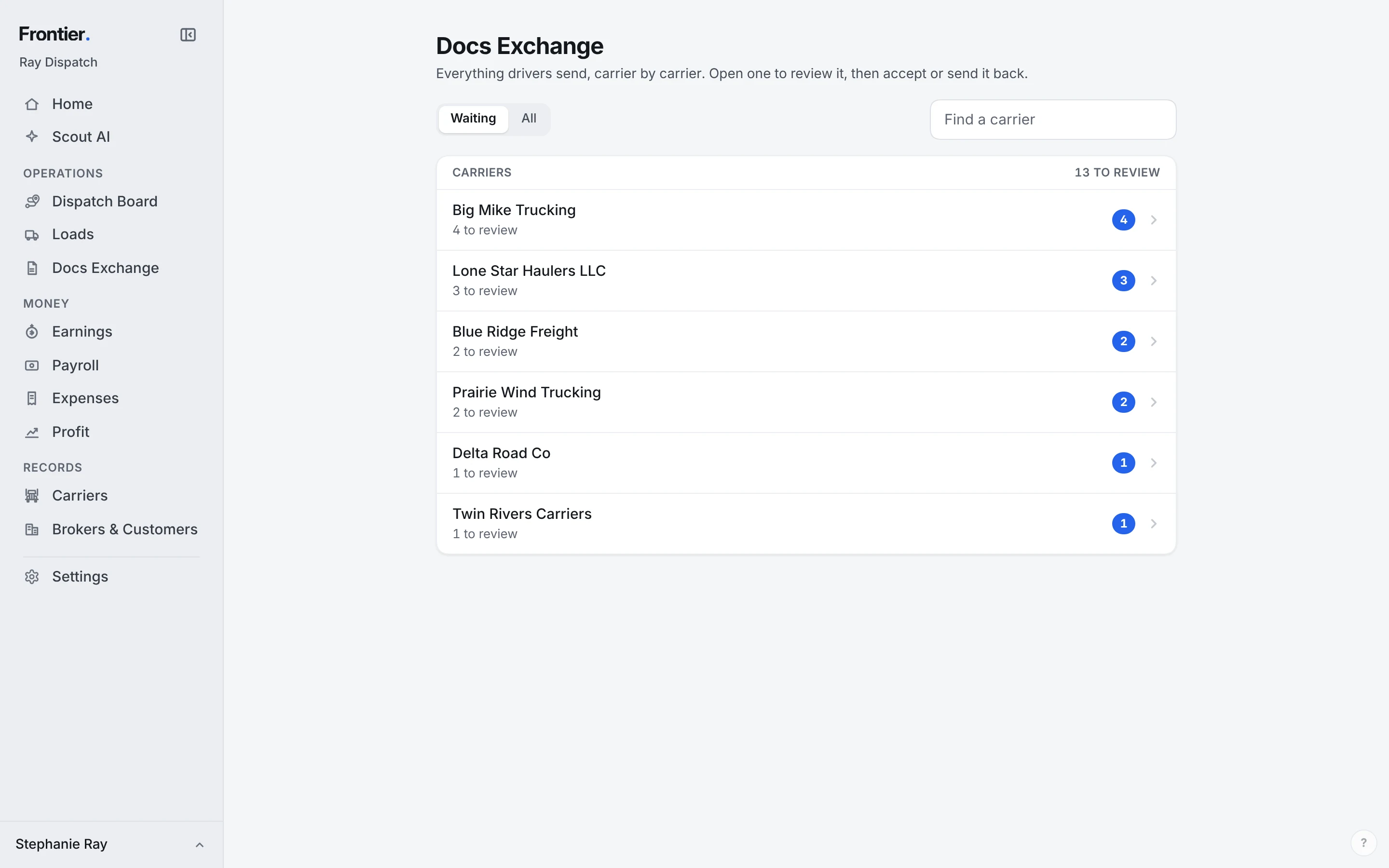
- 5
Bill your fee. Pay your team.
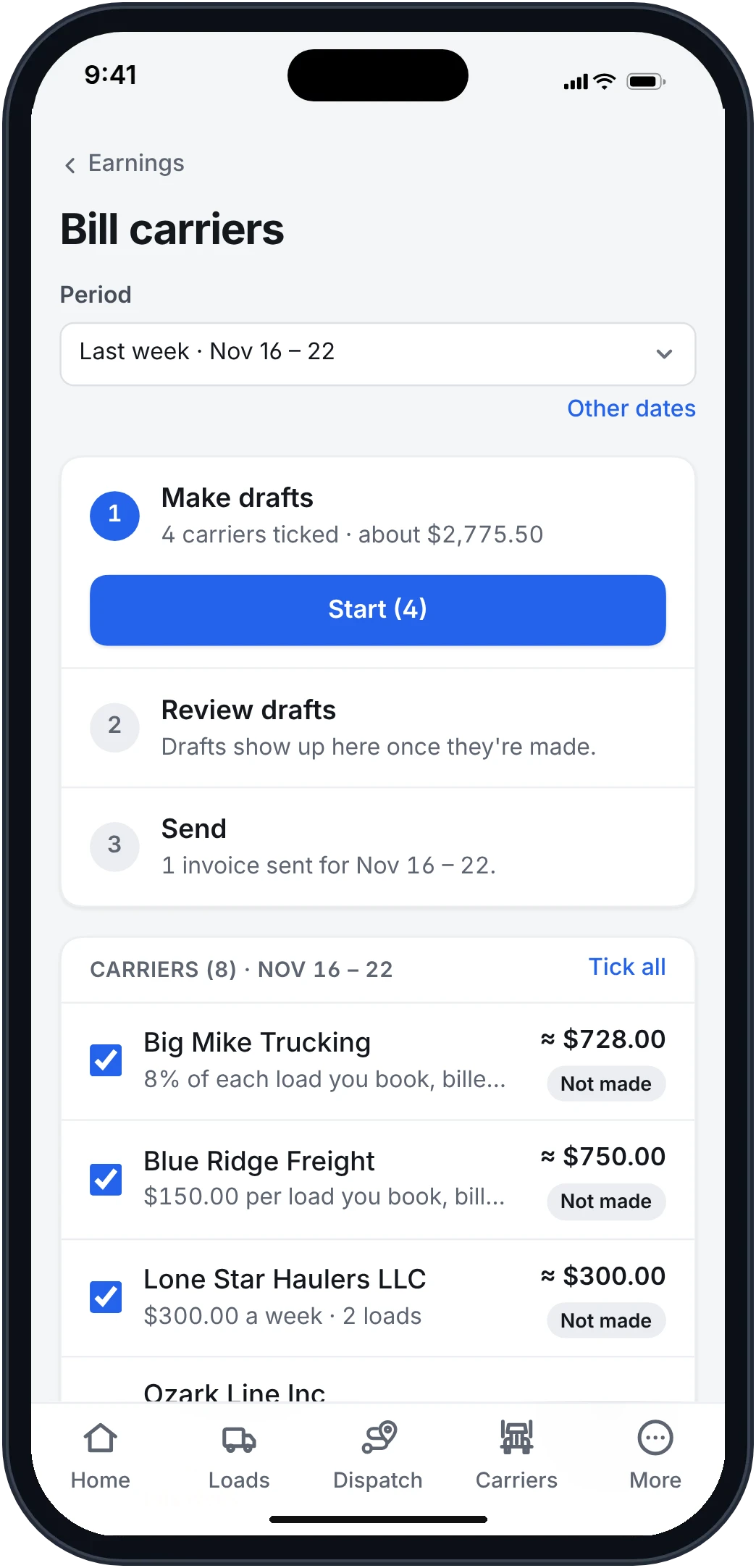
Pick last week and every carrier's invoice is made with your fee worked out. Your dispatchers' pay comes from the loads they booked, and Profit shows what the business made.
How it works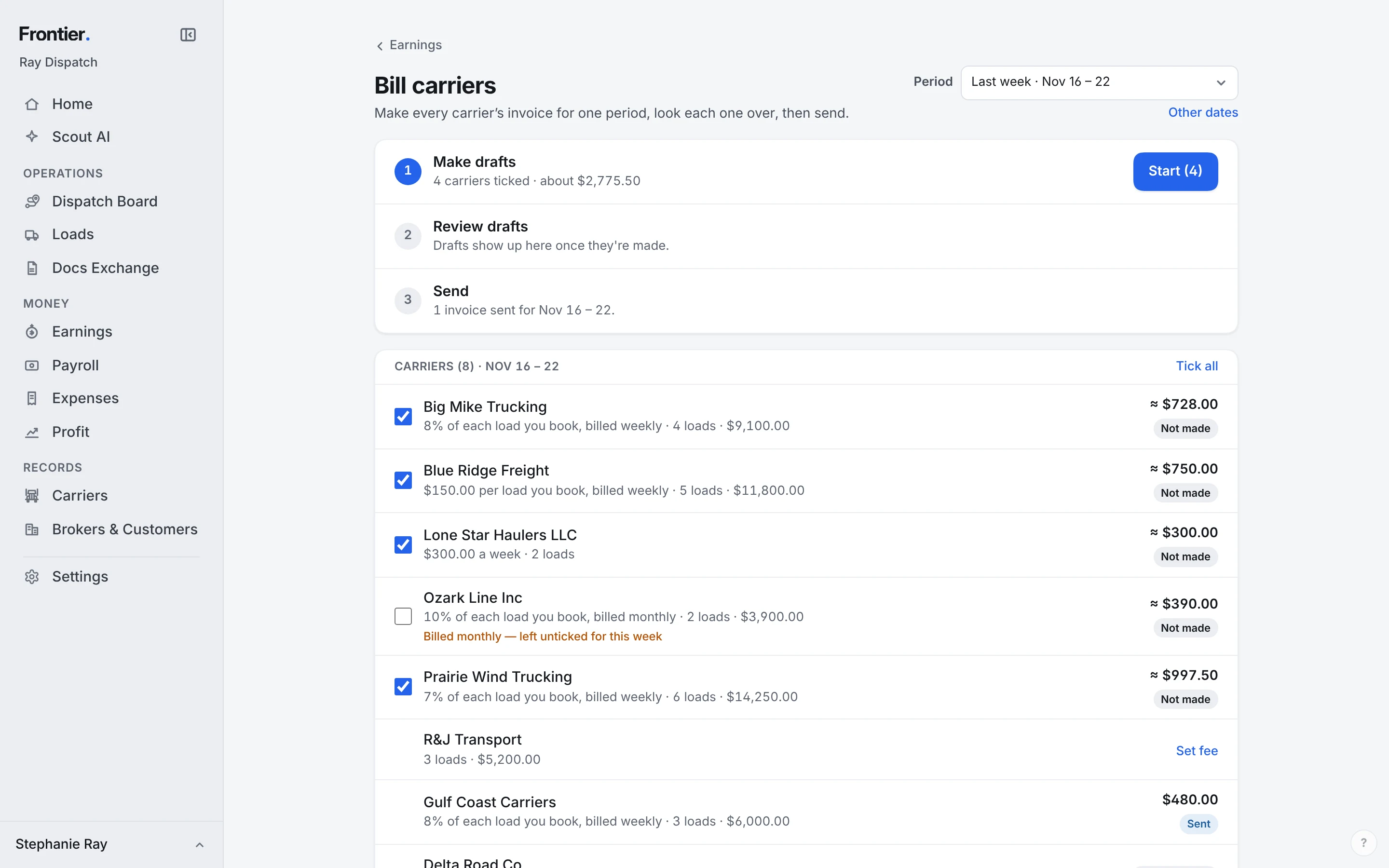
Real app screens · sample dispatch service data
What your carriers see.
Carriers trust a dispatcher who shows them everything up front.
Real app screens · sample dispatch service data
What you can and can't do.
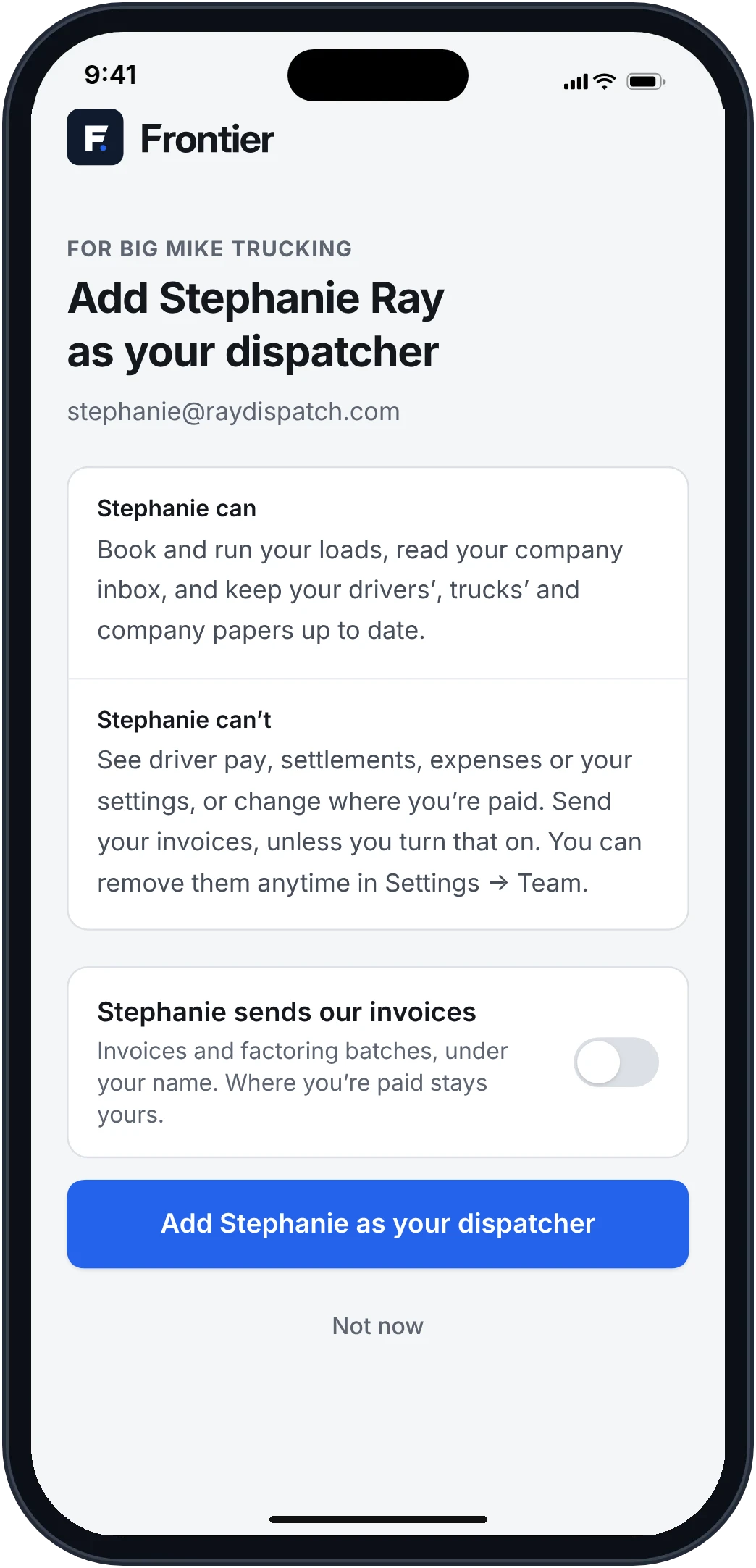
Before he adds you, the carrier sees in plain words what you can do in his company and what stays his alone.
Your business, by name.
On his Team page you show as a dispatch service, with your dispatchers under it, apart from his own office staff.
Your invoice to him.
Every load with your fee on it, any charges and credits, the total, and how to pay you, in his own Frontier.
He stays in charge.
He turns your invoicing on or off and can remove you anytime from his Settings → Team. Where he's paid is his alone.
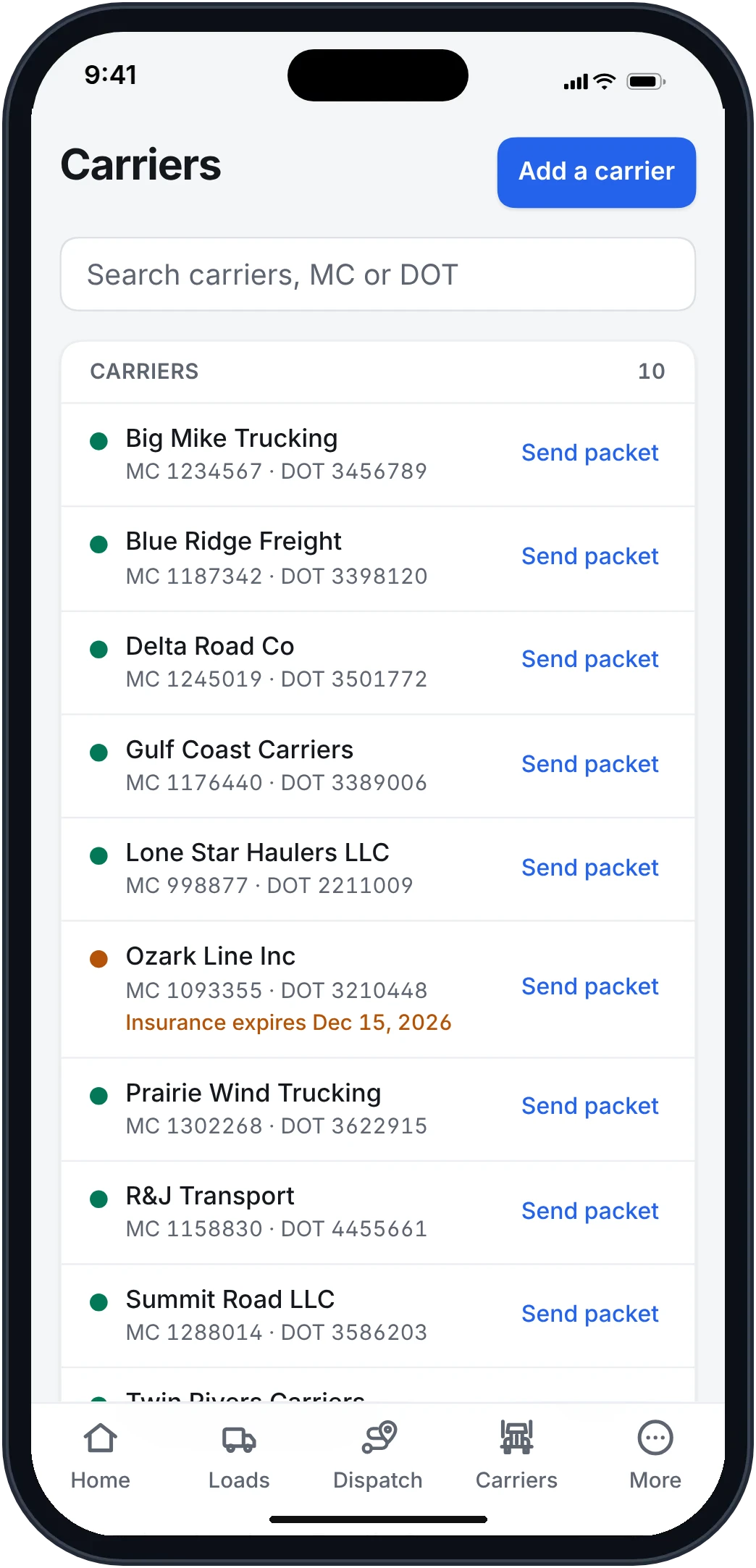
Run the service from your phone.
The whole dispatch service, built for the phone too: the board, a carrier, the paperwork, your fee and your profit.
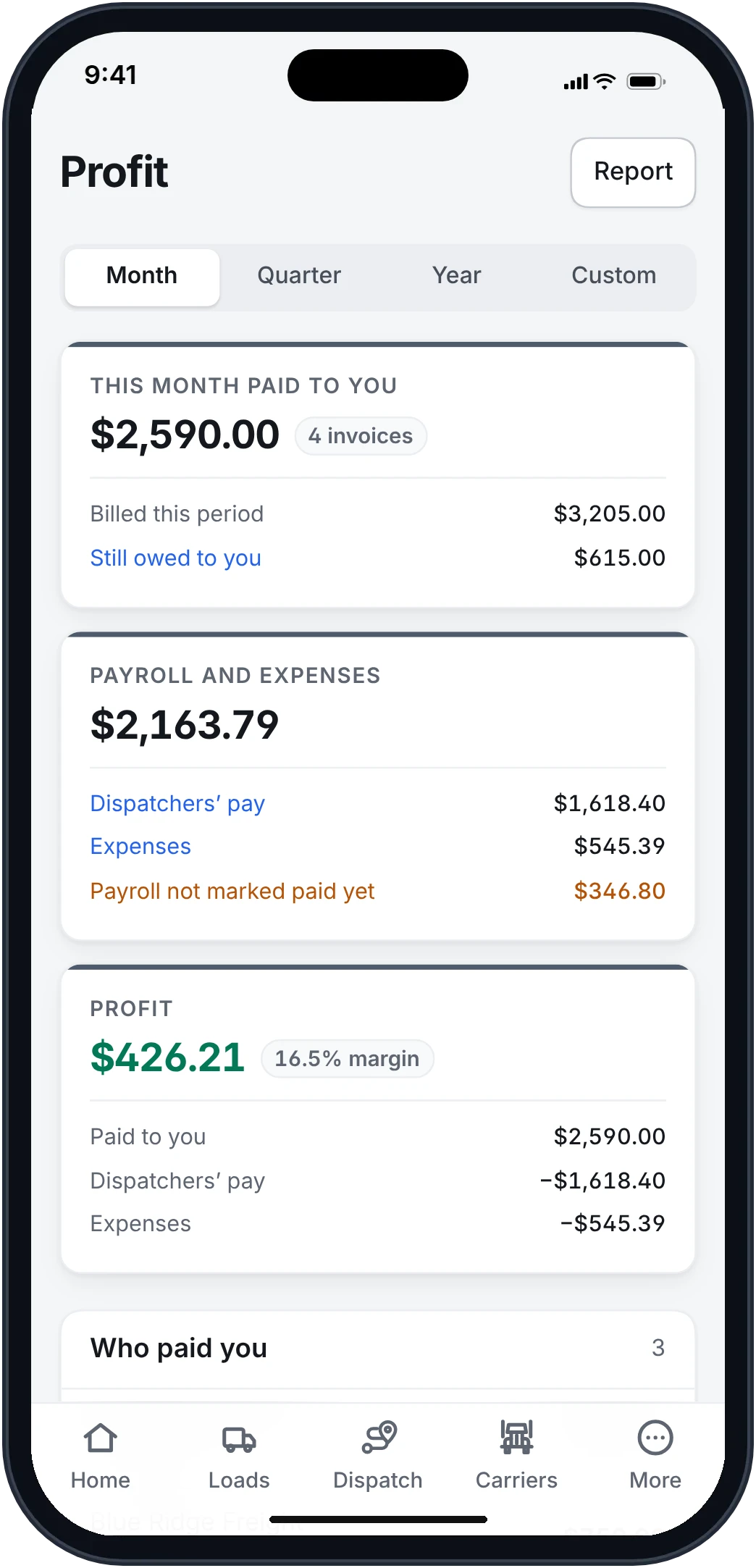
Real app screens · sample dispatch service data · iPhone and Android
Bring your carriers.
It’s free.
Free. No card, no carrier limit.
Who is Frontier for Dispatch Services for?
Independent truck dispatchers and dispatch services that book loads for owner-operators and small carriers, from one carrier to hundreds, alone or with a team.
Is it really free?
Yes. Every feature, any number of carriers and dispatchers, with no card.
Do my carriers pay anything?
No. Frontier is free for carriers too. Each one keeps his own company, his own data and his own factoring company.
Does the carrier need to be on Frontier already?
No. Your link works either way. A carrier who's new sets up his company, free, and adds you at the end. One who already runs Frontier adds you from the link or from his Settings → Team.
What can I see in a carrier's company?
His loads, drivers, trucks and company papers, so you can book and run his loads and keep his papers current. Not his driver pay, settlements, expenses or settings, and not where he's paid.
Do I collect my carriers' money?
No. If a carrier lets you send his invoices, they go out under his name and he's paid where he set it up. Your own fee is a separate invoice to him, paid straight to you.
Can my carriers see each other?
No. Each carrier keeps its own loads, drivers, papers and brokers. Only you see across them.
Can I add dispatchers to my service?
Yes. Invite them by email, give each one the carriers he works, and set how you pay him. Your carriers see your business, with your dispatchers under it.
What happens if a carrier stops working with me?
He removes you from his Settings → Team and you're out of his company. Your invoices to him and your own records stay with you.