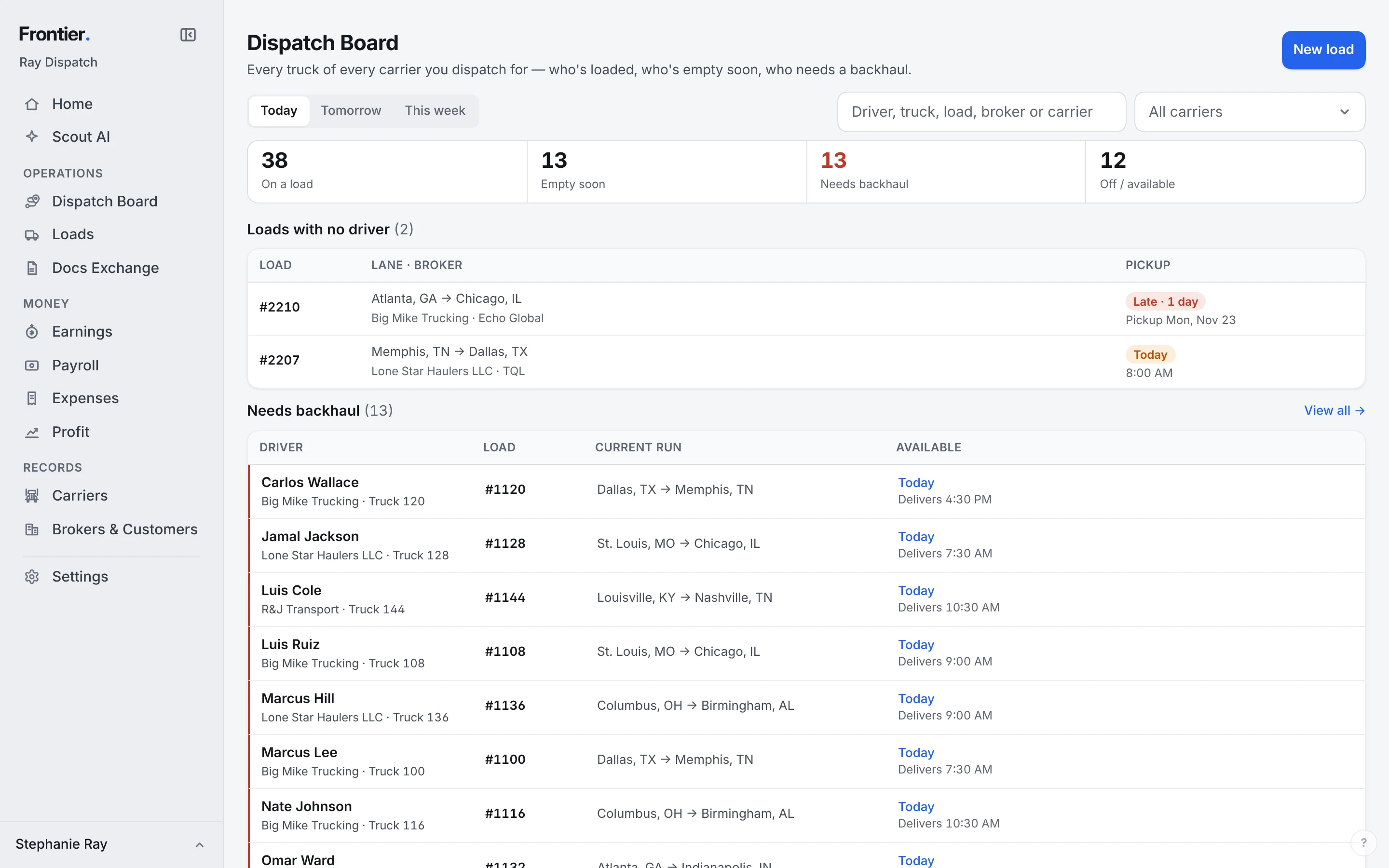
Every truck of every carrier, on one board.
Who's loaded, who's empty soon and who needs a backhaul, across all your carriers. Start a load from the rate con and it's booked in the right carrier.
Free. No card, no carrier limit.
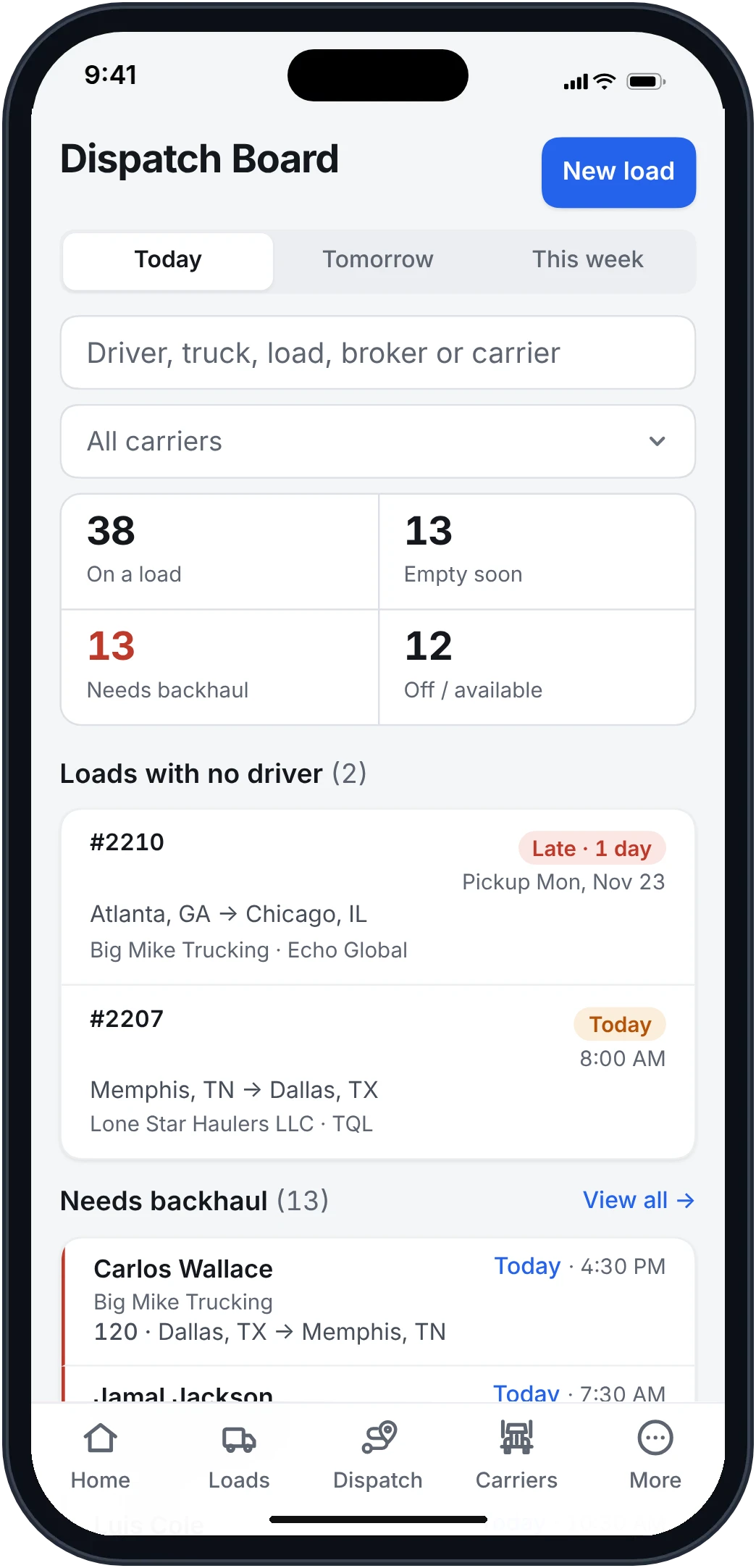
Real app screens · sample dispatch service data
How it works.
- 1
See the whole day
Today, tomorrow or this week: trucks on a load, empty soon or needing a backhaul, and loads with no driver yet. Show one carrier or one driver, or search a truck, load or broker.
- 2
Start from the rate con
New load takes the rate con. Frontier looks for which of your carriers it's for by the name, MC or DOT on the page, or you pick. Then it reads the rate con and fills in the stops, dates, rate and broker for you to check. Booking for a direct customer works the same way.
- 3
Pick the driver and sign
Choose the driver and truck and sign the rate con. The load is booked inside that carrier, the same as if his own office booked it.
- 4
Send it to the owner-operator
Email the signed rate con to the owner-operator, sent in the carrier's name. His replies come to you.
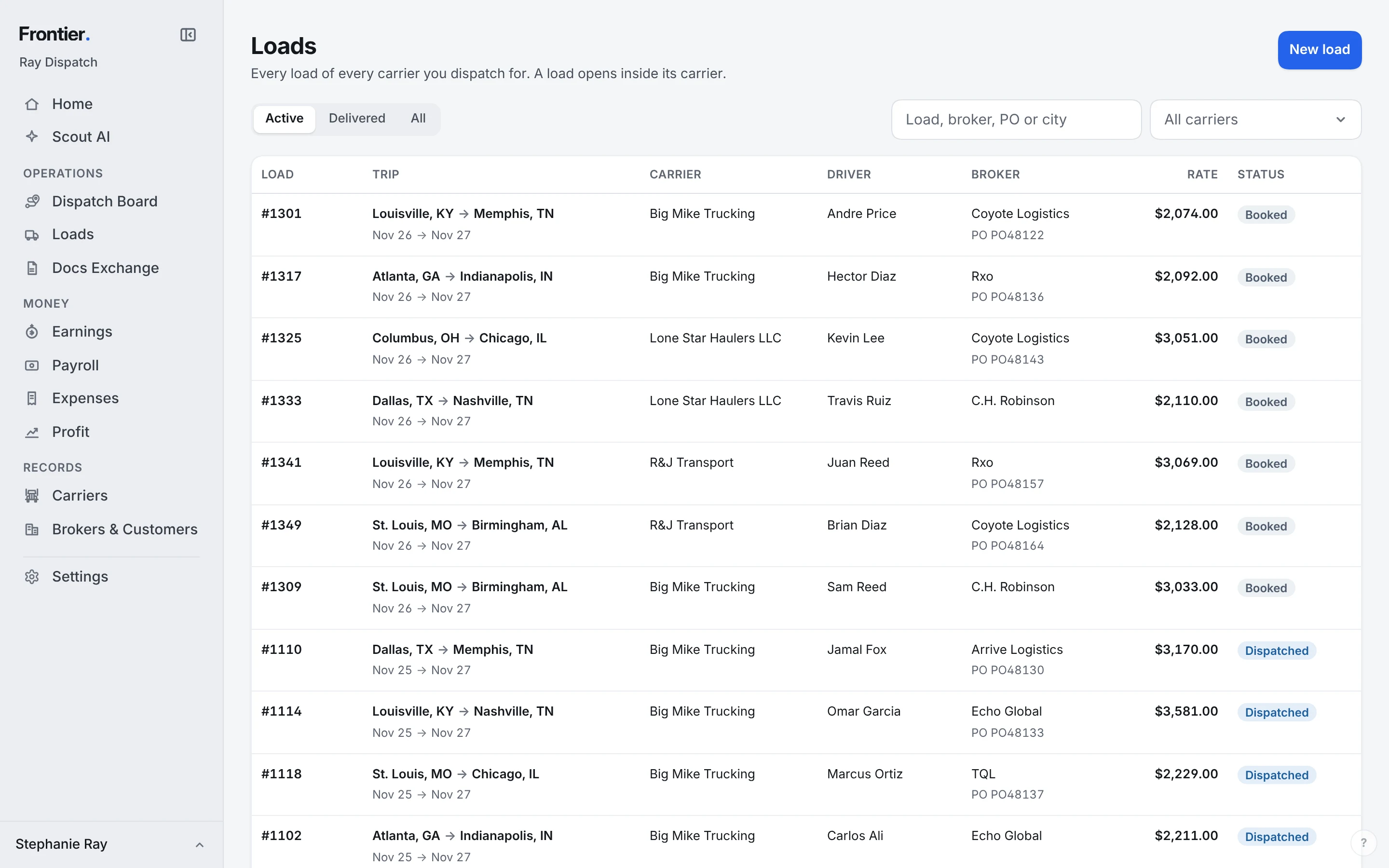
Every load, every carrier.
Active and delivered, with the carrier, driver, broker and rate. Search, or show one carrier.
The details.
Every load in one list
Active and delivered loads of every carrier, with the driver, broker, rate and status. Filter by carrier, driver, broker, pickup date or who booked it.
The carrier's own load tools
Reassign the driver, change the stops or the rate, or remove a load, with the same tools his office has.
Brokers fill in
Pick a broker you've booked with for any of your carriers, and their details fill in.
Drivers change nothing
Drivers get the load in the Frontier driver app, run it and send the paperwork from the cab, the way they do for their carrier.
Checked before you book
If a carrier's authority shows inactive on FMCSA, New load tells you before you book, so a broker doesn't hold the pay.
Home, across carriers
What needs you, trucks on a load, backhauls and papers to review, for every carrier at once.
On the phone too
The board, loads, carriers and Docs Exchange, built for the phone.
Do my carriers' drivers need anything new?
No. Drivers use the Frontier driver app with their own carrier. They get the load you booked, follow the stops and send the BOL and POD from their phone.