Add a carrier with one link.
Send a carrier a link. He sets up his company, or uses the one he has, and adds you as his dispatcher. His drivers, trucks, trailers and papers show up for you, and stay current as he changes them.
Free. No card, no carrier limit.
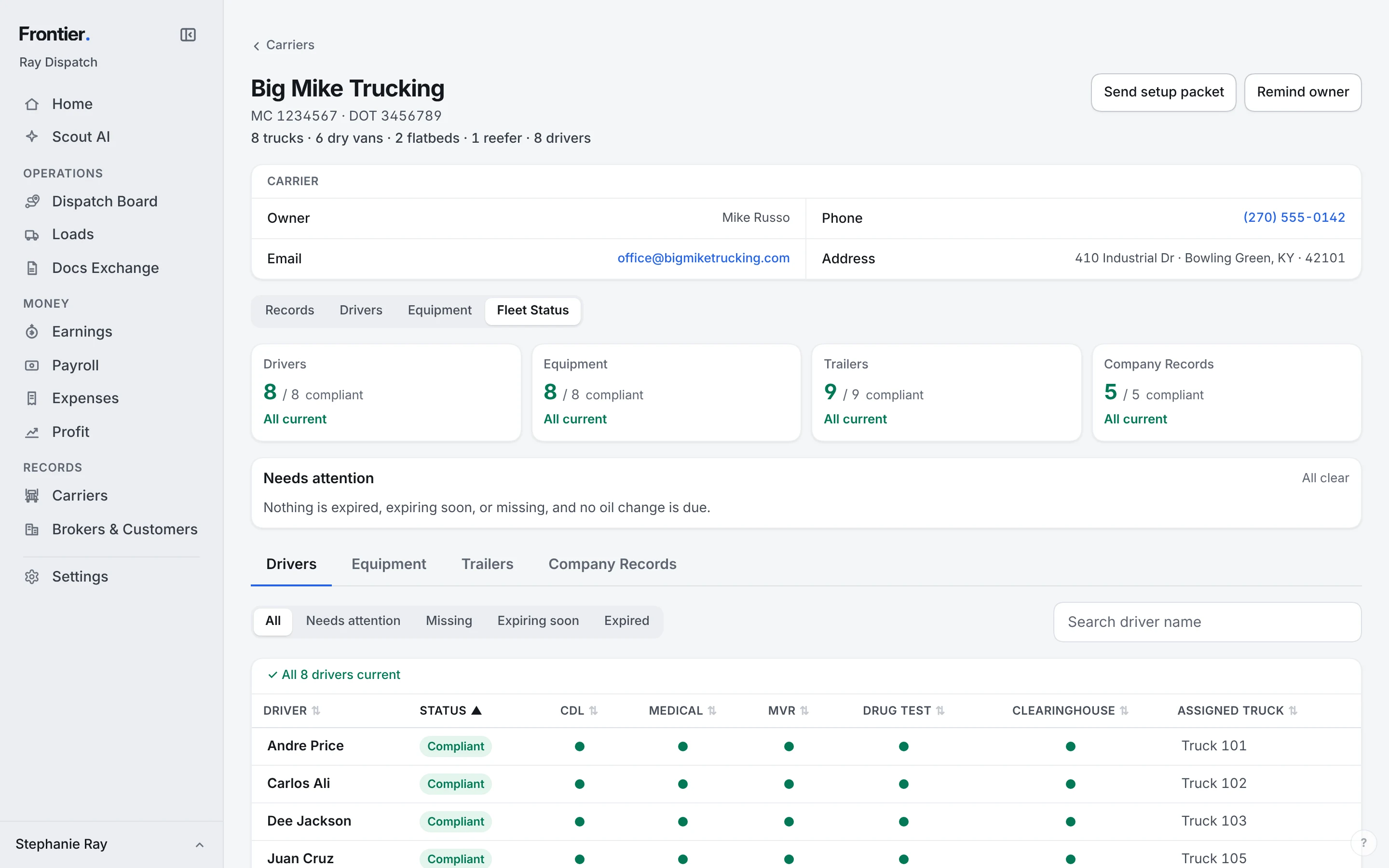
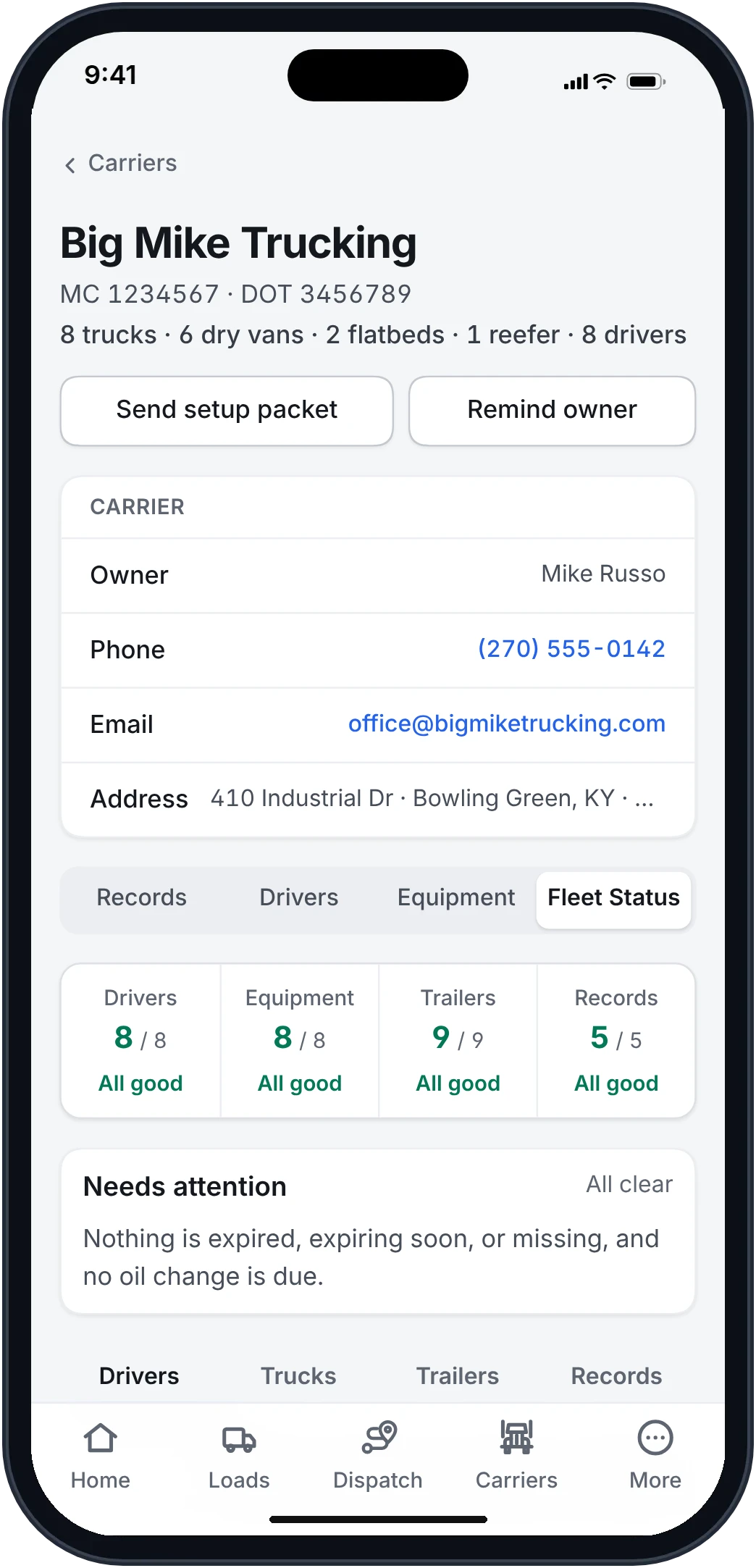
Real app screens · sample dispatch service data
How it works.
- 1
Name the carrier, send the link
Add a carrier gives you a link. Send it by text or email, however you already talk to him.
- 2
He adds you, on his terms
He opens the link, sets up his company if he's new to Frontier, and adds you as his dispatcher. Before he says yes, he sees what you can and can't do in his company.
- 3
His profile fills itself in
The owner, phone, address, MC and DOT, his drivers, trucks, trailers and company papers, from what he set up. Add a driver or a truck yourself, or upload a paper he hasn't.
- 4
Keep his papers current
Each carrier shows what's expired, missing or expiring soon. Send his setup packet, or remind the owner with one button, and the reminder says what's missing.
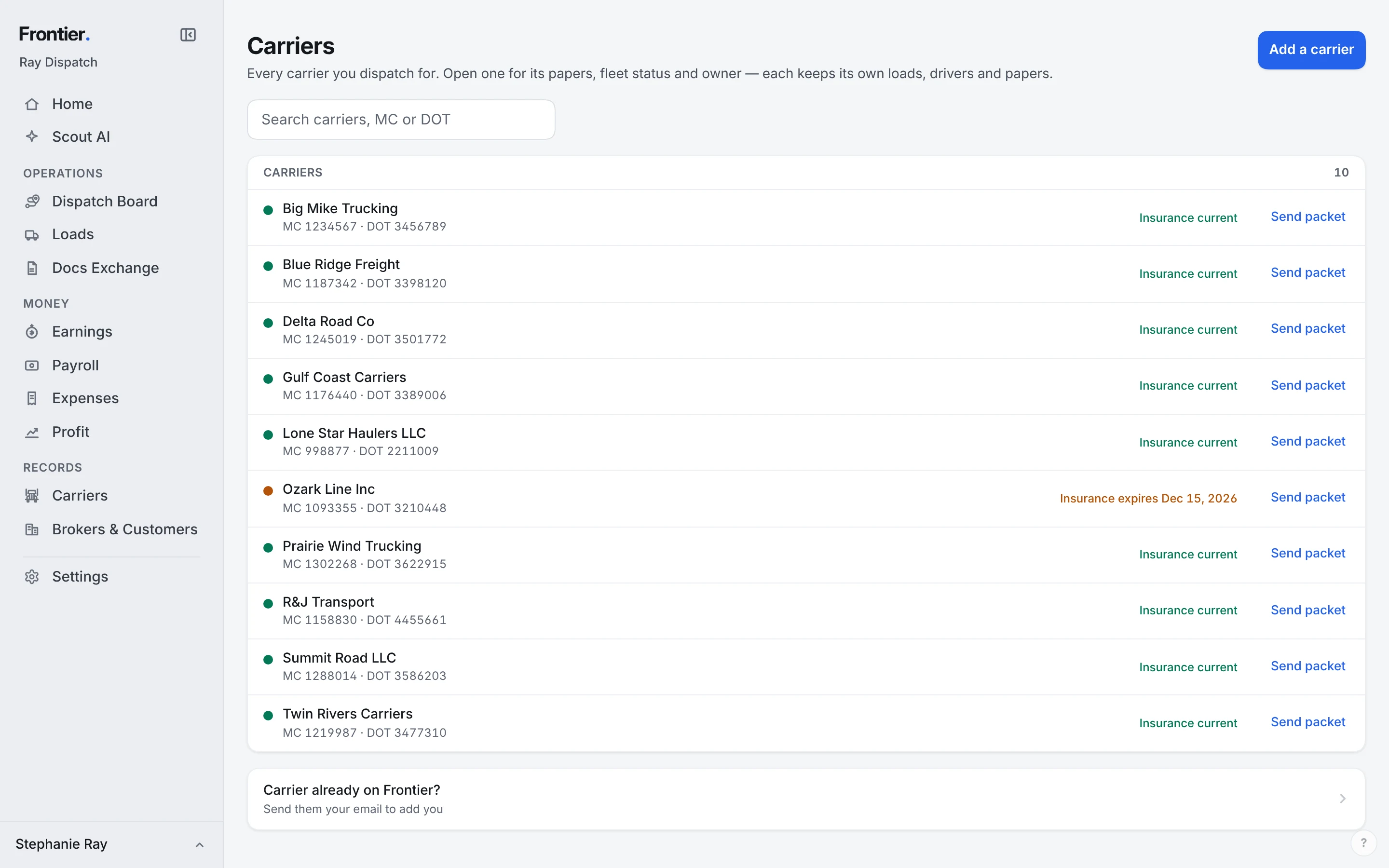
Every carrier, one list.
Open one for its papers, its fleet and its owner. Each keeps its own loads, drivers and papers.
The details.
Every carrier in one list
A line on each saying what needs you, a Needs attention view, and a search for when there are hundreds.
Fleet status
Drivers, trucks, trailers and company records, with what's in order and what needs fixing.
Authority checked every day
Each carrier's FMCSA authority and insurance are checked daily. If one goes inactive, it shows on his profile and on your Home.
Changes show up on their own
When the owner adds a truck on his phone, it's on your board and his profile the next time you look.
His company stays his
Each carrier keeps its own loads, drivers, papers and money. One carrier never sees another.
Your fee on his page
The terms you bill him on sit on his profile, where you can change them.
Already on Frontier?
He adds you from your link, or from his own Settings → Team.
Does the carrier need to be on Frontier already?
No. The link works either way. If he's new, he sets up his company, free, and adds you at the end. If he already runs Frontier, he adds you from the link or from his Settings → Team. He can remove you there anytime too.