Grow your service. Pay your dispatchers right.
Invite dispatchers to your service, give each one the carriers he works, and set how you pay him. Run payroll for everyone at once.
Free. No card, no carrier limit.
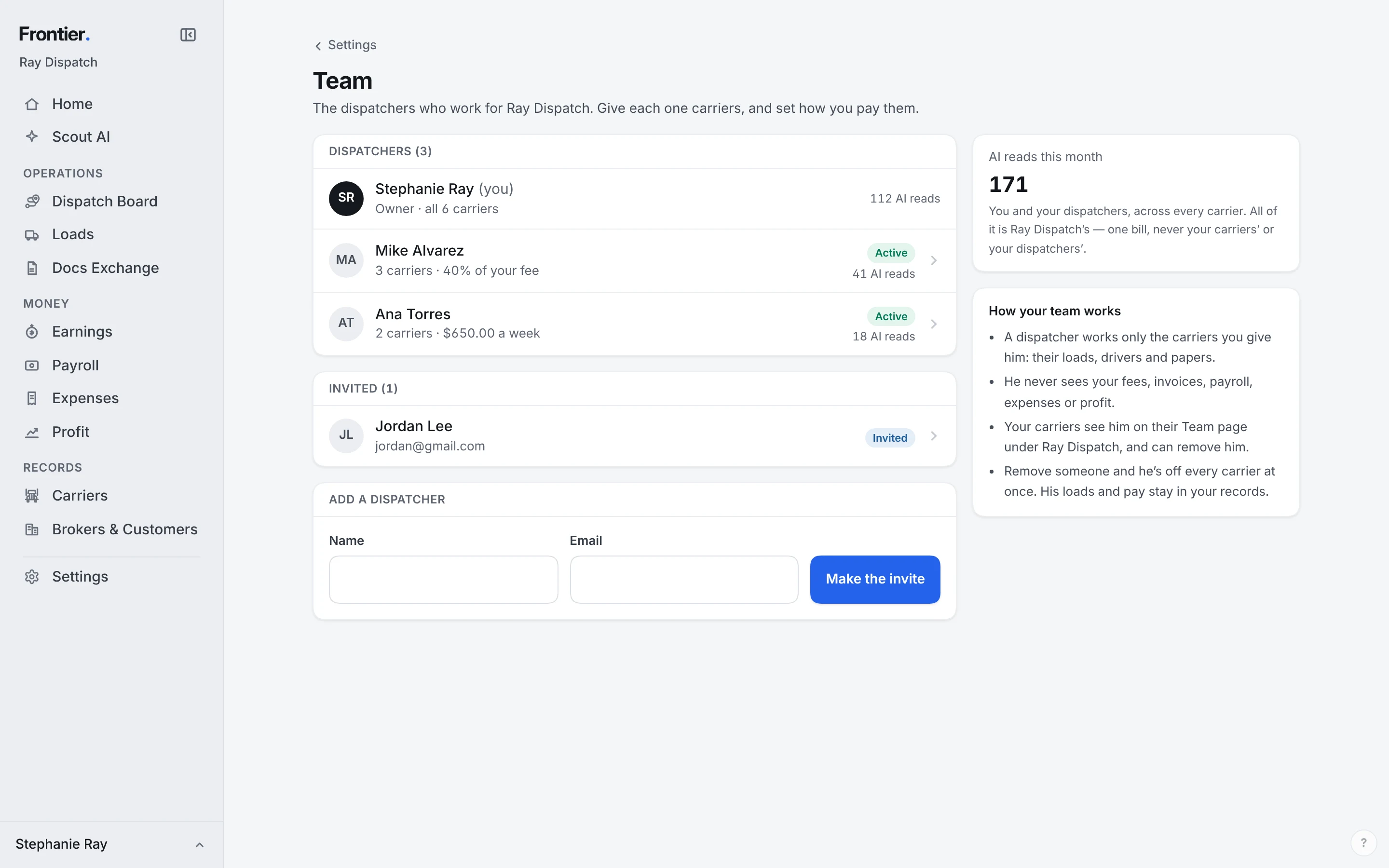
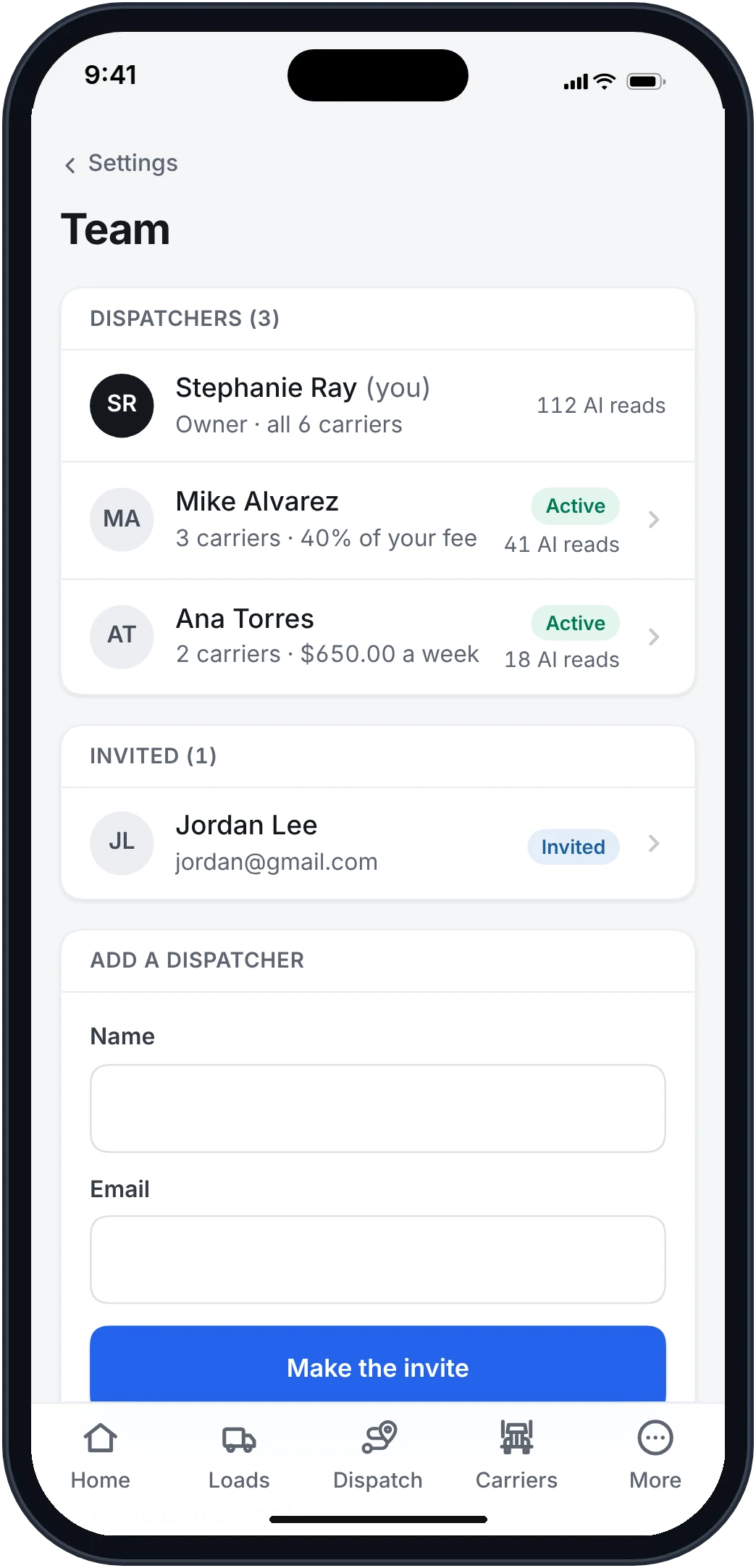
Real app screens · sample dispatch service data
How it works.
- 1
Invite a dispatcher
His name and email. He gets a link, makes his login and joins your service.
- 2
Give him carriers
Tick the carriers he works. He sees those carriers, their loads, drivers and papers, and nothing else.
- 3
Set his pay
A share of your fee, a percent of each load, a flat amount per load, or a flat amount each pay period, every week, two weeks or month.
- 4
Run payroll
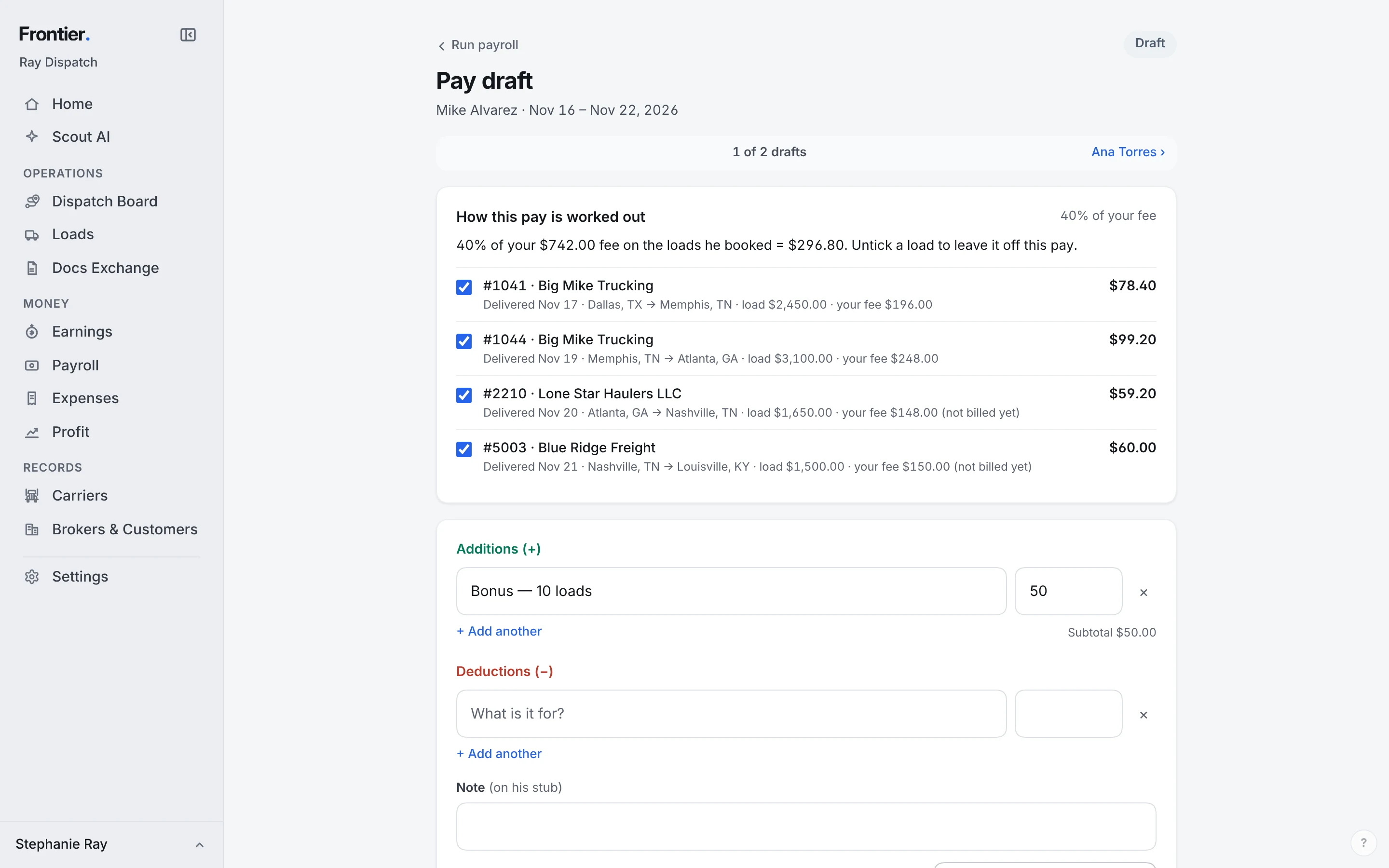
Pick a period. Each dispatcher's pay is worked out from the loads he booked. Add a bonus or take off an advance, then mark it paid. A load is never paid twice.
Every pay, shown working.
The loads he booked, what each one pays him, what you added or took off, and the total.
The details.
Your business, your carriers
Only you add carriers, set fees and bill them. Your dispatchers book and run the loads.
The carrier sees who's who
On the carrier's Team page your business shows as a dispatch service, with your dispatchers under it.
Pay stubs
Print a stub for each pay with every load on it. Your dispatcher sees his paid pays in his own Settings.
A payroll report
What you paid each dispatcher over any period, for 1099 time.
When someone leaves
Remove a dispatcher and he's off every carrier at once. His last pay still comes in.
Team lives in Settings
Add, remove and set pay from Settings, the same place a carrier keeps his team.
Does each dispatcher need his own login?
Yes, his own login, free. Everything he does is under your service, so your carriers see your business on their Team page.